
 Need help?
Do you have a question about the MSI X58 Pro-E seres and is the answer not in the manual?
Details the intellectual property and usage rights for the document's content.
Provides essential guidelines for safe operation and handling of the equipment.
Outlines radio frequency interference compliance for Class B digital devices.
Information regarding the disposal of waste electrical and electronic equipment.
Lists the detailed technical specifications of the mainboard components and features.
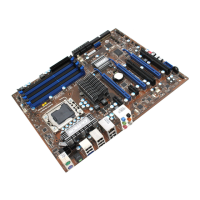
Diagram illustrating the physical placement of components and connectors on the mainboard.
Details the items included in the product package for user reference.
Overview of the mainboard's key components and their locations.
Step-by-step instructions for installing the Central Processing Unit (CPU) and cooler.
Guide on how to install memory modules (DIMMs) into the motherboard slots.
Details on connecting the ATX 24-pin and SSI 8-pin CPU power connectors.
Description of ports and connectors available on the mainboard's rear panel.
Explanation of various internal connectors on the mainboard for system components.
Information about PCI Express and PCI slots for adding expansion cards.
Explanation of the LEDs on the mainboard and their meanings for system status.
Instructions on how to access the BIOS Setup utility during system startup.
Overview of the main BIOS menu structure and available configuration categories.
Configuration settings for basic system parameters like date, time, and drives.
Settings for advanced system features, including boot options and performance tuning.
Settings for enabling or disabling onboard peripherals like USB, LAN, and Audio.
Configuration options for system power saving features and ACPI states.
Displays hardware monitoring information such as temperatures, voltages, and fan speeds.
Advanced settings for CPU, memory, and voltage control for overclocking.
Options to load fail-safe or optimized default settings for the BIOS.
Procedure for installing the necessary driver for audio functionality.
Guide to configuring audio settings and activating features via the Realtek HD Audio Manager.
Options for selecting sound effects and adjusting equalizer settings for audio playback.
Details on adjusting volume levels and enabling simultaneous audio streams.
Settings for configuring multi-channel audio output and speaker connections.
Information on S/PDIF digital audio transfer and testing speaker functionality.
Configuration options for microphone input, including noise suppression.
Instructions on how to launch and access the Overclocking Center software.
View detailed system information about the motherboard, CPU, and memory.
Guide to using the DOT feature for performance tuning and overclocking.
Overview of Intel ICH10R's RAID capabilities and Serial ATA features.
Steps to configure RAID settings within the system BIOS.
Procedure for installing the necessary Intel RAID drivers during OS setup.
Guide on how to migrate an existing disk to a RAID volume.
Instructions for creating a recovery volume using Intel Matrix Storage Console.
Procedures for resolving issues with missing or failed hard drives in a RAID array.
 General
| Socket | LGA 1366 |
|---|---|
| Form Factor | ATX |
| Maximum Memory | 24GB |
| PCI Express 2.0 x16 | 2 |
| PCI Slots | 2 |
| Max. LAN Speed | 10/100/1000Mbps |
| eSATA | 1 |
| Chipset | Intel X58 / ICH10R |
| Memory Slots | 6 x DDR3 |
| Supported Memory Types | DDR3 800/1066/1333/1600 |
| Storage Interface | SATA 3Gb/s |
| SATA RAID | RAID 0, 1, 5, 10 |
| USB 2.0 Ports | 12 |
| PS/2 | 1 (keyboard/mouse combo) |
| Audio Ports | 6 |






 To Next Page