2-11
Hardware Setup
▍
MS-7522
power SuppLy
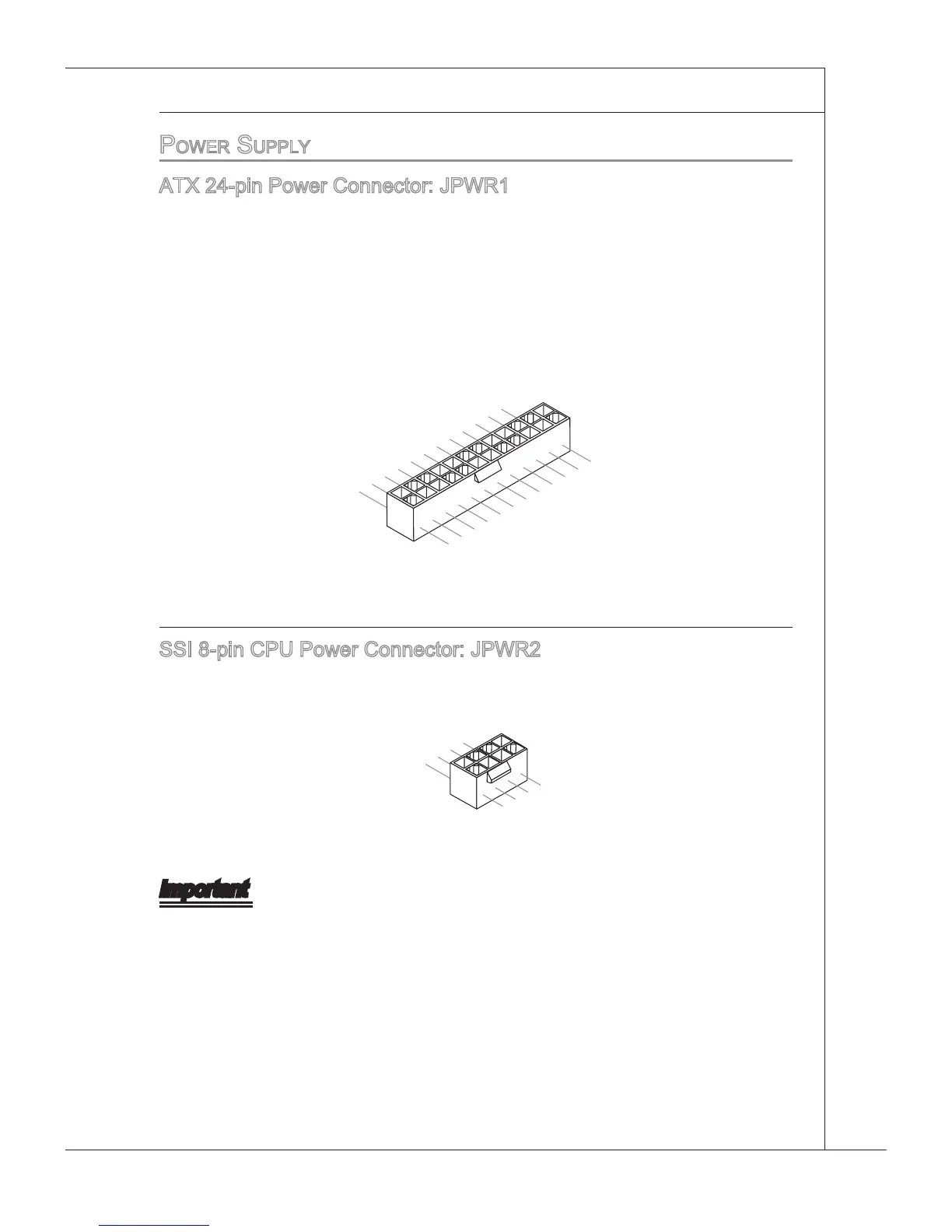
ATX 24-pn Power Connector: JPWR1
Ths connector allows you to connect an ATX 24-pn power supply. To connect the ATX
24-pn power supply, make sure the plug of the power supply s nserted n the proper
orentaton and the pns are algned. Then push down the power supply rmly nto the
connector.
You may use the 20-pn ATX power supply as you lke. If you’d lke to use the 20-pn
ATX power supply, please plug your power supply along wth pn 1 & pn 13 (refer to the
mage at the rght hand).
Important
Make sure that all the connectors are connected to proper ATX power supples to
ensure stable operaton of the manboard.
Power supply of 350 watts (and above) s hghly recommended for system stablty.
•
•







 To Next Page