Switch
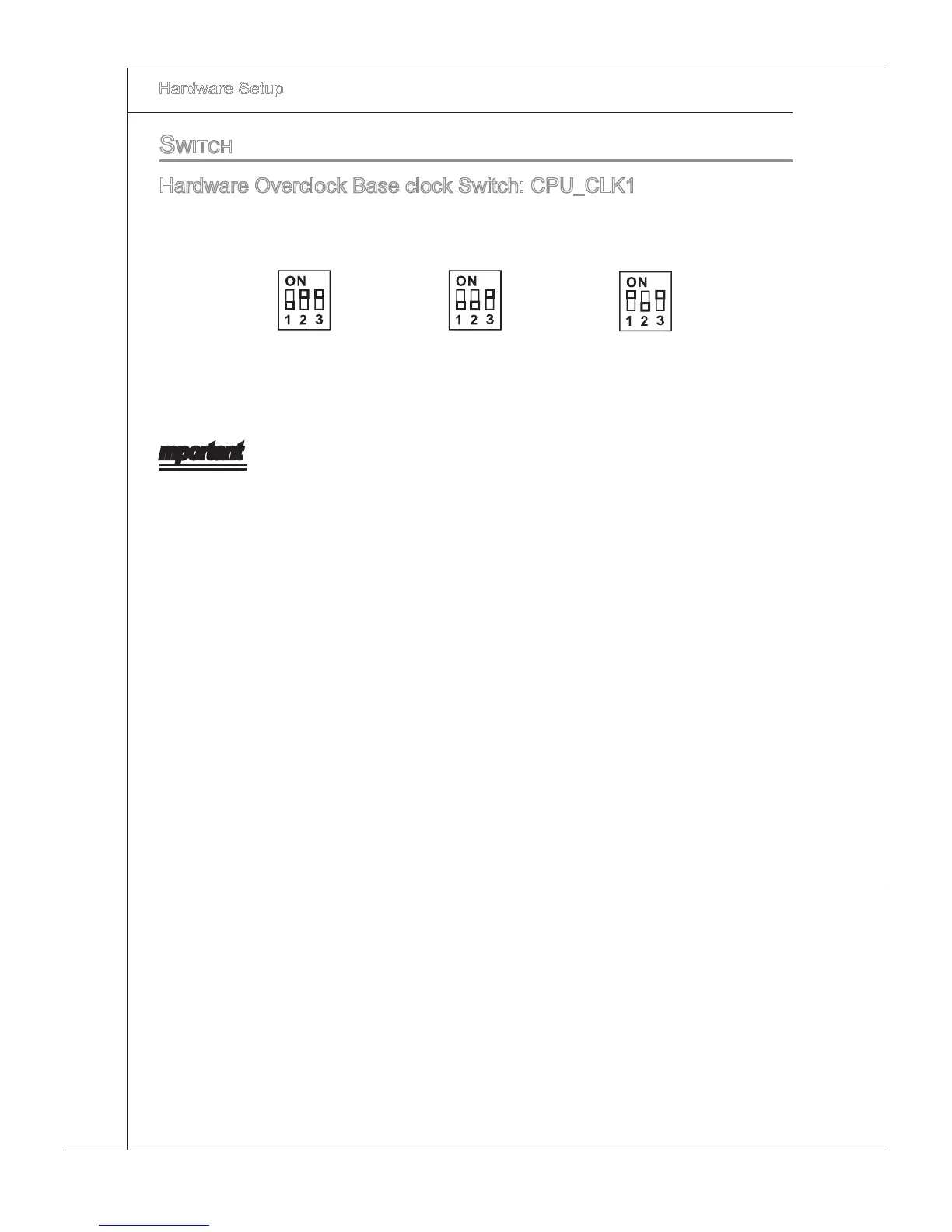
Hardware Overclock Base clock Swtch: CPU_CLK1
You can overclock the Base clock to ncrease the processor frequency by changng
ths swtch. Follow the nstructons below to set the base clock.
133 MHz
(default)
166 MHz 200 MHz
mportant
Make sure that you power o the system before changng the swtch.
HW overclockng may cause nstablty or crash durng boot, then please re-set the
swtch to default.
You can also overclock by settng BIOS. BIOS overclockng may also cause crash
durng boot and then please reboot the system 3 tmes to restore default BIOS set
-
tngs. For more detals, please refer to the BIOS chapter.
•
•
•







 To Next Page