Recovery Volume n Advanced Mode Creaton■
Important
Creatng a recovery volume wll permanently delete any exstng data on the drve se-
lected as the recovery drve. Back up all mportant data before begnnng these steps.
To create a recovery volume n Advanced mode, use the followng steps:
Open the Intel Matrx Storage Console. (Start --> All Programs --> Intel Matrx Stor
-
age Manager --> Intel Matrx Storage Console)
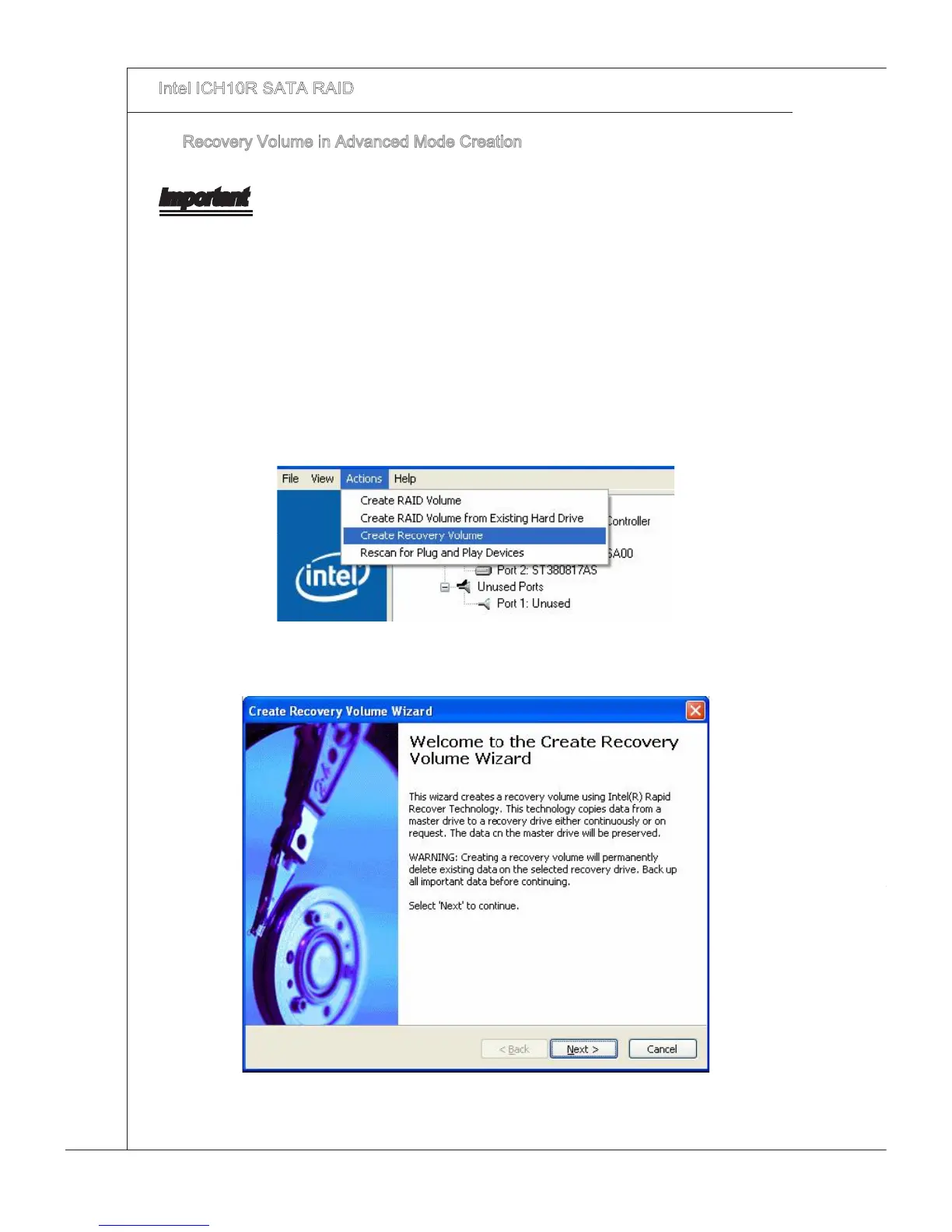
Select Advanced Mode n the Vew menu.
Select Create Recovery Volume n the Actons menu.
1.
2.
3.
Select Next to contnue.4.







 To Next Page