2-5
Hardware Setup
▍
MS-7522
Important
Conrm f your CPU cooler s rmly nstalled before turnng on your system.
Do not touch the CPU socket pns to avod damagng.
•
•
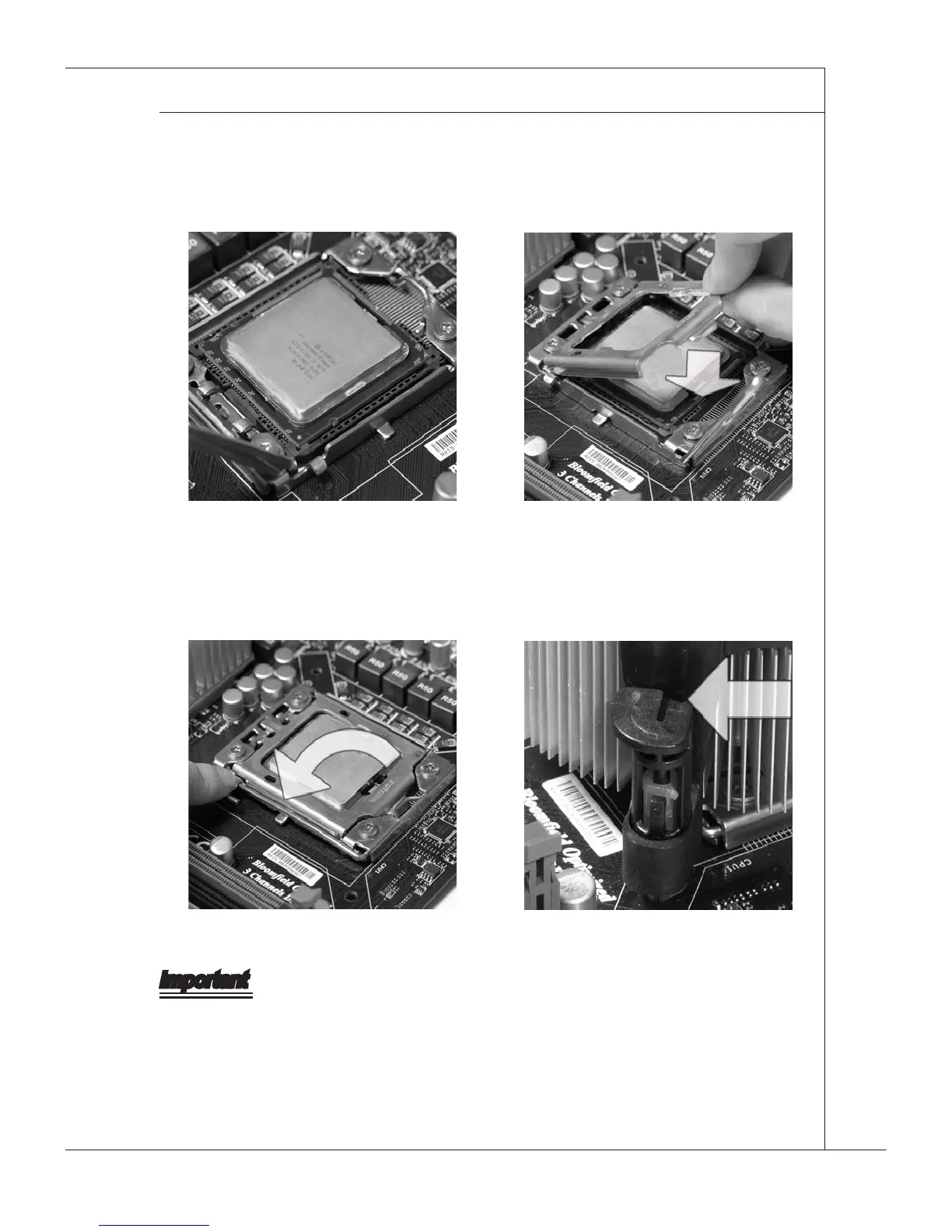
Vsually nspect f the CPU s seated
well nto the socket. If not, take out
the CPU wth pure vertcal moton
and renstall.
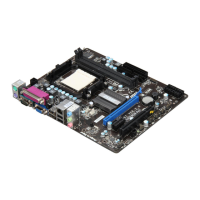
5. Cover the load plate onto the pack-
age.
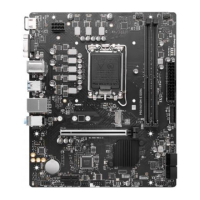
6.
Press down the load lever lghtly onto
the load plate, and then secure the
lever wth the hook under retenton
tab.
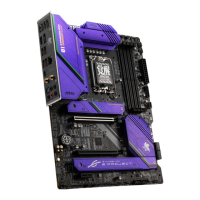
7.
Make sure the four hooks are n por
-
per poston before you nstall the
cooler.
8.







 To Next Page