79
Charging
1. Place the mower in the station (or press HOME button).
2. Mower will charge up to 100% and then go into standby.
3. Mower will get charged again if battery is lower than 75%.
The mower charges on its station through the two charging rods. These rods insert into the front of the
mower. Ensure the holes are free of debris or obstructions and that the mower aligns when approaching the
charge station. Uneven ground on approach can cause the mower to not make a positive connection first
time. If this happens consider levelling the ground or moving the station to a more suitable area.
Schedule
1. Press OK button to enter sub-menu 1.
2. Select „schedule“.
3. Press OK button to select the desired day.
4. Press UP, DOWN, LEFT and RIGHT buttons to set the start and end time.
5. Press OK button to confirm the daily setting.
6. Repeat step 3 to 5 to complete the weekly plan.
7. Press OK button to confirm the weekly setting.
This allows you to change mowing schedules for different days of the week, for example if you want to
prevent mowing to occur on any given day or if other scheduled activity in the garden would prevent
effective mowing during normal daily schedule.
Zones
1. Press OK button to enter sub-menu 1.
2. Select „zone“.
3. Press OK button to select the desired zone.
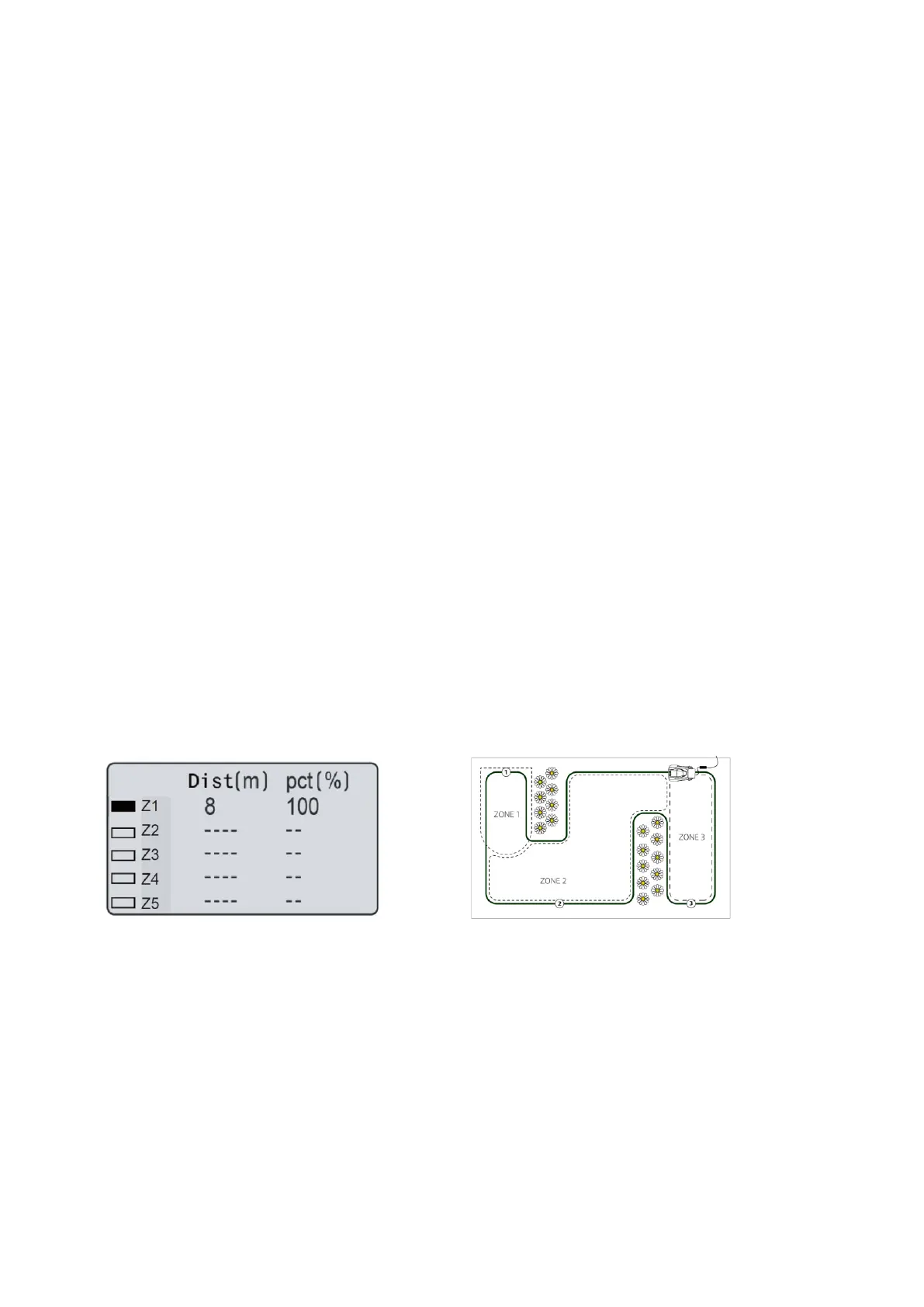
4. Press UP, DOWN, LEFT and RIGHT buttons to
select the distance and percentage.
5. Press OK button to confirm each zone.
6. Repeat step 3 to 5.
7. Press OK button to confirm the setting of all the
zones.
You can set up to 5 zones in your garden. This
enables you to decide areas of your garden that
need more or less attention. A zone is set by how far
along the boundary wire from the base station. The
distance should be 0 to 200 m and the percentages
should add up to 100 % or the setting cannot be
completed.


 To Next Page