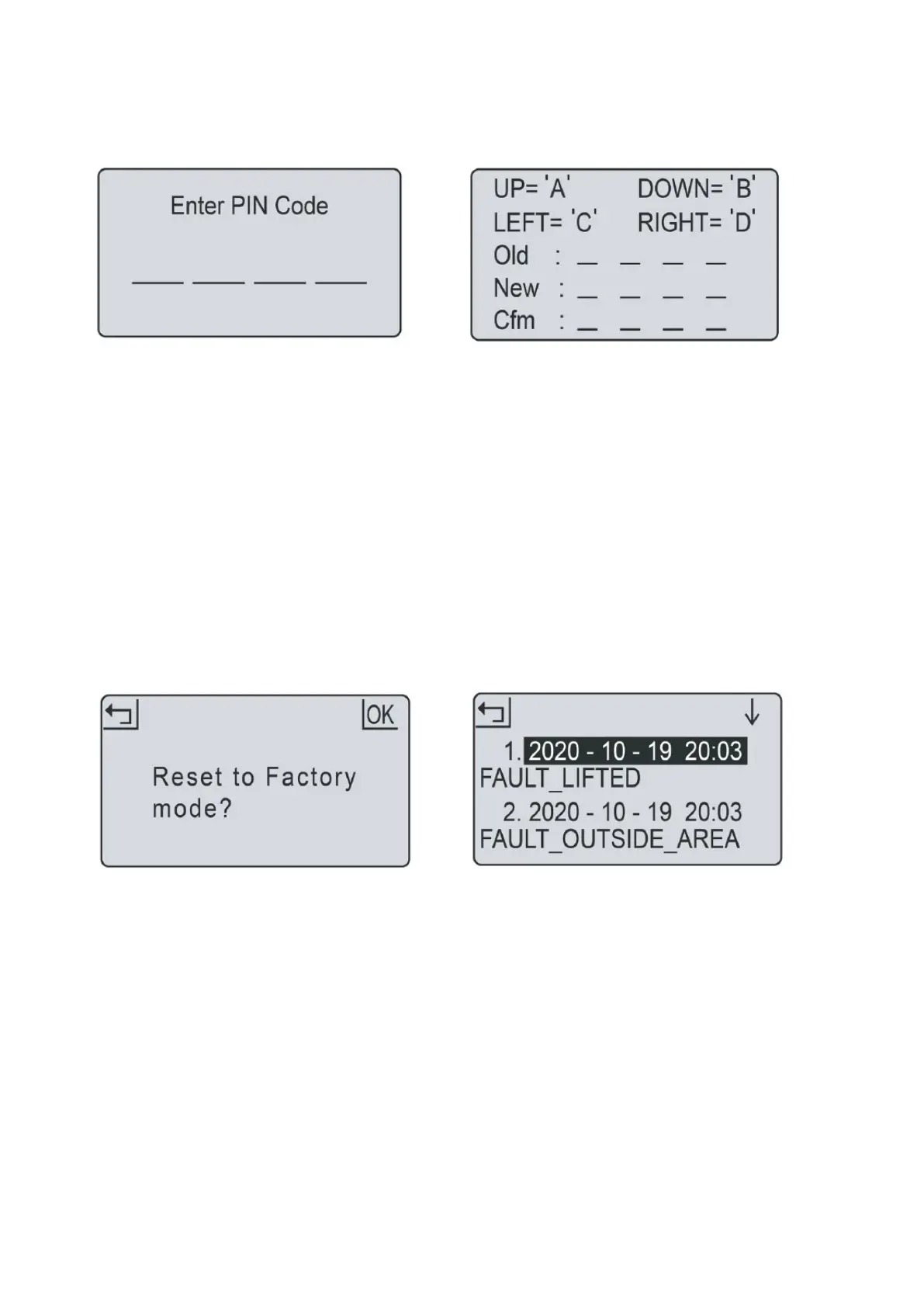
1. PIN code should be entered after powering on,
pressing STOP button, and before clearing error
status and changing PIN code.
2. If the PIN code is incorrect, the screen will show
“PIN wrong, please retry“.
3. If the PIN code is entered incorrectly 3 times, the
screen will be locked for 15 seconds. The lock
time will double for further incorrect entries.
1. Press OK button to enter sub-menu 1.
2. Select „setting“ to enter sub-menu 2.
3. Select „change PIN“.
4. Enter the original PIN code.
5. Enter new PIN code.
6. Enter the new PIN code again. („New passwords
do not match“ will be shown for inconsistent
passwords.)
7. Press OK button to confirm.
1. Press OK button to enter sub-menu 1.
2. Select „setting“ to enter sub-menu 2.
3. Select „factory reset“.
4. The screen shows „Reset to factory mode?“
5. Press OK button to confirm.
1. Press OK button to enter sub-menu 1.
2. Select „setting“ to enter sub-menu 2.
3. Select „information“ to enter sub-menu 3.
4. Select.
5. The past 10 records (including date, time and
error message) will be shown.
In the event of malfunction, the error log will
record all actions and can be used for service
maintenance and fault finding.


 To Next Page