EasyManua.ls Logo

MTI 1510A - User Manual

MTI 1510A
50 pages
Print Icon
To Next Page IconTo Next Page
Loading...
MTI Part Number 7001-0040
Revision 3.1 August 7, 2014
1510A
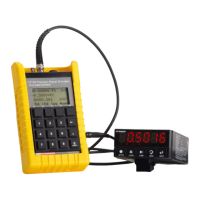
Precision Signal Source with direct digital synthesis
Software Operation Manual
his document discloses subject matter in which MTI Instruments Inc. has proprietary rights and such subject matter shall not, without written permission of MTI
Instruments Inc. be used, released, or disclosed in whole or in part. This legend shall be marked on any reproduction hereof in whole or in part.
MTI Instruments, Inc.
325 Washington Avenue Extension, Albany, New York 12205 USA
Phone: (518) 218-2550 FAX: (518) 218-2506
Note:
Performing a user calibration with the
software package will result in an
accuracy of 2% at best. A factory cal
is required to achieve the original
published MTI specifications.
Question and Answer IconNeed help?

Do you have a question about the MTI 1510A and is the answer not in the manual?

Summary

Overview of the 1500 Series Software Package

Pre-Program Memory Locations

Allows users to pre-program and download signal settings to 40 memory locations.

Review Memory Location Programs

Enables review and editing of saved memory location settings from the unit.

Check Calibrator Configuration

View internal parameters like software revision, calibration date, and serial numbers.

Remote Control Of Signals

Provides an interface to control the 1500CS/1510A output signals via PC.

Installing the Software

Installing the 1510 A USB Driver

Before You Start the Software

Connecting to Your Calibrator

Starting the Software

Setup Tab

Calibration Factors Tab

Memories Tab

Memory Location Identification

Assign unique names/labels to memory locations for easier identification and selection.

Channel A Signal Settings

Configure Channel A function, units, frequency, and amplitude.

Memories Tab Continued

Sweep Mode Settings

Configure sweep mode parameters, including start/stop frequency and sweep time.

Channel B Signal Configuration

Configure Channel B function, pulse mode, and tach mode.

Memories Labels Tab

Device Options Menu

Select Unit Type

Choose between 1500CS and 1510A models.

Communications Setup

Configure port and baud rate for computer communication.

Verify Communications

Establish and test the communications link between the PC and the unit.

Configuration Options Menu

Clear Configuration

Resets all settings and information on the tab displays.

Load;Save Configuration

Load or save configuration setups from/to user computer files.

Upload Configuration From Unit

Uploads current unit settings to the software.

Setup Options Menu

Clear Setup Information

Clears calibration date information from the Setup Tab display.

Factors Menu

Memory Menu

Memory Management Operations

Perform operations like clear, copy, paste, insert, and delete memory locations.

Memory Upload;Download

Transfer individual memory locations between the unit and the software.

All Memory Operations

Manage all 40 memory locations at once, including clearing and uploading/downloading.

Tools Menu

Remote Control Panel

Remotely control all outputs and parameters of the 1500CS/1510A from the computer.

Calibration Wizard

Guides users through a semi-automated procedure for recalibrating the 1500CS/1510A unit.

MTI 1510A Specifications

General IconGeneral
BrandMTI
Model1510A
CategoryTest Equipment
LanguageEnglish