Page 20 MTI Part Number 7001-0040
Revision 3.1 August 7, 2014
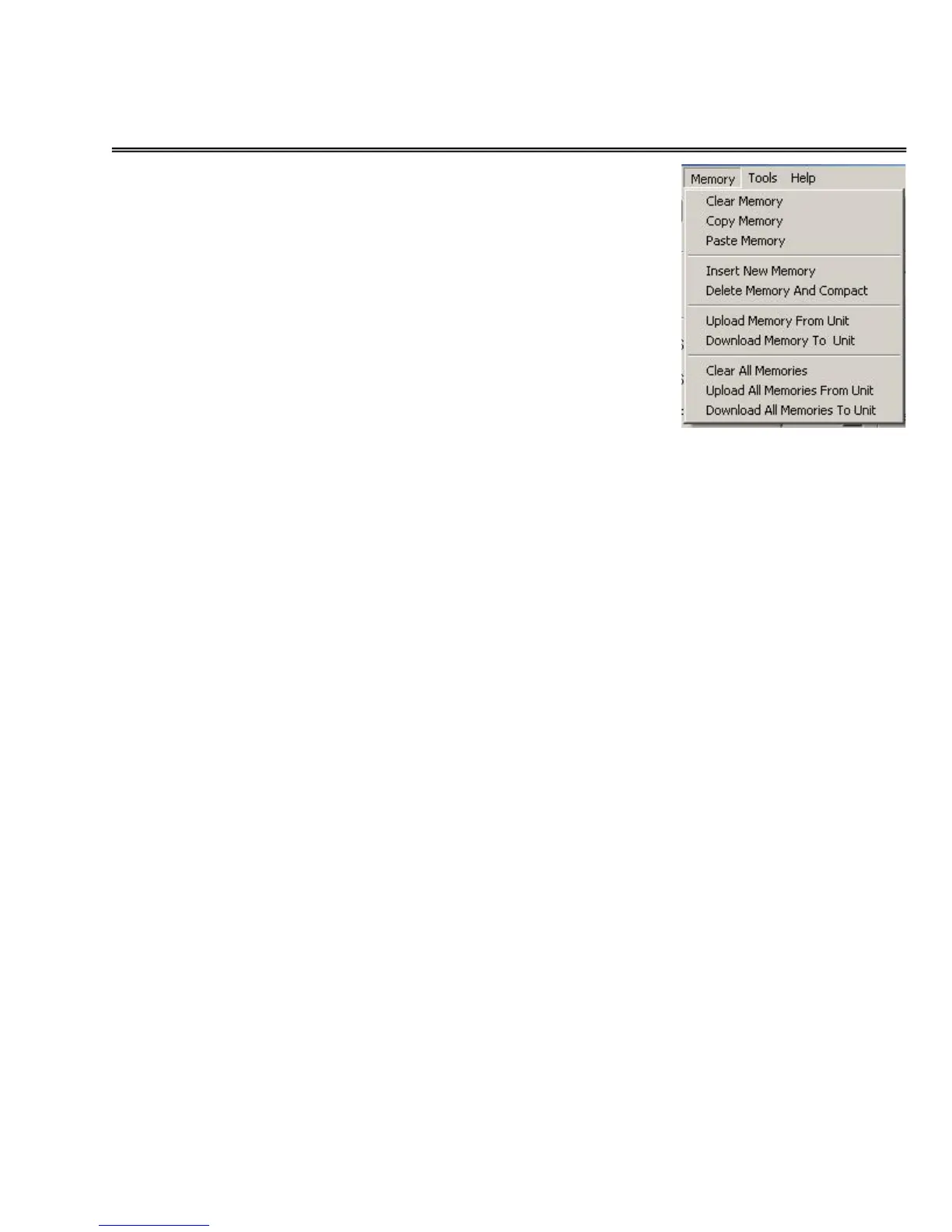
MEMORY Menu
The MEMORY menu provides a
comprehensive set of utilities for
managing the 40 memory locations
in the 1500CS when used with the
MEMORY Tab.
CLEAR MEMORY – Clears out all
of the entry fields in the currently
selected MEMORY editor page. All
other locations remain unchanged.
COPY MEMORY – Copies the
currently displayed set of memory
settings to the clipboard.
PASTE MEMORY – Pastes the memory settings from the clipboard to
the currently selected memory location.
INSERT NEW MEMORY – This command inserts a new memory
AFTER the currently selected memory location. All subsequent
locations are incremented by one (1) and the 40
th
location is lost.
DELETE MEMORY and COMPACT – This command deletes the
currently displayed memory. All subsequent locations are decremented
by one (1) and a new (and blank) 40
th
location is created.
UPLOAD MEMORY FROM UNIT – This command establishes
communications with the 1500 and uploads a single memory location
from the 1500 to the currently displayed location of the memory editing
display.
DOWNLOAD MEMORY TO UNIT – Selecting this option establishes
communications with the 1500 and downloads the values of the
currently displayed memory to the 1500.
CLEAR ALL MEMORIES – This command clears out all of the entry
fields in all of the 40 MEMORIES of the editor.
UPLOAD ALL MEMORIES FROM UNIT – Selecting this option
establishes communications with the 1500 and uploads the stored
values from all 40 memory locations into the 40 memory editor pages.


 To Next Page