Page 15 MTI Part Number 7001-0040
Revision 3.1 August 7, 2014
DEVICE OPTIONS Menu
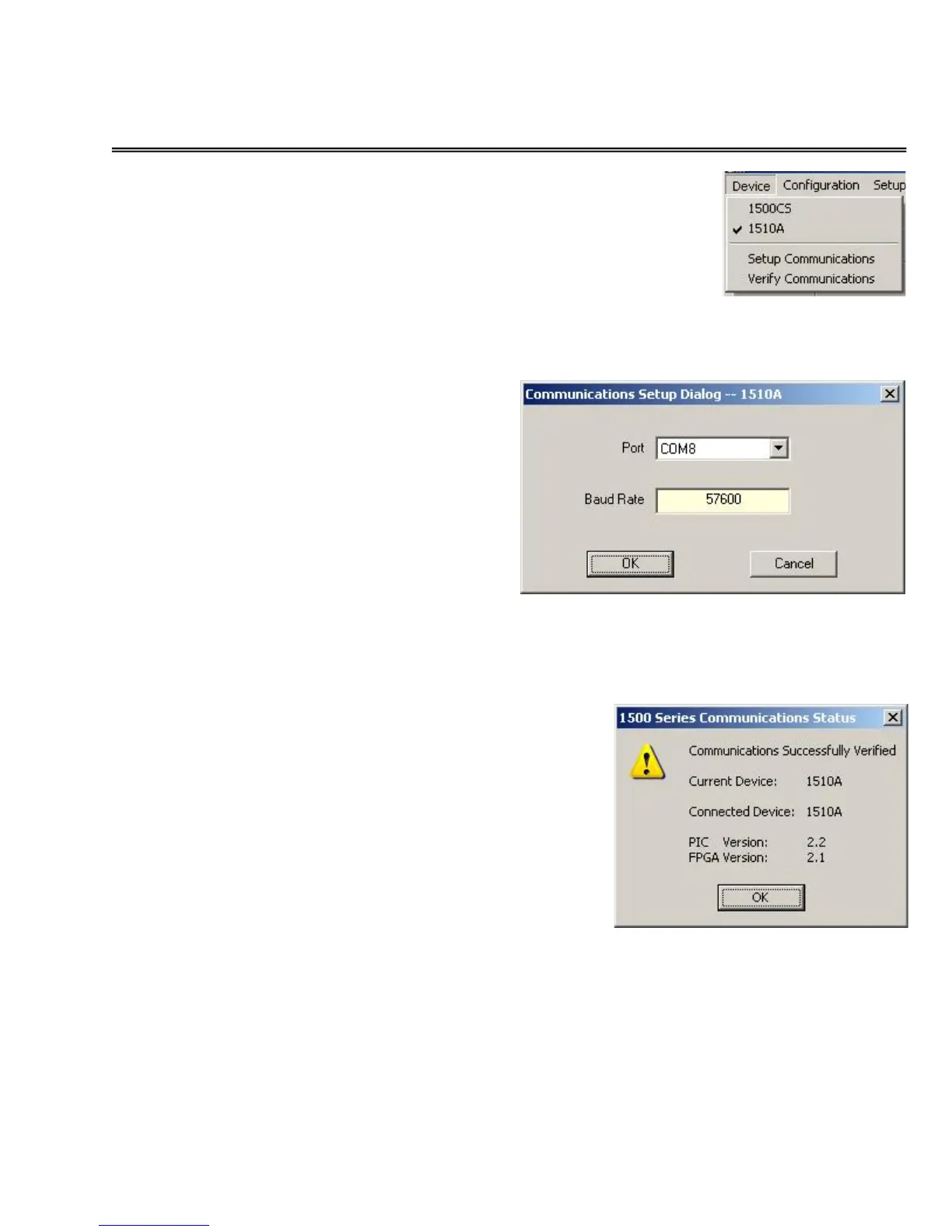
1500CS / 1510A – This function is
used to select the type of 1500 Series
unit. A check mark appears in front of
the current selected type of unit.
Setup Communications –
Selecting this option enables the
user to select the communications
port that connects the computer the
1500CS or 1510A. After changing
the communications port, exit the
program and then restart it.
Verify Communications – Selecting this
option causes the software to establish a
communications link to the 1500 Series unit
and to test communications.


 To Next Page