Page 5 MTI Part Number 7001-0040
Revision 3.1 August 7, 2014
BEFORE YOU START THE SOFTWARE
After installation of the software you will need to check a few items to ensure
efficient operation of all program features.
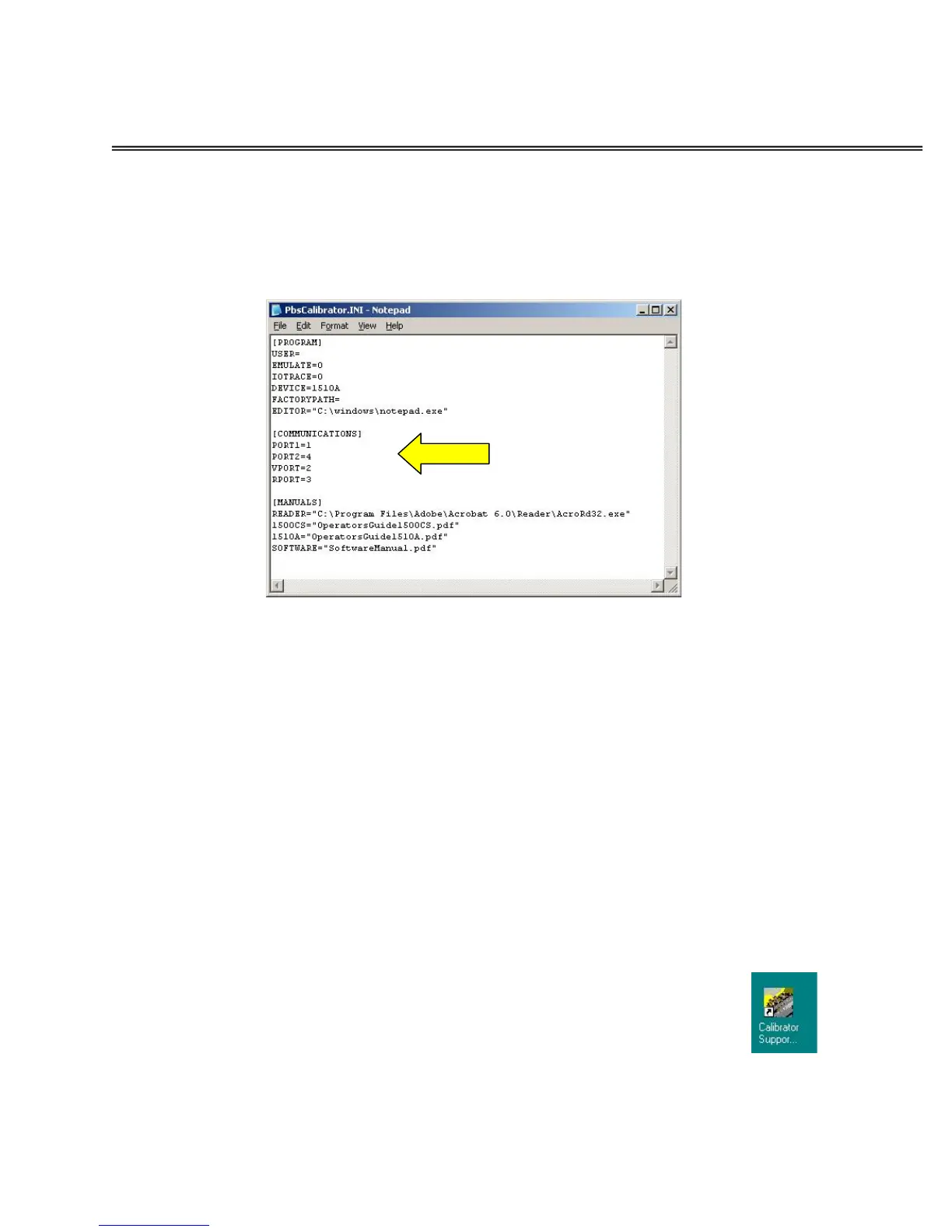
First, open the file: C:PBS\PbsCalibrator\Program\PbsCalibrator.INI
Verify that the path to the Adobe reader is correct for your system. If not,
replace the correct path within the quotation marks in the INI file and SAVE. If
you do not have Adobe reader installed, the 1500 Series Precision Signal Source
Software Package CDROM contains a copy of the Adobe reader installation
package.
Also verify that the Serial Port number listed in the INI file is correct for your
system. 1=COM1, 2=COM2, etc.
For the 1500CS, set PORT1 to the appropriate serial port number.
For the 1510A, set PORT2 to the port number previously determined from Device
Manager.
Make the necessary changes, SAVE and close the INI file viewer. All other
entries and setting in the file should be left unchanged.
Finally, you may wish to place a shortcut to the program on your
computer desktop. The 1500 Series Precision Signal Source Software
Package program is located in:
C:\PBS\PbsCalibrator\Program\PbsCalibrator.exe


 To Next Page