Page 4 MTI Part Number 7001-0040
Revision 3.1 August 7, 2014
INSTALLING THE 1510A USB DRIVER
continued
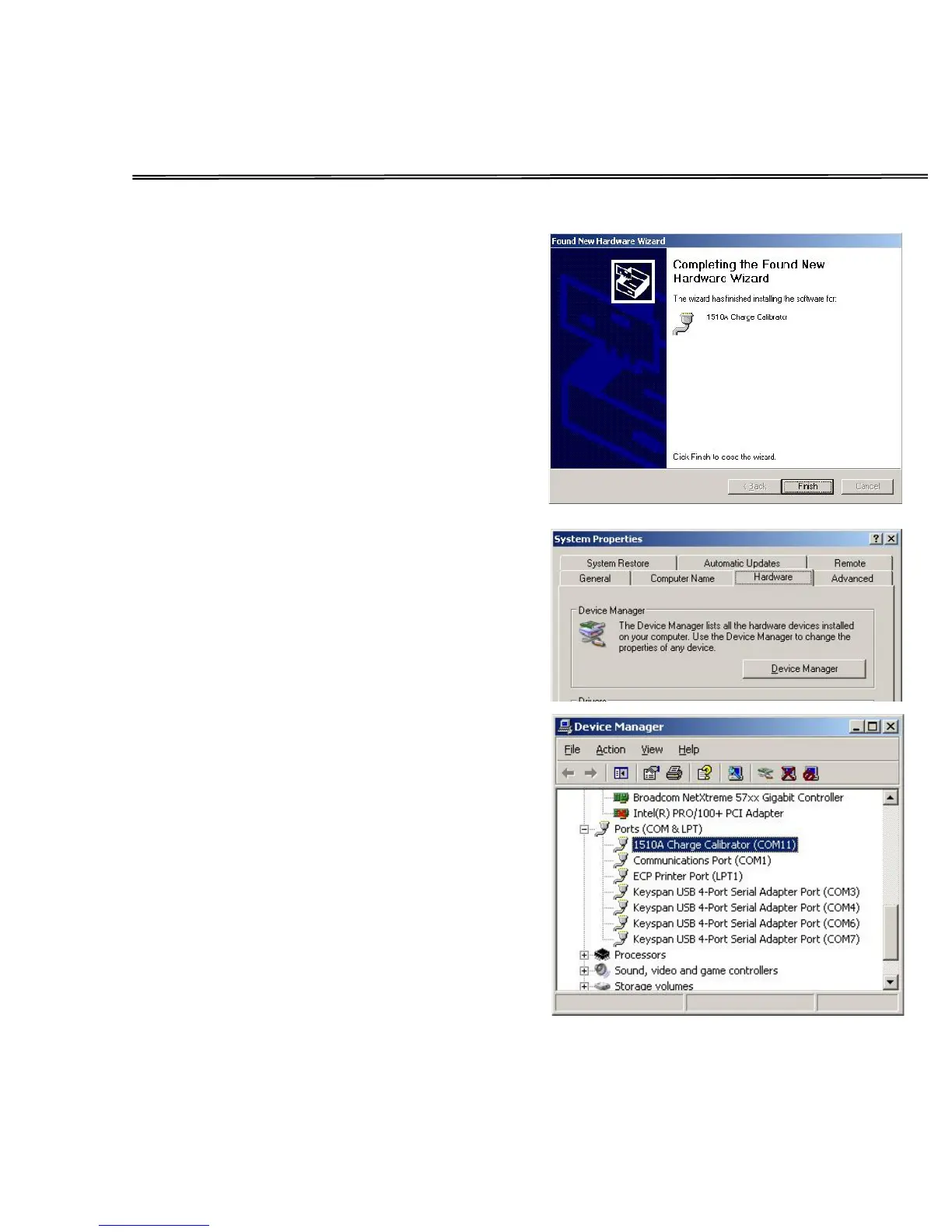
When driver installation completes, press
Finish.
Your 1510A is ready for use.
Click Start-Settings-Control Panel and
double click the System icon. When the
System Properties dialog displays, click the
Hardware tab.
Then click the Device Manger button.
In Device Manager, scroll down to the Ports
category and open it. Locate the 1510A
Charge Calibrator entry and note the assigned
COM port. In the next step, the COM port
value must be entered into the program INI
file.
Close the Device Manager.


 To Next Page