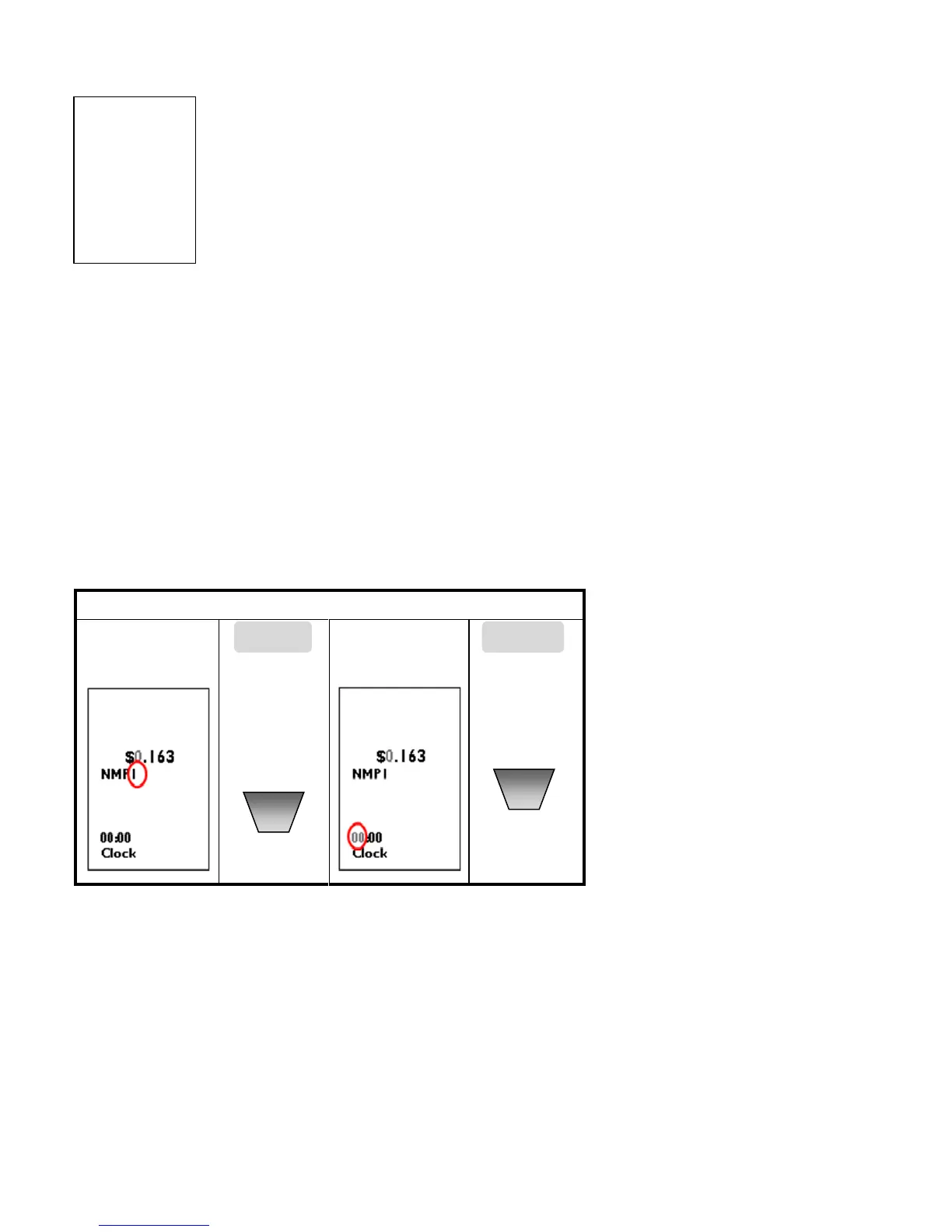
Setting a Single Tariff Rate (NMP1) :
When selecting a single tariff (NMP1):
1. Press the ▲or▼ key and select NMP1 by pressing MODE/SET key.
2. Adjust the tariff rate by setting the values (0-9) for each flashing digit. Use the
SET/MODE key to confirm each digit.
3. Once the tariff rate is completed, press the SET/MODE key to confirm the tariff
setting and return to the Setting Mode.
Note : There is no need to set starting time for single tariff.
Setting a Two Tariff Rate (NMP12) :
When setting a two tariff rate ʺNMP12ʺ, each period 1 and 2 must be set separately. Begin by setting the
tariff rate for period 1, followed by the second.
1. When setting a two period tariff rate (NMP12), begin by setting the first tariff rate period by using the ▲
or ▼ key. Adjust the tariff rate by setting the values (0-9) for each flashing digit. (Use the MODE/SET) key
to confirm each digit).
2. When setting a two period tariff rate (NMP12), begin by setting the first tariff rate period by using the ▲
or ▼ key. Adjust the tariff rate by setting the values (0-9) for each flashing digit. (Use the MODE/SET key
to confirm each digit).
3. Using the ▲or▼key, adjust the Second tariff rate by setting the values (0-9) for each flashing digit. (Use
the SET/MODE key to confirm each digit).
4. When the tariff rate for the second period has been set (confirmed), use the ▲or▼key to select the
starting time of the second tariff period. Set the hour (00-23) and minutes (00-59) and press the
SET/MODE key to confirm


 To Next Page