Dolito Bedienungsanleitung / Operators Manual
36
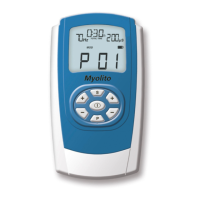
1. Switch on Dolito by pressing the „On/O” button.
2. Choose the program PC06 with the „P” button.
3. Press the „S” button for at least three seconds. Dolito changes to the programming mode and
the time that indicates program duration, ashes to show that this function can be altered.
In the following please use the left „+“ button to store your choice and to change to the
next step. The right „+/-“ buttons are respectively used in order to alter the chosen and
ashing parameter.
4. Select with the right „+/-”buttons the desired time for the program.
5. By pressing the left „+”button you will be able to store your choice and change to the next
step. Mode now ashes on the LCD and you are able to select the mode that you require by
pressing the right „+/-”buttons.
If you have chosen „CONT” or „BURST” you can set the frequency (Hz) and pulse width
(µS).
If you have chosen „MOD” you can set the following parameters:
- upper limit of frequency (Hz HI)
- low limit of frequency (Hz LO)
- upper limit of pulse width (µS HI)
- low limit of pulse width ( µS LO)
Modulation-time will always be 6 seconds.
Programming of Dense-Disperse-Stimulation according to Prof. Han (CONT + BURST) is not
possible.
If you have chosen “WORK/REST”- rhythm you can set the following parameters:.
- frequency (Hz)
- pulse width (µS)
- work time (WORK)
- rest time (REST = recovery time)
6. The programming is completed by pressing the „P” button and the program is stored.
Setting the
Custom Program (06)


 To Next Page