Alarm System (Pulse Oximeter)
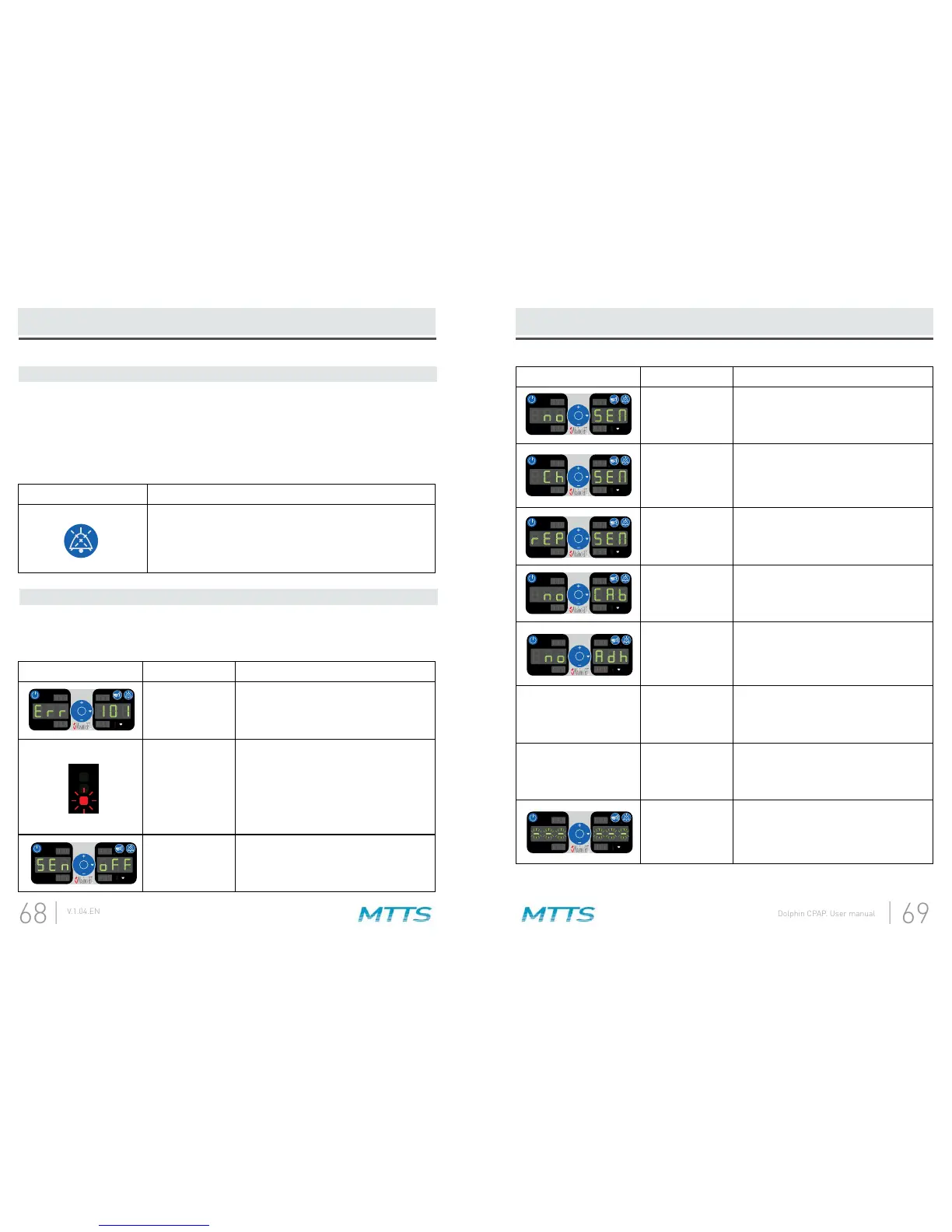
Symbol Description Solution
System failure
Turn the machine off and then on
again. If the error message is still
present, note the error number and
contact your MTTS representative.
Low perfusion
index
(2) Attempt to warm patient.
(3) Move sensor to better perfused site.
NOTE: Masimo recommends using an
adhesive sensor whenever low
perfusion is expected or evident.
Sensor not
connected to
patient
Connect the sensor to the patient.
4. Alarm Silence
Audible alarms may be suspended, while visual alarms may not. The alarm silence
button is used to temporarily silence audible alarms for 110 seconds. When this
button is pressed, a yellow light is illuminated next to the button and audible alarms
are silenced. When the button is pressed and the yellow light is already on, the yellow
light turns off and alarm sounds are restored.
Symbol Description
Press this button to temporarily silence Pulse Oximeter
alarm sounds for 110 seconds. Press it again to
restore alarm sounds.
5. Alarm and information signals
The pulse oximeter alarm system will indicate the following alarm and information
signals:
Alarm System (Pulse Oximeter)
Symbol Description Solution
Sensor not
connected to
device or cable
Connect the sensor to the device or
cable.
Interference
detected
Ensure that the sensor is properly
applied, and cover the sensor site with
opaque material, if required.
Sensor defective
or unrecognized
Replace the sensor.
Cable not
connected to
device
Connect the cable to the device.
Adhesive sensor
not connected to
device or cable
Connect the adhesive sensor to the
device or cable.
SpO
2
value
ashing
May indicate poor
data quality (Low
signal IQ or Low
Perfusion Index)
(2) Verify placement of sensor.
Pulse value
ashing
May indicate
poor data quality
(pulse rate still
calculating)
applied to a patient).
Pulse search
Wait for found pulse.
(This search should occur whenever a


 To Next Page