Operation (Pulse Oximeter)
1. Power on the Pulse Oximeter display.
If an error is detected by the Dolphin CPAP at this time, an error message will
be indicated using ERR and a number on the display. If this happens, note the
error number and contact your MTTS representative.
SpO
%
2
/min
OK
%
SpO
%
2
/min
OK
%
SpO
%
2
/min
OK
%
SpO
%
2
/min
OK
%
SpO
%
2
/min
OK
%
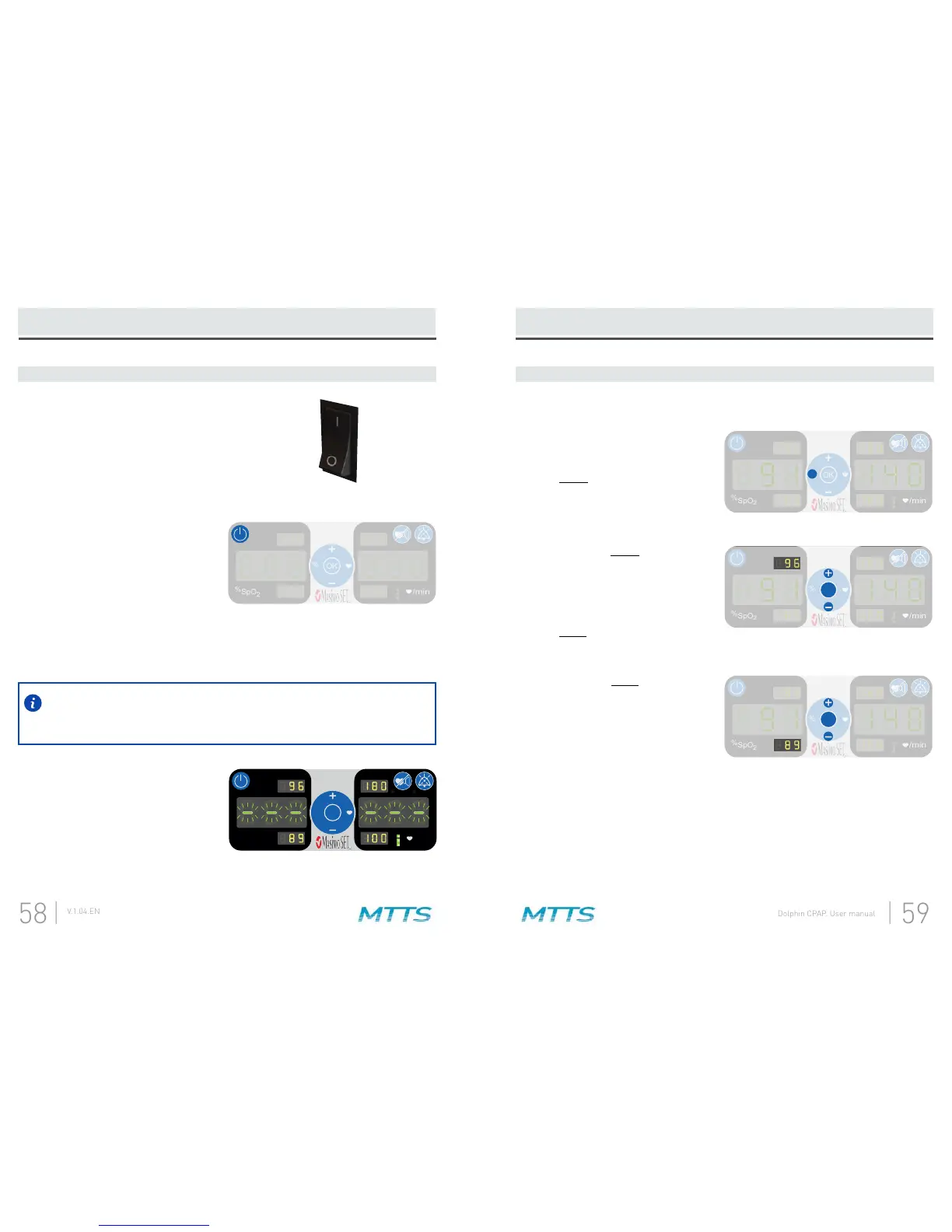
Make sure the rocker switch on the
back panel is in the on-position.
If the CPAP display is currently lit,
the rocker switch is already in the
on-position.
A.
Press and hold the power button on
the Pulse Oximeter display for two
seconds to turn it on.
B.
After turning on the Pulse Oximeter display, all of the lights will turn on and an
C.
The saturation display and pulse
“---“ until patient values have been
acquired (approximately 10
seconds).
D.
Press the percent button to begin
adjusting the SpO
2
alarm limits.
Pressing this button will cause the
SpO
2
upper alarm limit to start
A.
While the SpO
2
upper alarm limit is
arrows to adjust the alarm limit.
When the target number has been
reached, press the OK button.
Pressing this button will cause the
SpO
2
lower alarm limit to start
B.
While the SpO
2
lower alarm limit is
arrows to adjust the alarm limit.
When the target number has been
reached, press the OK button.
C.


 To Next Page