701333-004 2-5
Preparing to Operate the 1330
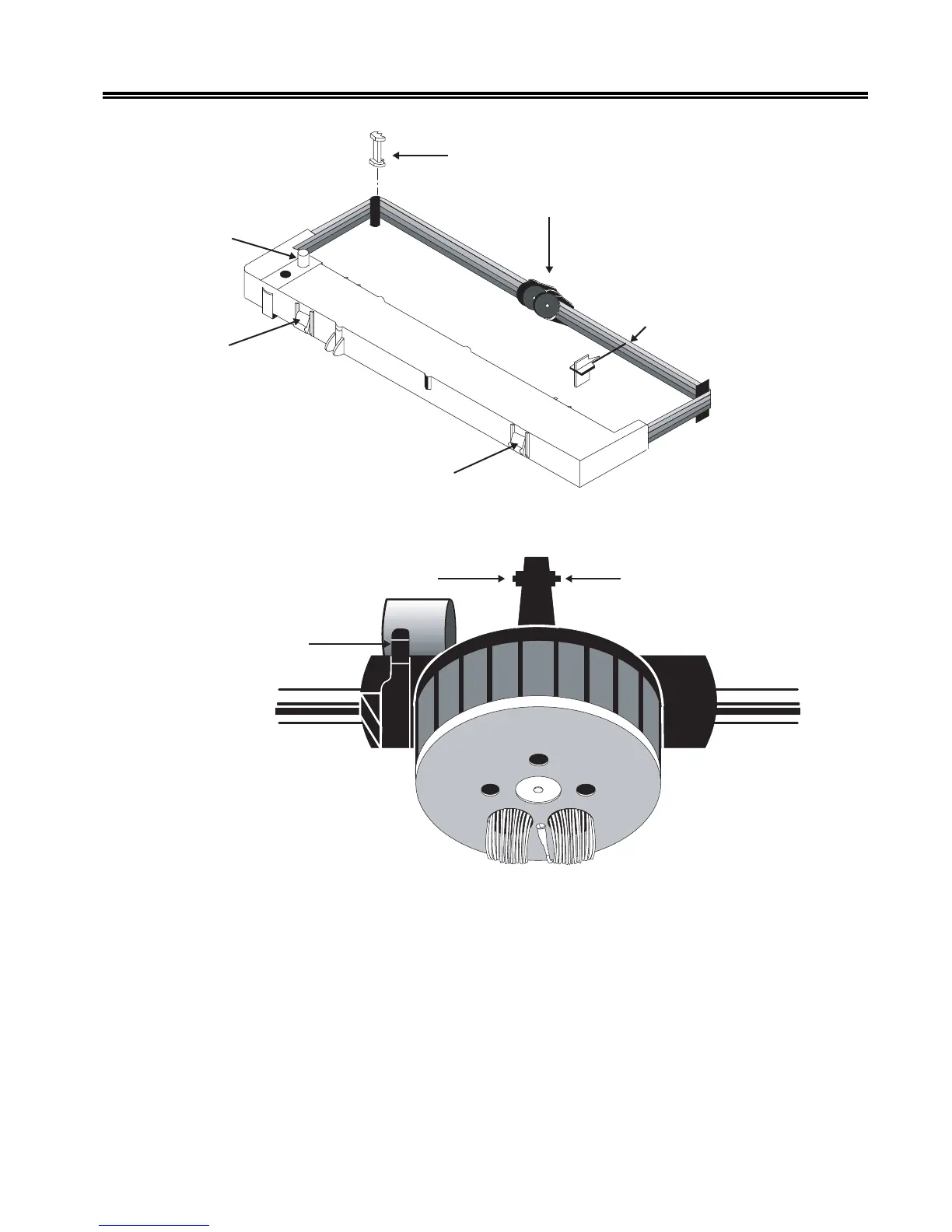
Removable Corner Guides
Ribbon Shifter Guide
Ribbon Stop (REMOVE
AFTER INSTALLATION)
Mounting Clip
Mounting Clip
Ribbon Drive
Gear Knob
Figure 2-3. Shifting Ribbon Cartridge
Ribbon Shifter Button
Ribbon Shifter Button
Platen Gap Lever
Figure 2-4. Platen Gap Lever
5. If you are replacing the ribbon cartridge, grasp both sides of the ribbon shifter guide,
as illustrated in Figure 2-5, and gently bend the sides toward the rear of the printer.
The ribbon shifter guide will disengage. Lift it away from the printer.



 To Next Page