GPS tracker TV 7”
25
relieve your tiredness.
You can use it almost anywhere and anytime, like when driving,
walking, bicycling or waiting for a meeting. The perfect “GPS +
entertainment” functions provide you with a colorful work and
life.
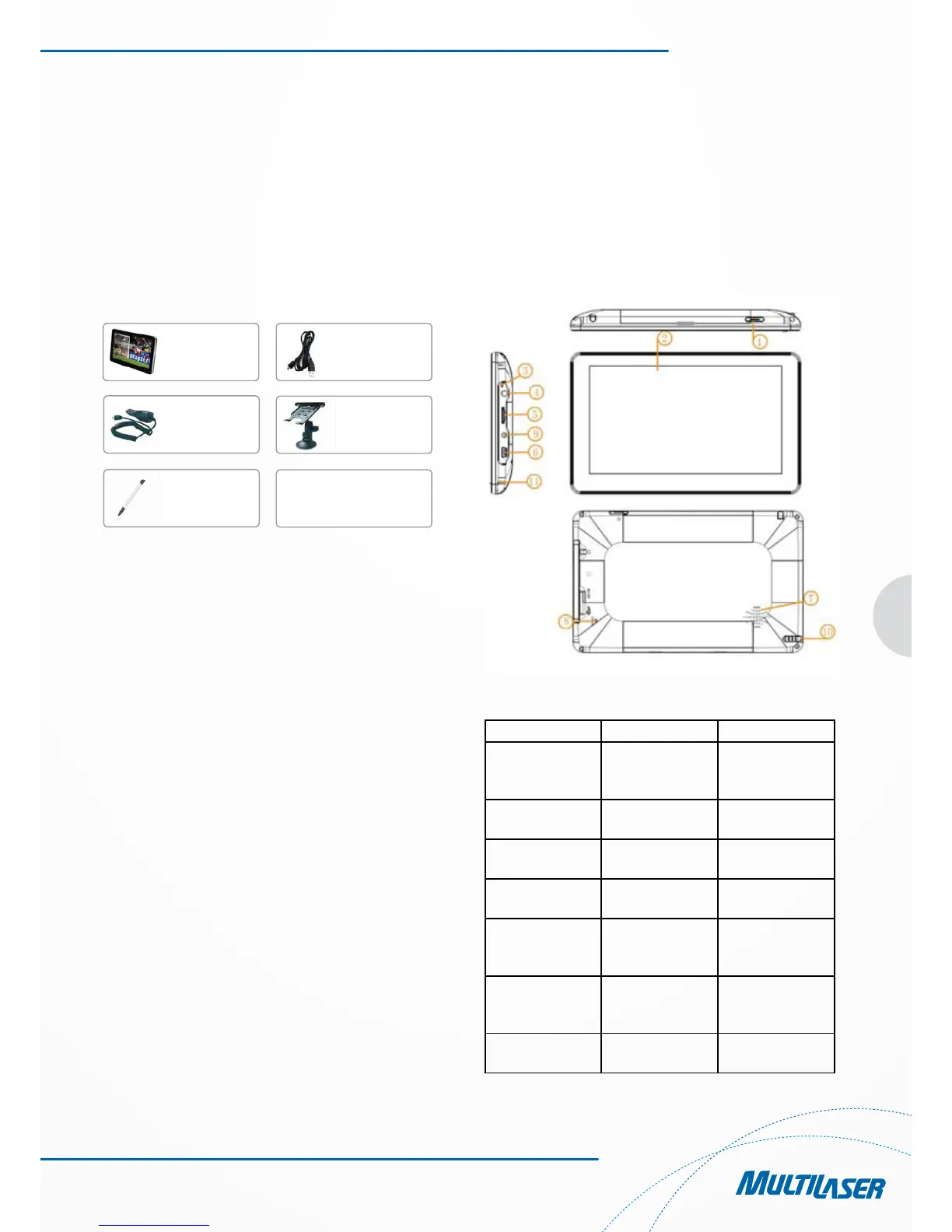
1.1 Packing List
Make sure all the items are included in the package of the
navigator:
Power Adapter
Vehicle
Touch pen
Suport
USB cable
Main equipament
Manual with
In case there is any divergence between the above and the real
products, the real products will prevail.
For any defective items, please contact your dealer or agent who
sold you the product as soon as possible.
1.2 How to Use This Manual
To make best use of the navigator, read the Product Manual tho-
roughly to know the operation details.
While reading, you may see some supplement as following:
[Note]: This indicates corresponding interpretation or explana-
tions.
[Reference]: This indicates corresponding extended information.
[Caution]: This indicates corresponding notices and war-
nings. Please place importance on the information and follow
the corresponding instructions, or it may cause destructive im-
pact against you and other people.
The Product Manual applies to the navigator only.
Chapter 2 Introduction
This chapter provides information on the external elements and
basic instructions, allowing you to get familiar with the basic
operations.
2.1 Product Appearance
1 Power switch System on/off
2 Menu Touch screen Operation by click
display/Show the
contents
3 Indicator light Power supply
indicator
4 interface Earphone
jack
Connect to stereo
earphone
5 TF card slot Can be inserted
1PC TF card
6 MINI USB Connect with PC
and charge via
USB Cable
7 Loud-speaker Playback naviga-
tion prompt sound
and music
8 Reset Restart system
after light press



 To Next Page