PAGE 36 — MAYCO LS450 CONCRETE PUMP • OPERATION MANUAL — REV. #2 (02/23/21)
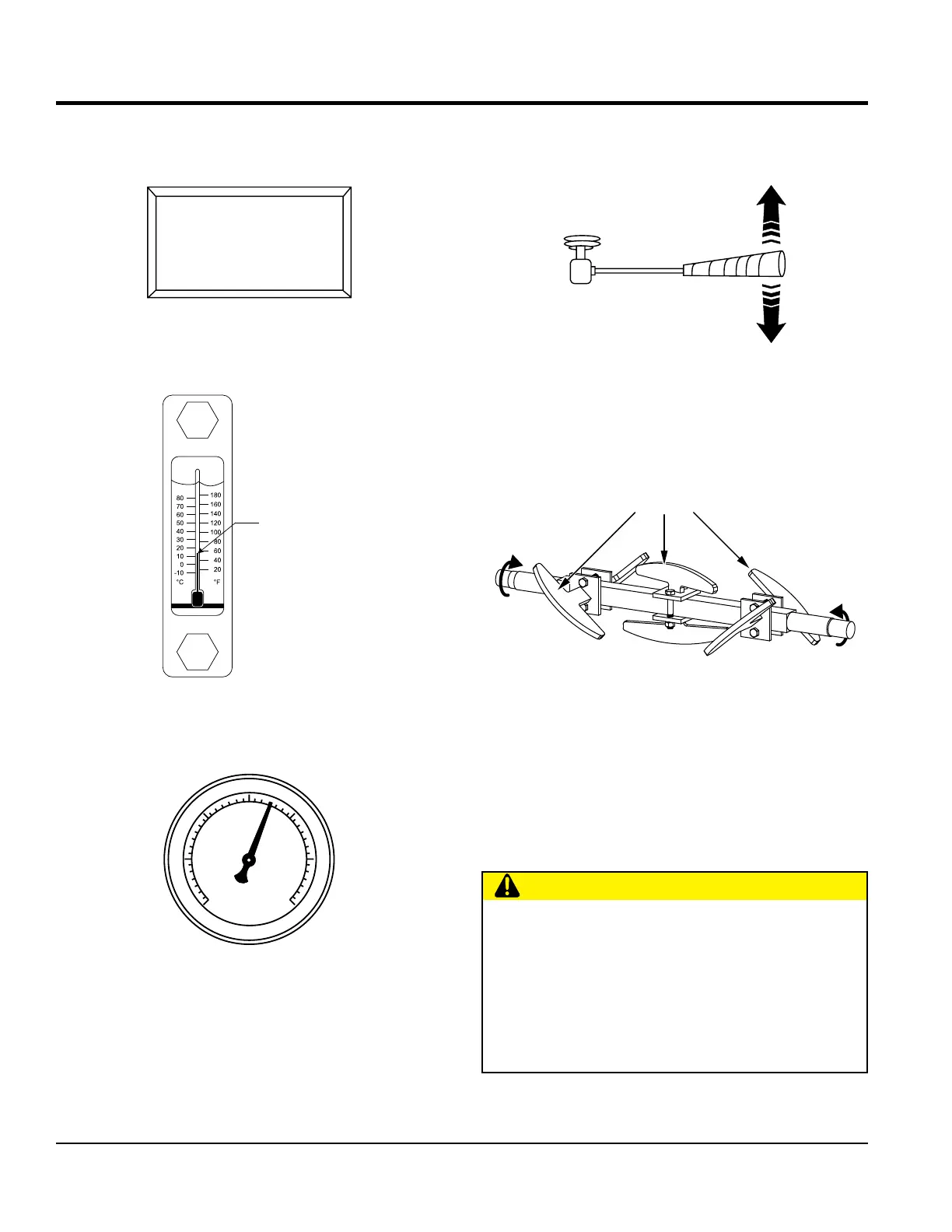
4. Scroll through the digital readout screen with the
scroll switch to go to screen 7 (Figure 30). This screen
will show the volume in strokes per minute.
Figure 30. Strokes Per Minute Display
5. Let the pump cycle until the hydraulic oil temperature
(Figure 31) is approximately 50–60°F (10–16°C).
Figure 31. Hydraulic Oil Temperature Gauge
6. The accumulator pressure gauge (Figure 32) should
read approximately 1,750 psi (pounds per square inch).
Figure 32. Accumulator Pressure Gauge
THROTTLE ON
STROKES: 100
STROKES/MIN 10.0
YDS/HR 0.0
7
HYDRAULIC OI
TEMPERATURE
0
ACCUMULATOR
PRESSURE
500
1000 2000
3000
2500
1500
7. Push the hopper remixer control lever downward
(Figure 33). The hopper remixer control lever is located
to the left of the hydraulic temperature gauge.
Figure 33. Hopper Remixer Control Lever
8. Observe that the blades (Figure 34) inside the hopper
are rotating in a clockwise (forward) direction. To make
the blades rotate in a counterclockwise (reverse)
direction, push the hopper remixer control lever
(Figure 33) upward.
Figure 34. Hopper Remixer Blades (Rotation)
9. Place the volume control switch (Figure 28) in the
increase volume position (right) to increase the volume
to 25–30 strokes per minute. Slowly discharge the
concrete from the ready-mix truck into the hopper and
completely fill it. Keep the pump running continuously
until concrete is discharging at the end of the delivery
system. If the pump is stopped during this procedure,
a blockage may occur.
PUSH DOWN
TO OPERATE
(CW BLADE
ROTATION)
PUSH UP TO
REVERSE BLADE
ROTATION (CCW)
REVERSE
(CCW)
FORWARD
(CW)
SHAFT
ROTATION
CAUTION
HOSE/LINE BLOCKAGE
If hoses or lines are blocked for any reason, or if the
lines are kinked when starting up or during the pumping
cycle, the pump pressure could straighten out the kink
or force out the blockage. This rapid surge of material
could cause the lines to whip or move in a manner that
could cause injury to personnel.
OPERATION


 To Next Page