Page 12 | ModTable | vs 5.0
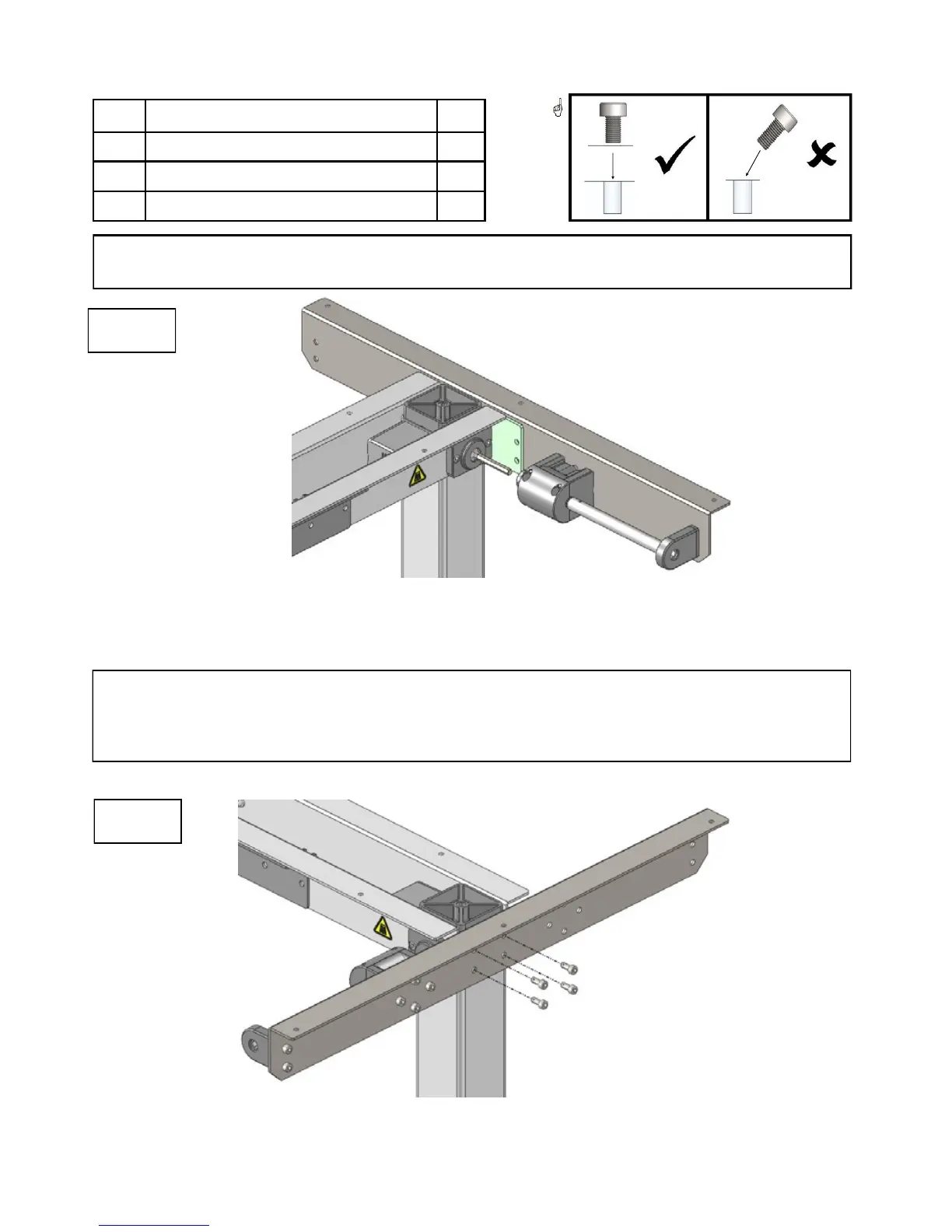
3.4.7 Mounting the Right Top Support
In Photo 11:
Bolt the right top support with brake box to the right (R) leg.
In Photo 10:
Mount the right top support—with brake box to the right (R) leg.
Slide the brake box into the HC gear rod.
# Part Name Qty
05 Right top support—with brake box 1
16 Bolts 4
20 Large Allen wrench 1
11
10
Important!
The brake box and HC gear rod must align in order to connect properly. If the brake
box does not line up with HC gear rod, use the handle (see photo 12) to turn the
brake box until it lines up with the HC gear rod.
If you purchased a left-handed Base, the right top support with the brake box will be
attached to the left (L) leg, opposite of what the picture below depicts.



 To Next Page