Page 8 | ModTable | vs 5.0
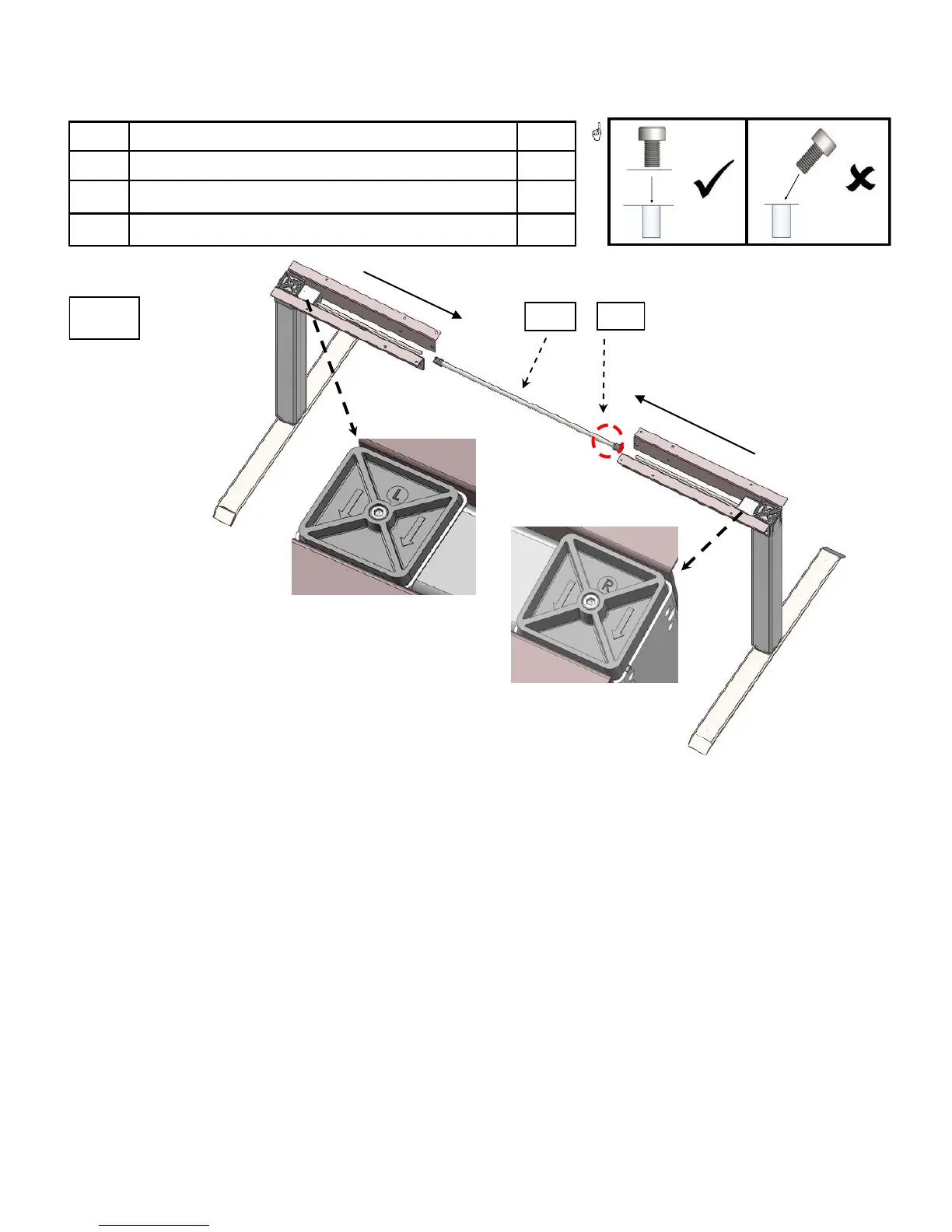
3.4.3 Mounting the Drive Shaft
# Description Qty
08 Drive shaft 1
18 Set screws 4
21 Medium Allen wrench 1
4
In Photo 4:
Place left (L) leg in upright position.
Slide the drive shaft over the round metal rod that extends out of the left leg. If the drive shaft
will not slide over the metal rod, slightly unscrew set screws, to allow the drive shaft to slide
over metal rod.
Take right (R) leg, slide the drive shaft over the round metal rod in the right leg.
Make sure drive shaft is centered between the metal gear connectors, and is covering the metal
rods on both sides.
DO NOT tighten set screws, yet. Proceed to section 3.4.4.
#08
#18



 To Next Page