MOUNTING THE DEVICE
22 Conduit
®
AP MTCAP2-L4E1-868-002 and MTCAP2-868-002 User Guide
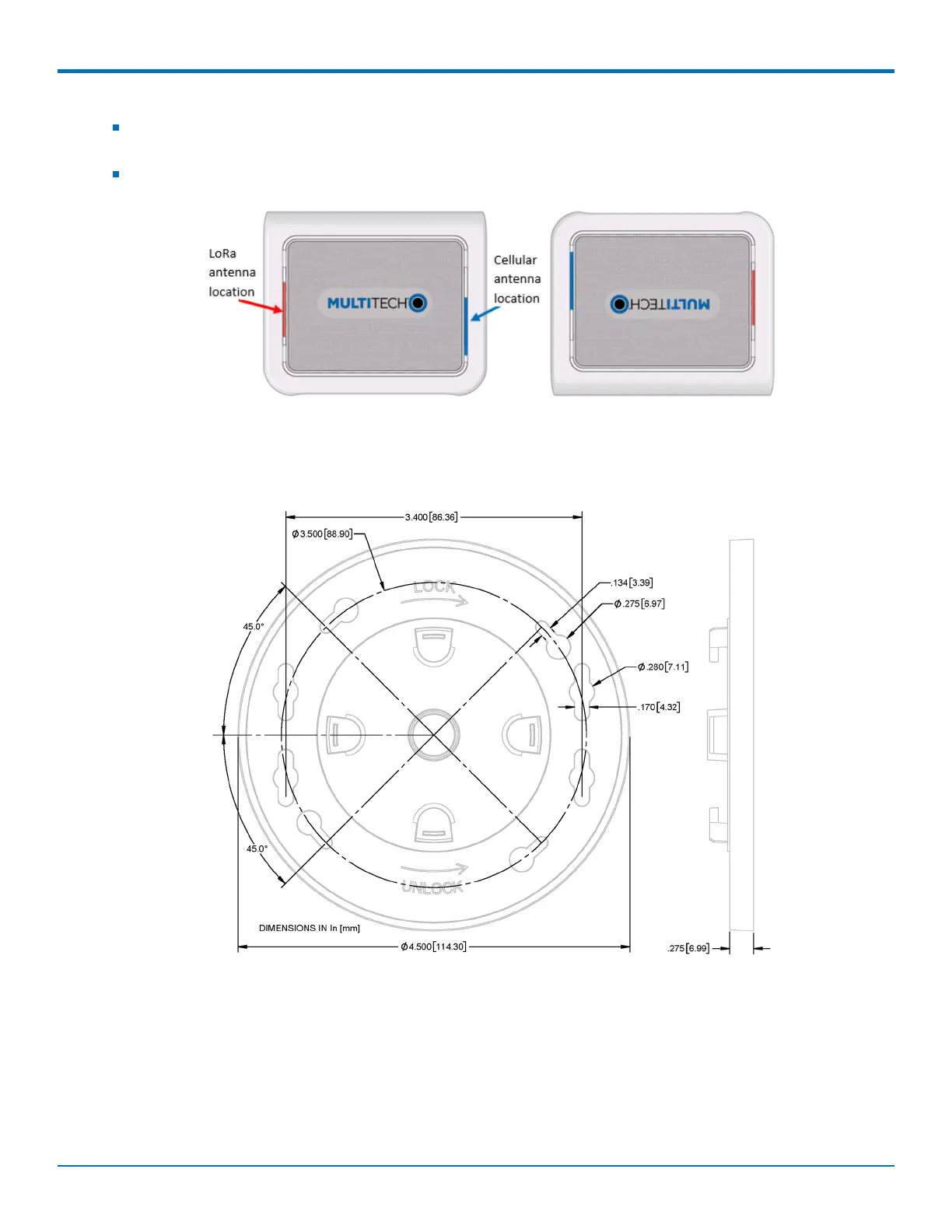
Note the LoRa antenna location in the following image. The LoRa signal will be strongest radiating from that
side of the device. The LoRa antenna is 31.2 mm long.
We recommend conducting a site survey to test the signal strength in different locations before you mount
the device.
Mounting the Device
1. Determine where you want to mount the device.
2. Mark where you want the screws to go.
3. Drill holes for the screws and insert anchors.
4. Place the mounting bracket and secure it with screws.
5. Attach the device to the bracket and rotate to lock into place.


 To Next Page