MT5600ZDX Owner's Manual
10
Chapter 2 - Installation
Installation
In addition to the contents of the MT5600ZDX package, you will need
the following equipment.
Computer
The MT5600ZDX can be connected to any computer with an RS-232
serial port.
Note
:
your computer system should have a processor
speed of at least 75 MHz in order to take full advantage of the
telephony features of this product.
Serial Cable
You must provide a serial cable to connect the MT5600ZDX to your
computer. Serial cables are available at computer stores and many
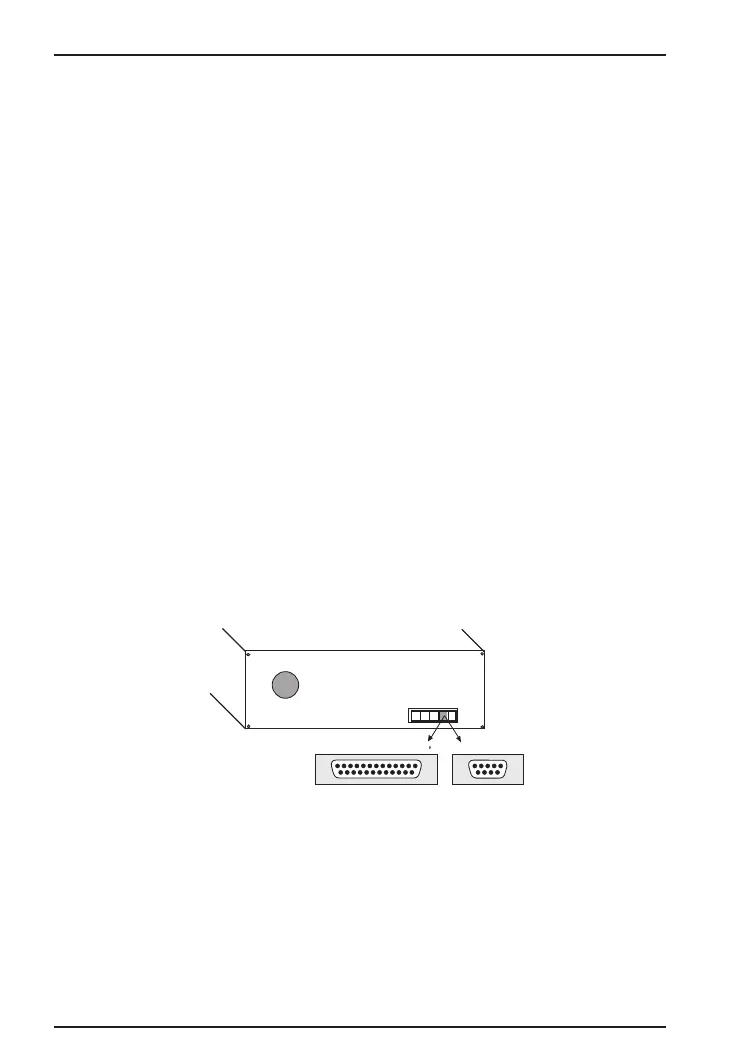
office supply stores. The cable must have a DB-25P connector at the
modem end. For IBM and compatible computers, the other end may
have a DB-25P connector or a DB-9S connector, depending on your
particular computer and whether you are using the COM1 or the
COM2 serial port. The FCC requires cables to be shielded.
DB-25
DB-9
Figure 2-1. Serial Connectors














 To Next Page