MT5600ZDX Owner's Manual
12
Installation Process
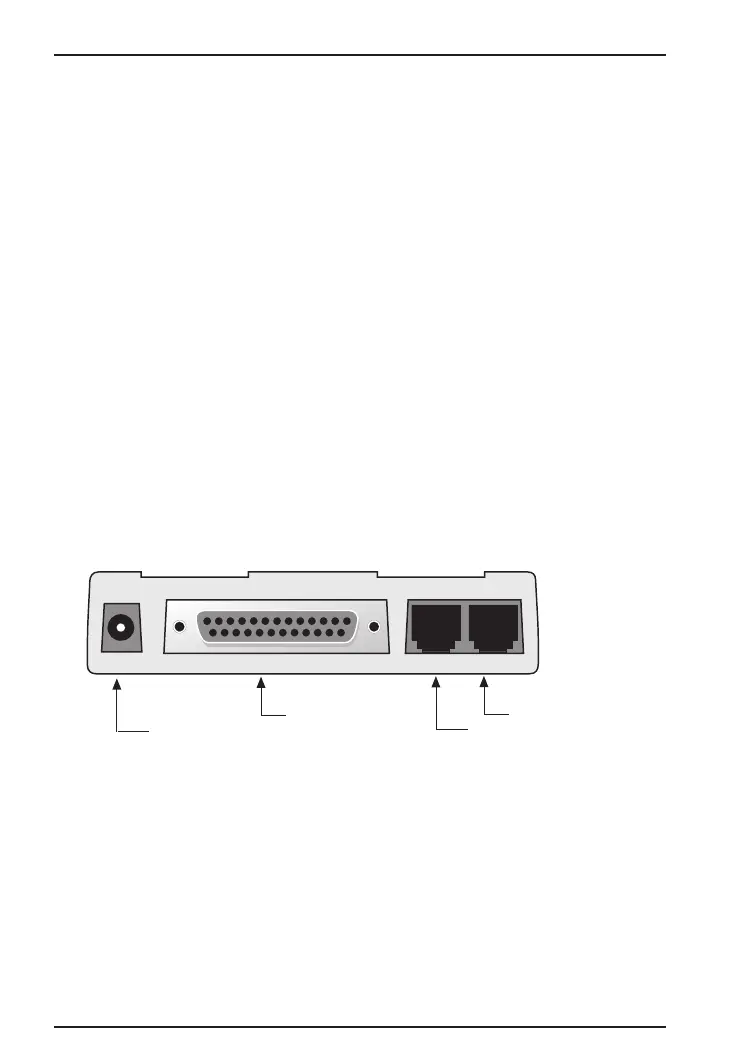
The installation of the MT5600ZDX consists of making the physical
connections necessary to render the modem functional with your
computer. This includes making the proper serial, phone line, and
power connections.
Safety Warnings
1. Never install telephone wiring during a lightning storm.
2. Never install telephone jacks in wet locations unless the jack is
specifically designed for wet locations.
3. Never touch uninsulated telephone wires or terminals unless the
telephone line has been disconnected at the network interface.
4. Use caution when installing or modifying telephone lines.
5. Avoid using a telephone (other than a cordless type) during an
electrical storm. There may be a remote risk of electrical shock
from lightning.
6. Do not use the telephone to report a gas leak in the vicinity of the
leak.
RS232
PHONE LINE
RJ11/Phone Connection
RJ11/PSTN Connection
Power Connector
(to Transformer)
DB25 to Computer
POWER
Figure 2-2. MT5600ZDX Connections














 To Next Page