Introduction
SMS Notification in TopView
TopView SMS Notification allows users to send and received text messages using a cellular modem.
Two methods are available in TopView for sending SMS messages with a cellular modem:
• SERIAL: requires a cellular modem connected to the TopView machine through a Serial or USB
port. Although the connection may be USB, the cellular modem communication is through a
COM port. For USB modems the modem driver will install a virtual COM port for serial
communication. Communication between TopView and the cellular modem occurs through AT
commands over the COM port.
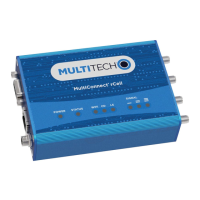
• HTTP requires a MultiTech cellular modem that supports the MultiTech HTTP protocol. TopView
can communicate to the cellular modem over the network to send and receive text messages
using HTTP. There are no drivers to install on the TopView machine.














 To Next Page