Page10of17
IMC08 Maintenance Manual
Version 1.01
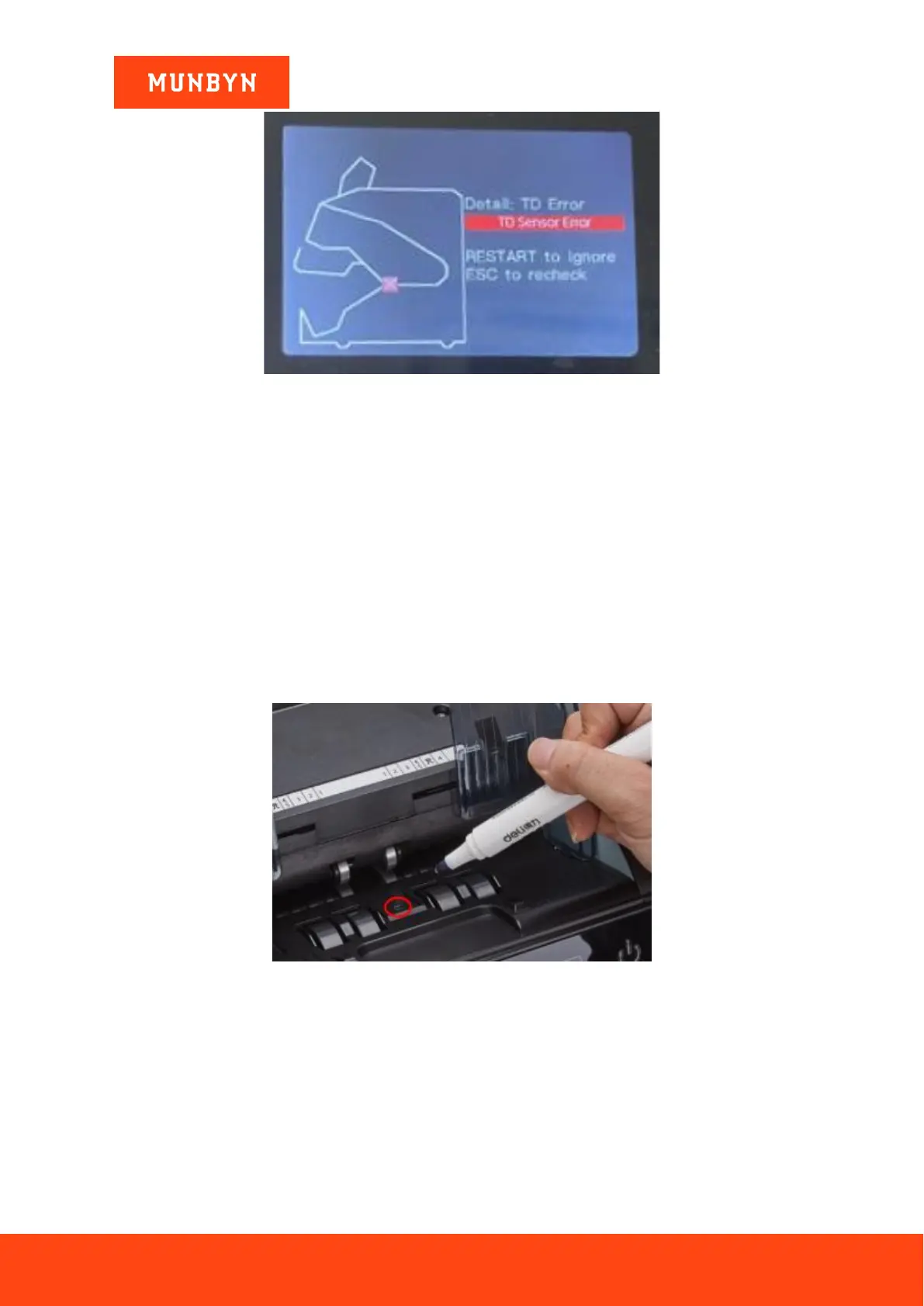
Figure 3-5 TD Error
If the screen displays the TD Error as the picture shows, please fix it by following steps.
- Check if the bill was stuck and remove the stuck bill according to this video:
http://munbyn.biz/08billjamming
3.3. Sensor Errors
The IMC08 banknote counter will take a few seconds to conduct a self-check with spinning the counting wheels
after power on. The IMC08 will check the sensors, the following errors may happen if the sensors have been
blocked or damaged.
3.3.1. Hopper Sensor Error
If the wheels in the hopper are consistently spinning after the machine powers on, and then stops with the “hopper
sensor error”, the hopper sensor is too sensitive.
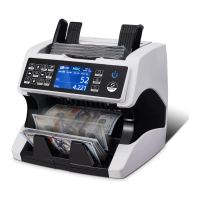
Figure 3-6 Use Marker Pen to Decrease the Sensitivity of Hopper Sensor
Please use the marker pen to paint a little on the hopper sensor as shown in the above figure.
3.3.2. Stacker Sensor Error
If the impeller is always spinning, or the “stacker sensor error” indicated on the screen, that means the stacker
sensor doesn’t work or too sensitive.
3.3.3. Counting Sensor Error
If the number of banknote counting is always not correct, that means the counting sensor error doesn’t work.
Please clean the machine first.


 To Next Page