Page11of17
IMC08 Maintenance Manual
Version 1.01
If the error still happens, please contact us for machine repairment.
3.4. Feeding Gap Calibration
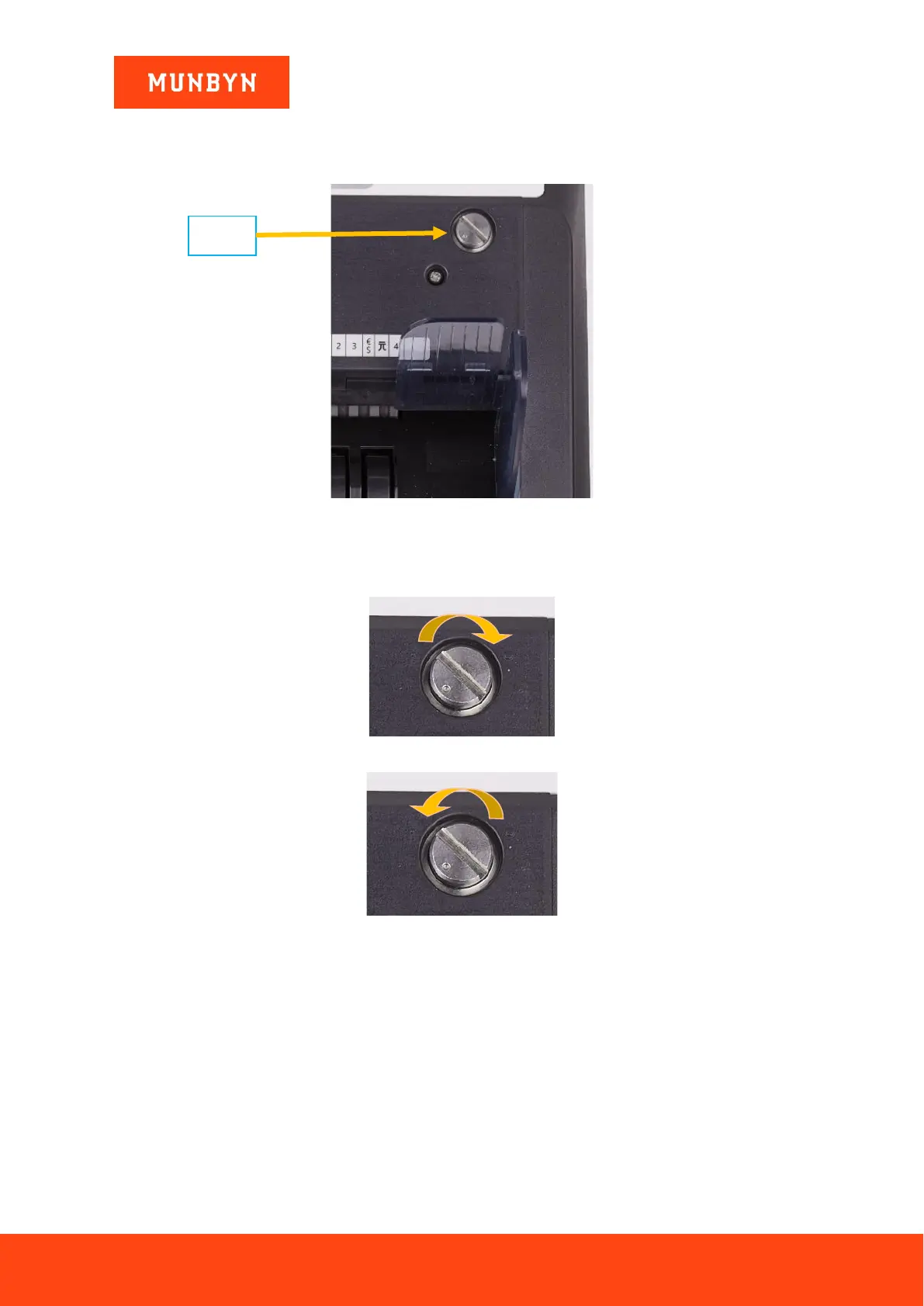
Figure 3-7 The Adjustable Screw
The screw above is used to control the width of the feeding gap. You can use a coin to adjust the gap easily. The
width will become bigger by rotating the screw clockwise toward the biggest dot. Turn counterclockwise to
decrease the gap.
Figure 3-8 Rotate the Screw to Increase the Feeding Gap
Figure 3-9 Rotate the Screw to Decrease the Feeding Gap
To fine tune the feeding gap, do the following:
1) Turn off the auto counting feature.
2) Insert one banknote into the gap between the rollers to check if the banknote can be inserted smoothly, as
shown in the following.


 To Next Page