Page13of17
IMC08 Maintenance Manual
Version 1.01
You may also wish to make his adjustment over time, When the banknotes are not fed smoothly through the
machine or several error messages are occurring often such as: Bill Double Error, Chain Notes Error or Half Notes
Error.
Other reasons that might require to readjust the feeding gap are:
- The counting of new or mint condition bills.
- The counting of poor or badly deteriorated bills.
- Polymer notes and paper-made notes counted together.
3.5. CIS Calibration
CIS calibration is often needed when there are many errors during the banknote counting process.
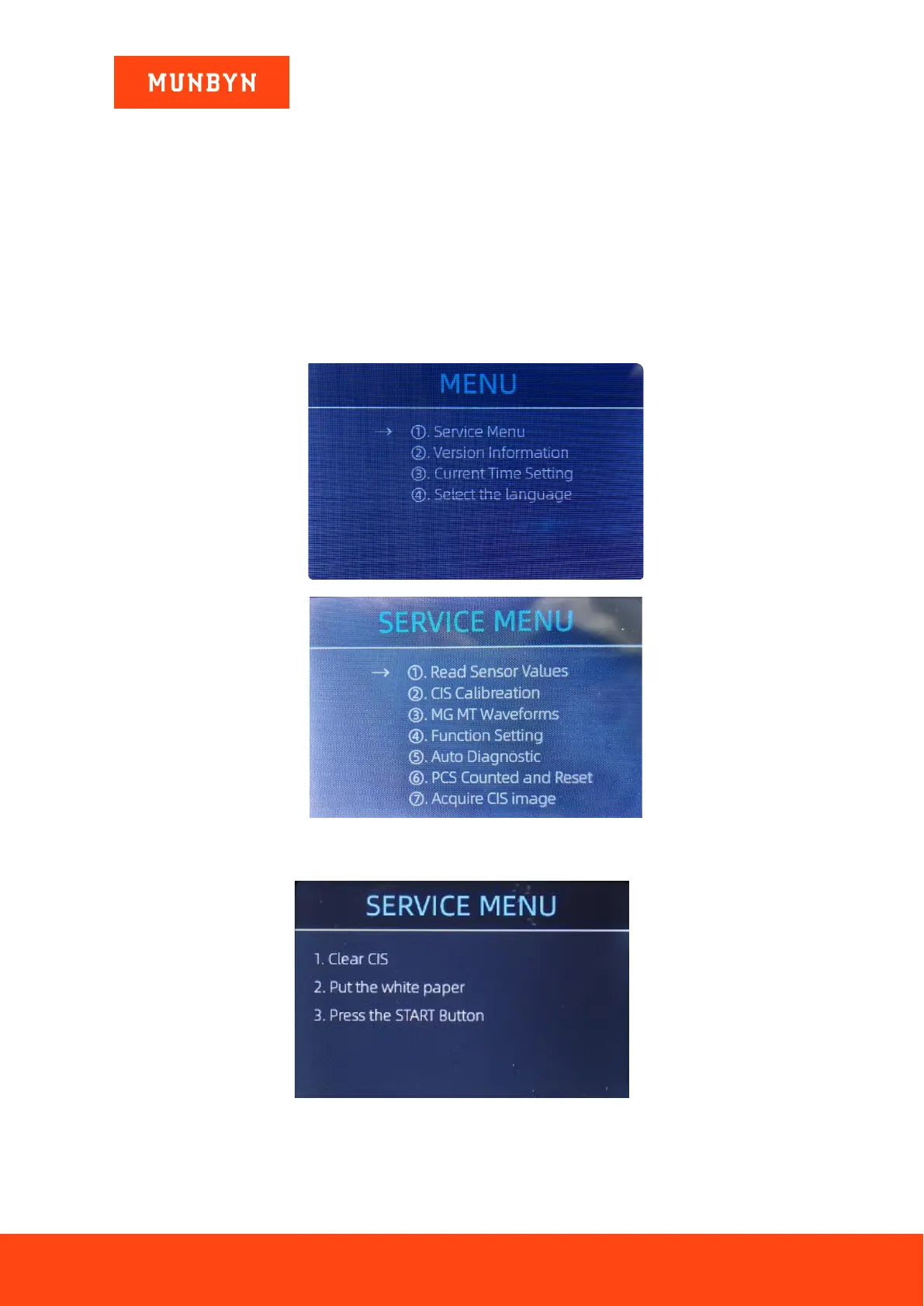
1) Please enter the main menu. Next, go to the service menu with the password “9999”, as shown in the following
figures.
Figure 3-13 Main Menu
Figure 3-14 Service Menu
2) Click the “CIS Calibration” option, shown below:
Figure 3-15 CIS Calibration Interface
3) Open the back cover to clean the CIS sensors with a lint-free cleaning cloth.



 To Next Page