5 Panel setup menu VJ-1324 OPERATION MANUAL
5-30
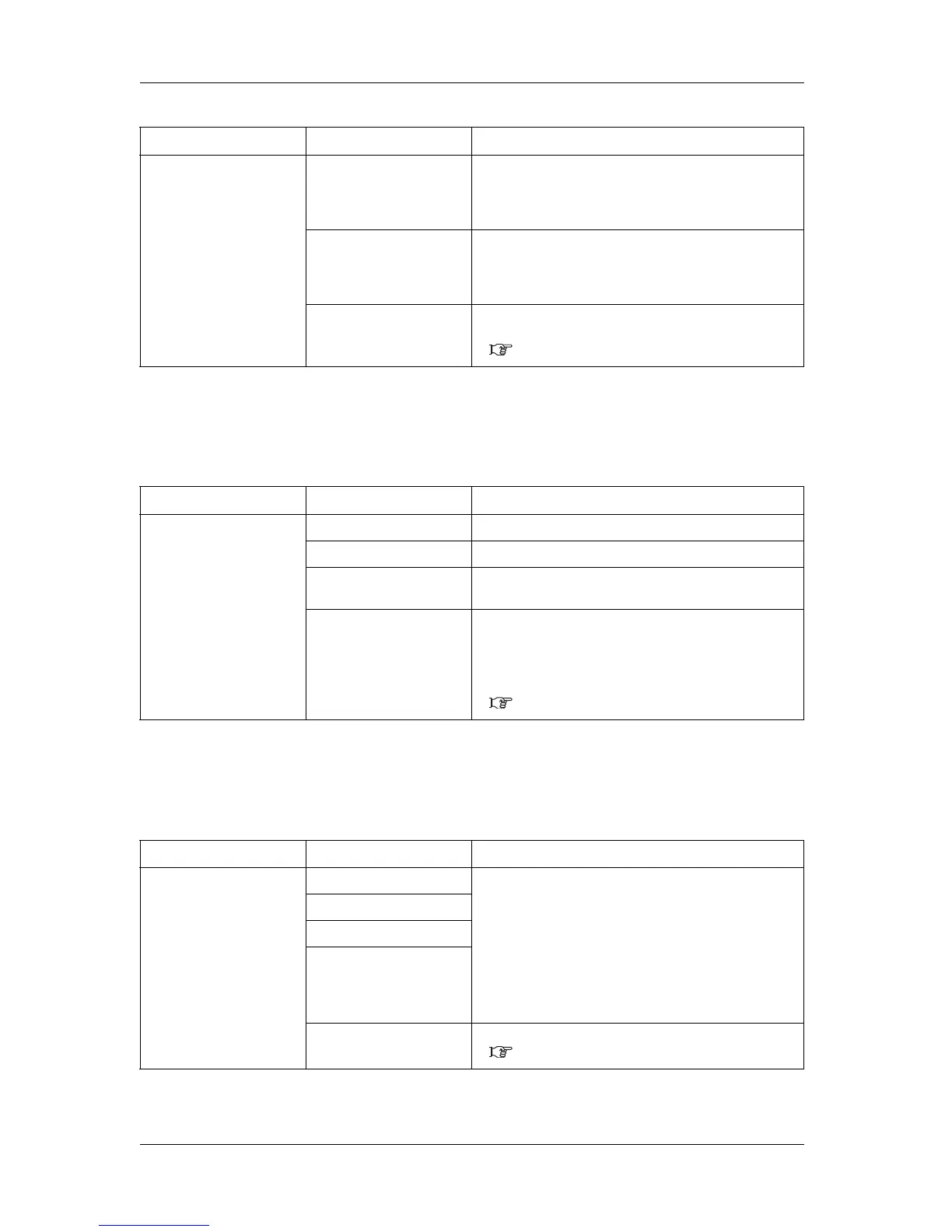
5.1.20 Initialization menu
Returns the settings of the printer to default.
5.1.21 Life Times menu
Displays the operational life time of each part.
Setup item Setting Description
CR Maintenance Start Performs maintenance.
• [Enter] key:
The print head moves to the left of the printer.
The cleaning wiper sifts towards the front.
End Completes maintenance.
• [Enter] key:
The cleaning wiper returns to the original position.
Print head returns to the original position.
— • [Cancel] key: shifts to the previous menu without
maintenance.
5.1 Setup menu
Setup item Setting Description
Initialization ALL All settings can be returned to factory default.
User Type The setting of the User Type is returned to factory default.
Settings other than User Type The setting other than the User Type is returned to factory
default.
— • [Enter] key:
"** Initialing **" is displayed on the operation panel and
the printer initializes the setting.
• [Cancel] key: shifts to the previous menu without
initialization.
5.1 Setup menu
Setup item Setting Description
Life Times Head Display the operational life of each part.
• The lifetime of each part is indicated by the asterisks
(Maximum 5 asterisks: 100% left).
• As the part deteriorates, the number of asterisks decreases
one by one (20 %).
• The part should be changed when all of the asterisks have
disappeared, and "Change" is displayed.
Contact your local MUTOH dealer to ask for replacing
parts.
Pump
CR Motor
PF Motor
— • [Cancel] key: shifts to the previous menu.
5.1 Setup menu






 To Next Page