EasyManua.ls Logo

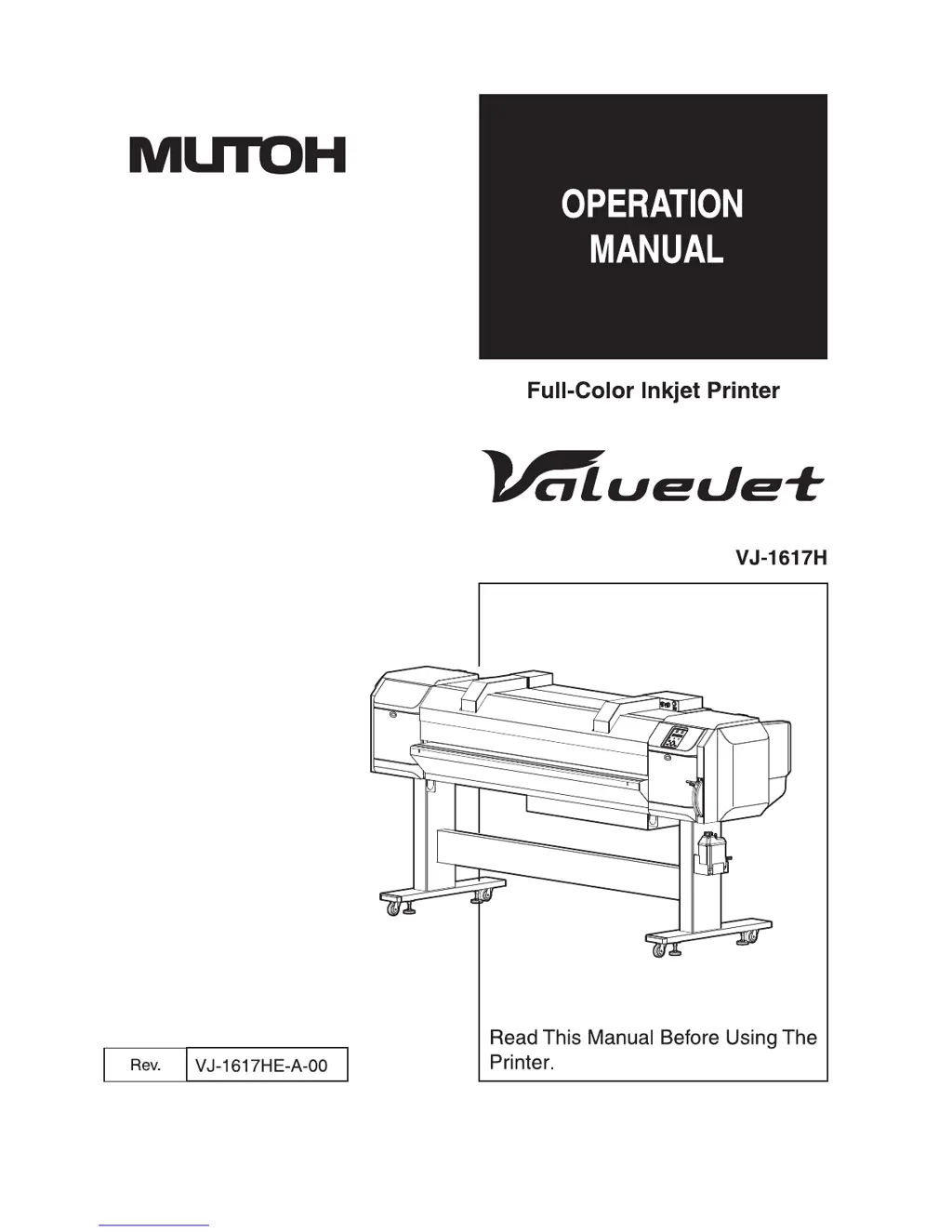
MUTOH vj-1617h - User Manual

MUTOH vj-1617h
362 pages
Print Icon
To Next Page IconTo Next Page
Loading...

Table of Contents

Other manuals for MUTOH vj-1617h

Questions and Answers

  • E
    Elizabeth HubbardAug 14, 2025
    What to do if MUTOH vj-1617h Printer does not work at all after power activation?
    • A
      Amy JohnstonAug 14, 2025
      If your MUTOH Printer doesn't turn on after you've switched it on, here's what to check: * Make sure the power cable is securely connected to the plug. * Verify that the AC power supply provides the correct voltage, and try connecting to another outlet. * Ensure the front cover and maintenance covers are closed and the media loading lever is lowered.
  • K
    Karen GreenAug 17, 2025
    Why ink does not come out after ink replenishment in MUTOH vj-1617h?
    • C
      Crystal CastilloAug 18, 2025
      If ink isn't dispensing after refilling your MUTOH Printer, consider the following: 1. If the ink bag is cold or frozen, let it sit at room temperature for at least 3 hours before trying again. Then, perform the cleaning several times. 2. If the power was off during replenishment, turn it back on and continue the process. 3. If normal printing isn't possible after refilling, try performing a little charge.
  • S
    Steven LewisAug 21, 2025
    What to do if MUTOH vj-1617h Printer does not work after loading the media?
    • H
      Harold Mendoza VAug 21, 2025
      If your MUTOH Printer isn't working after loading media, check these items: * Make sure the front cover is closed, the front media loading lever is lowered, and the rear media loading lever is raised. * Ensure the maintenance cover is closed. * Verify the media is loaded straight. * Insert S/C cards and ink packs into high-capacity pack adapters, and ensure the adapters are fully inserted into the printer. * Use the recommended media and ensure the printer is used in the specified environment, away from direct sunlight.
  • Z
    Zachary PhamAug 25, 2025
    Why media jams frequently occur in MUTOH vj-1617h Printer?
    • M
      Matthew CunninghamAug 26, 2025
      If your MUTOH Printer is experiencing frequent media jams, consider the following: * Use the recommended media. * Ensure the printer is used in a dedicated environment. * Replace old media with new media. * If the media bends, use the recommended media or adjust the Vacuum Fan menu when using other media.
  • B
    Bruce ScottAug 28, 2025
    Why the media slips or is torn during initialization of MUTOH vj-1617h?
    • T
      turnershannonAug 28, 2025
      If the media slips or tears during initialization of your MUTOH Printer, try the following: * Use the recommended media. * Ensure the loading position of the media is correct, and the roll media is set correctly. * Clean the pressurizing roller to remove any foreign materials like paper. * Use the printer in its specified environment, away from direct sunlight. * Replace any folded, torn, or rolled media.
  • D
    Danielle GonzalesAug 31, 2025
    Why the media is crumpled during initialization in MUTOH Printer?
    • J
      Jason ThompsonAug 31, 2025
      If the media is crumpling during initialization of your MUTOH Printer, check these: * Use the recommended media. * Make sure the loading position of the media is correct and that the media is loaded straight. * Clean the pressurizing roller to remove any foreign materials. * Ensure the printer is used in its specified environment, away from things like air conditioners. * Replace any folded, torn, or rolled media. * Set the heater to the appropriate temperature.
  • S
    smithgregorySep 4, 2025
    Why the media veers during printing with MUTOH Printer?
    • S
      Sandra RichmondSep 4, 2025
      If the media veers during printing with your MUTOH Printer, check these: * Use the recommended media. * Ensure the loading position of the media is correct. * Make sure the roll media is set correctly.
  • R
    Robert WhiteSep 6, 2025
    Why printing is partially stained or incomplete with MUTOH vj-1617h?
    • P
      Patricia NortonSep 7, 2025
      If printing is partially stained or incomplete on your MUTOH Printer, consider these points: * Replace the media if it includes moisture. * If the media bends, use the recommended media or set the Vacuum Fan menu when using other media.
  • W
    Wendy WarrenSep 12, 2025
    What to do if an error occurs when data is sent from computer to MUTOH vj-1617h?
    • M
      Mike WeberSep 12, 2025
      If an error occurs at the MUTOH Printer when sending data from the computer, and nothing prints, check that the printer type selected on the computer matches the printer type settings on the printer itself.

Summary

Safety instructions

Important safety instructions

Lists critical safety guidelines for printer installation, operation, and electrical precautions.

Product overview

Names of parts and functions

Identifies and explains the function of various printer components and sections.

Operation panel

Describes the printer's operation panels, including keys, displays, and status indicators.

Before using

Power cable connection

Provides instructions for safely connecting the printer's power cable, including warnings.

Turning the power ON;OFF

Details the procedure for powering the printer and blower heater on and off.

Initial ink filling

Guides through the process of initial ink filling and head cleaning before first use.

Setting media

Covers installing media-feed tables and loading various types of media.

Adjust print

Explains methods for optimizing print quality and adjusting print head alignment.

Connecting the printer to PC

Details system requirements and steps for connecting the printer to a PC via network.

Handling the printer

Media

Provides details on loadable and recommended media types for the printer.

Operating from the operation panel

Explains how to perform various functions using the printer's operation panel.

Maintenance

Daily maintenance

Details the procedure for cleaning the wiper unit, print head area, and surrounding components.

Troubleshooting

Malfunctions and failures

Lists common malfunctions, their causes, remedies, and reference pages.

Error requiring restart

Addresses fatal operational failures requiring printer restart and troubleshooting.

The media is jammed

Provides instructions for removing jammed media, both thick and roll types.

MUTOH vj-1617h Specifications

General IconGeneral
TypeWide Format Printer
Print TechnologyPiezo Inkjet
Ink TypeSolvent Ink
Dimensions1800 x 900 x 1200 mm
Ink ColorsCMYK, Light Cyan, Light Magenta, White, Clear
ConnectivityEthernet
Maximum Print Width63.77" (1620 mm)
Media HandlingRoll-fed
Media Width64" (1625 mm)
InterfaceEthernet
Power Requirements220-240V, 50/60Hz

Related product manuals