5 Panel setup menu VJ-1324 OPERATION MANUAL
5-36
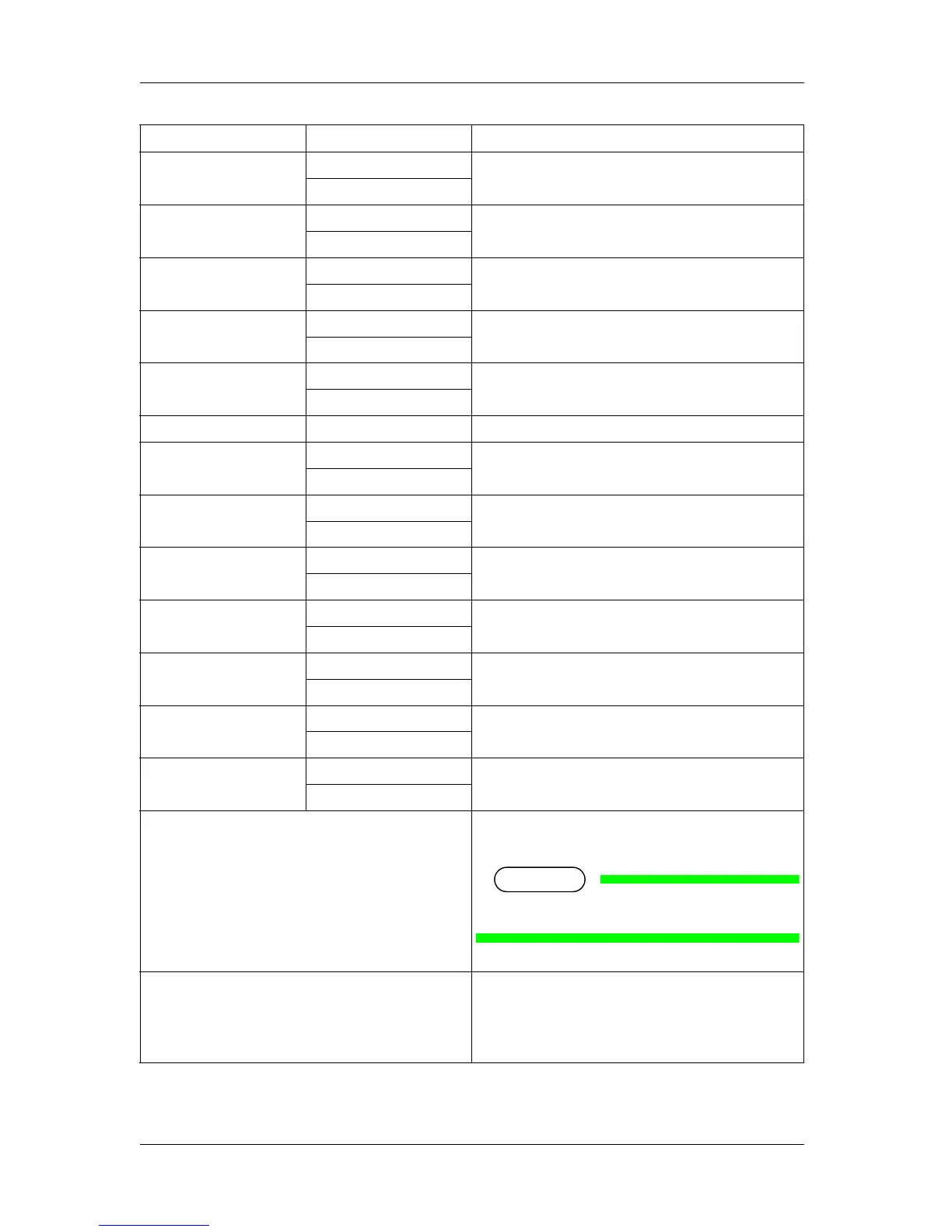
Strike Wait Off Sets up whether to display the Strike Wait menu.
<On>
Slant Check Off Sets up whether to display the Slant Check menu.
<On>
Auto Cleaning Off Sets up whether to display the Auto Cleaning menu.
<On>
Ink Status Off Sets up whether to display the Ink Status menu.
<On>
Roll Length Off Sets up whether to display the Roll Length menu.
<On>
Exhaust fan <Off> Exhaust fan menu is not displayed for this printer.
Longstore Off Sets up whether to display the Longstore menu.
<On>
CR Maintenance Off Sets up whether to display the CR Maint. menu.
<On>
Initialization Off Sets up whether to display the Initialization menu.
<On>
Life Times Off Sets up whether to display the Life Times menu.
<On>
IP Address Off Sets up whether to display the IP Address menu.
<On>
Subnet Mask Off Sets up whether to display the subnet mask.
<On>
Gateway Off Sets up whether to display the Gateway menu.
<On>
ALL On Displays all items in the Setup menu.
• Pressing the [Enter] key displays "*" for all items in the
Menu Option menu.
NOTE
The items under Exhaust fan menu remain Off.
ALL Off No items in the Setup menu are displayed.
• Pressing the [Enter] key deletes "*" for all items in the
Menu Option menu.
• Even if you select "ALL Off", you can display the items
temporarily by selecting "Temporary" in the Setup menu.
Setup item Setting Description






 To Next Page