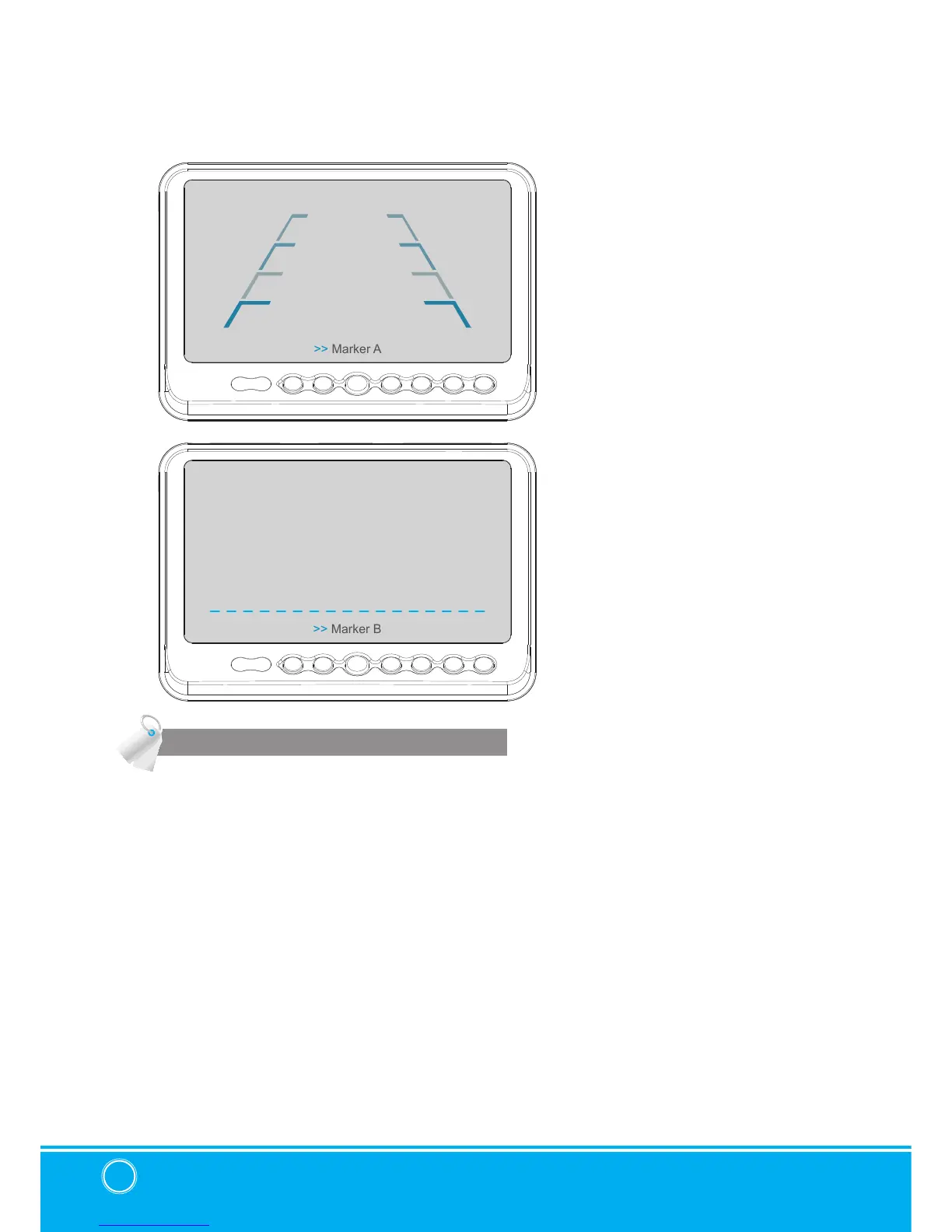
DISTANCE MARKER ADJUST
▣ MENU
User can adjust location of distance marker.
Marker A- Parking line
At Power ON mode, select distance marker by pressing [UP/DOWN] buttons.
When color of distance markers is seen as RED color, user can adjust the lines UP/
DOWN or LEFT/RIGHT.
When both color of distance markers are seen as RED color, both lines can be adjusted
LEFT/RIGHT.
When left color of distance marker is seen as RED color, left line of distance marker can
be adjusted LEFT/RIGHT.
When right color of distance marker is seen as RED color, right line of distance marker can
be adjusted LEFT/RIGHT.
Marker B- Horizontal line
User can adjust the UP/ DOWN of the lines.
User can adjust horizontal line by pressing [UP/DOWN] buttons.


 To Next Page