▣ OPERATION
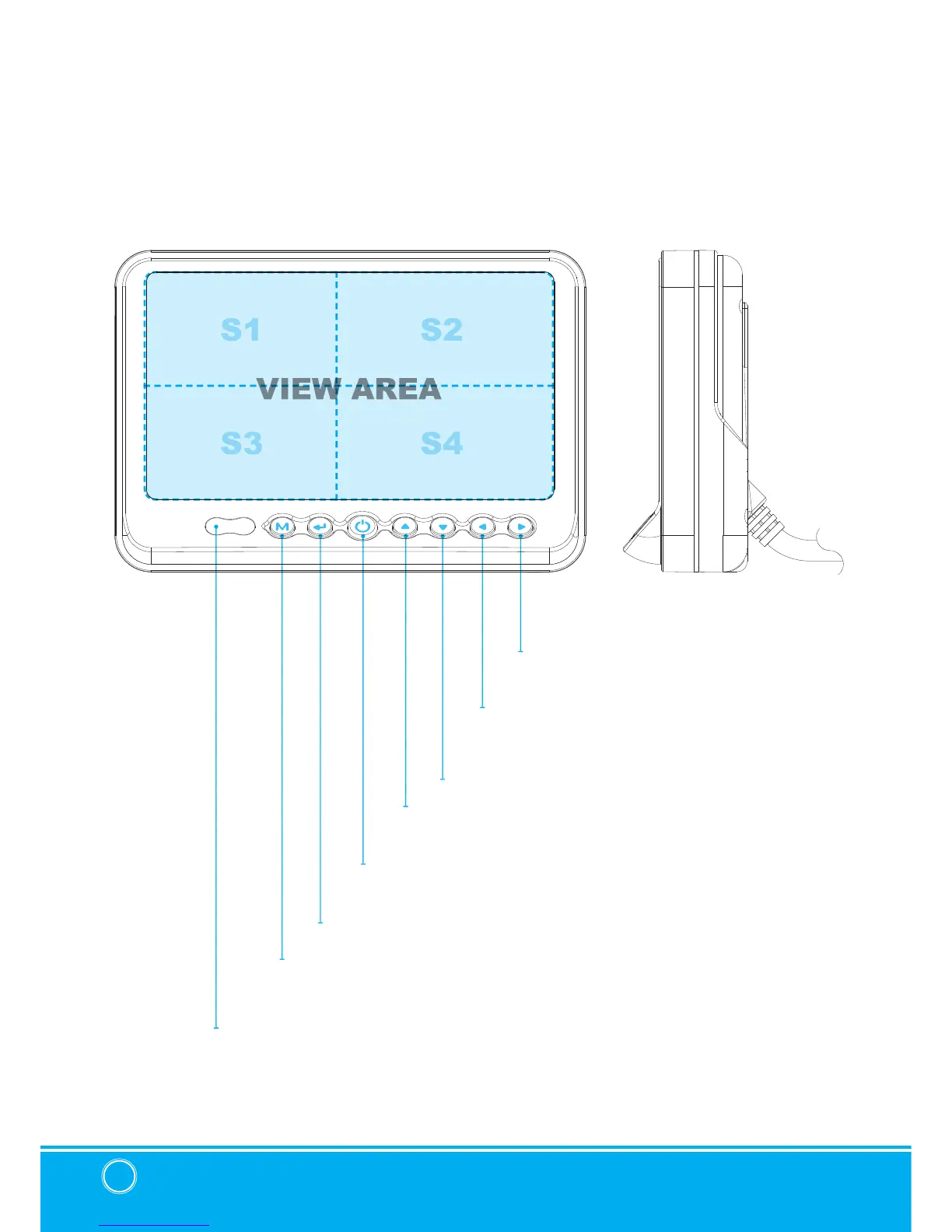
RIGHT
POWER
SELECT
DOWN
MENU
DAY/NIGHT SENSOR (CDS)
LEFT
UP
Press [RIGHT] button to adjust monitor volume.
Use [RIGHT] button to change OSD setting during
system setting.
Press [POWER] button to turn on/off the monitor.
Press [SELECT] button to select the respective camera channel.
(CAM1-CAM2-CAM3-CAM1..)
Press [DOWN] button to navigate the menu for system setting.
Press [MENU] button for system setting.
Automatic brightness control sensor.
Press [LEFT] button to adjust monitor volume.
Use [LEFT] button to change OSD setting during
system setting.
Press [UP] button to navigate the menu for system setting.


 To Next Page