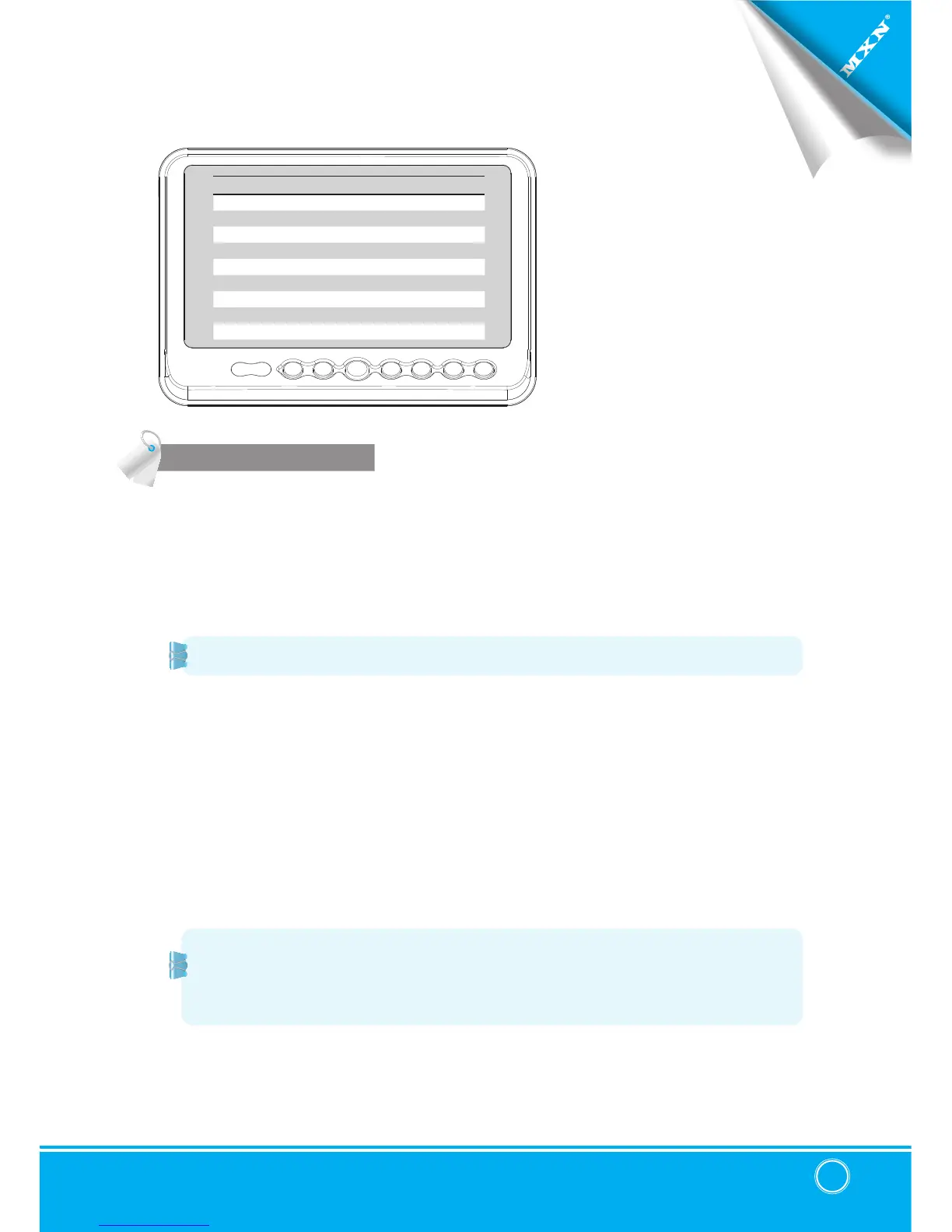
▣ SYSTEM SETTING
FUNCTION
FUNCTION
LANGUAGE ENGLISH
SYSTEM NTSC/PAL
DIMMER AUTO/OFF
NIGHT BRIGHT 50
AUTO POWER AUTO/ON/OFF
MONITOR HEAT ON/OFF
RESET >
SYSTEM INFO VER 1.00
LANGUAGE
Provide 6 Multi-lingual OSD [ENGLISH, SWEDISH, DANISH, NORWEGIAN, DUTCH, FINNISH].
Select the preferred
LANGUAGE
.
SYSTEM
Select
NTSC
/
PAL
DIMMER (Automatic Brightness Control)
Select
AUTO
or
OFF
to have Automatic or Manual brightness of the monitor.
REMARK: By activating DIMMER AUTO function, the monitor adjusts the brightness according
to the environment.
NIGHT BRIGHT
Select the DIMMER to
『
AUTO
』
, set the value of backlight on NIGHT mode.
AUTO POWER
Select monitor activation function as below.
[
AUTO
] Monitor keeps the last setting in memory.
[
ON
] Monitor starts up
『Power-ON』
mode automatically.
[
OFF
] Monitor starts up
『Stand-By』
mode automatically.
MONITOR HEATER
Select MONITOR HEATER『ON』to have automatic heating function in order to enable fast
picture start during extreme cold weather condition.
RESET
Press >> button to go the factory default setting.
SYSTEM INFO.
Refers to system information of the monitor.
Remark: During MONITOR HEATER ON mode,
Heating activates automatically when the temperature of inside monitor is below 0 degree
Celcius.
When the temperature of inside monitor is over 0 degree Celcius, heating stops
automatically.


 To Next Page