26
3-6 Creating a Cutting Program (Correct)
This section explains how to correct the
saved program.
Example: When enlarging the cutting
length by 0.5 mm at the step 3, course
number 5.
[Correcting the Saved Program]
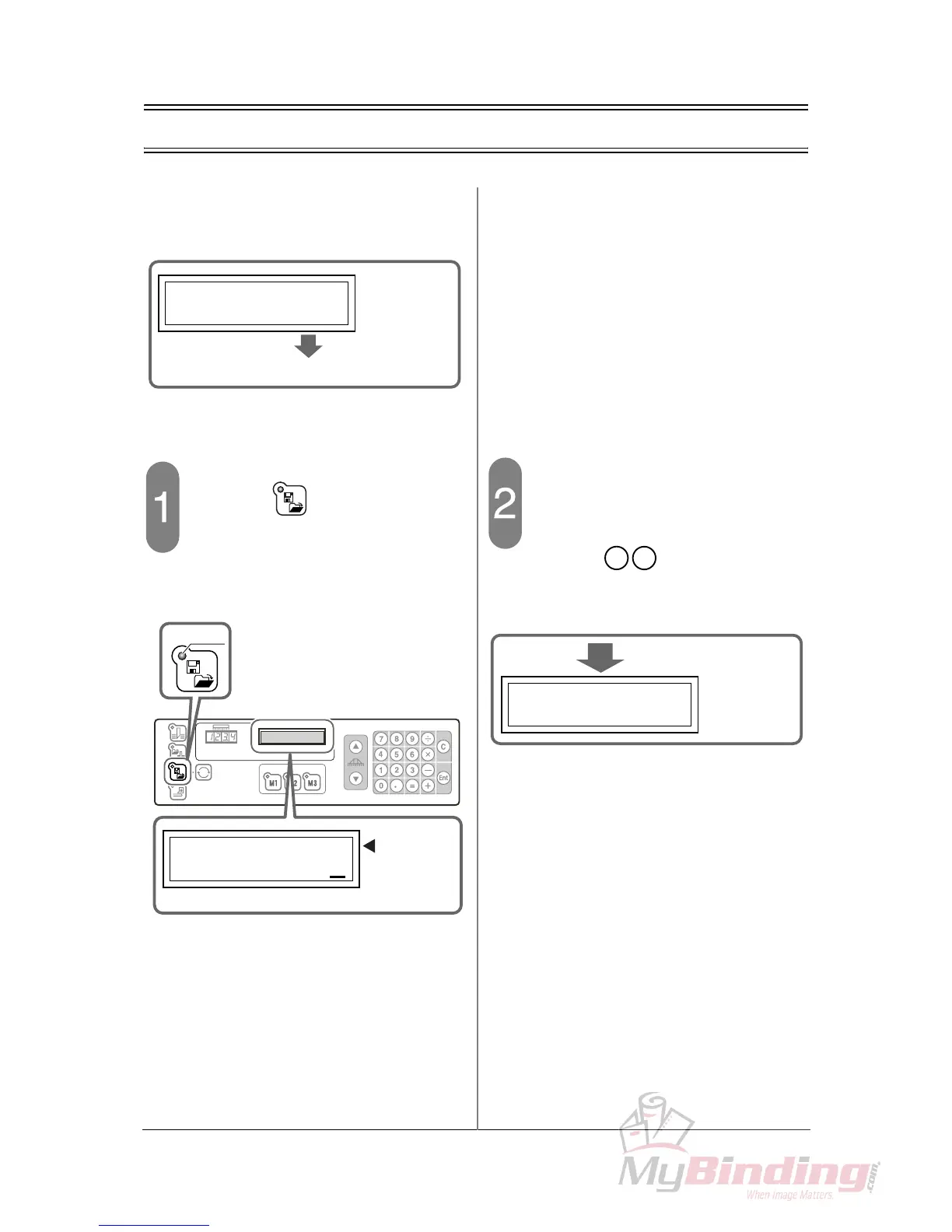
Press the button.
- The LED on the upper left of the program
memory button is illuminated and shows that
the “program memory” is selected.
- “SELECT COURSE (1-30)” appears in the
guide window.
Input the course number to correct.
- In this step, for example, input the course
number 5.
- Press the keys on the numeric
keypad. The step 1 of the course number 5
appears on the guide window as shown
below.
3:249.52:260
250.0
3 /10
COURSE
:
5
Enlarging by 0.5mm
SELECT COURSE
(
1-30
)
1
LED
The course
number can
be input.
En



 To Next Page