If the connection test is unsuccessful, the D210 screen will display an error
message.
Useful tips:
When D210 connects to a Wi-Fi network, the information is saved so that
the next time you are within the range of the same network, the terminal will
connect to it automatically.
If the password of your Wi-Fi network has been changed, the Wi-Fi signal
icon on the screen ( ) will become grey
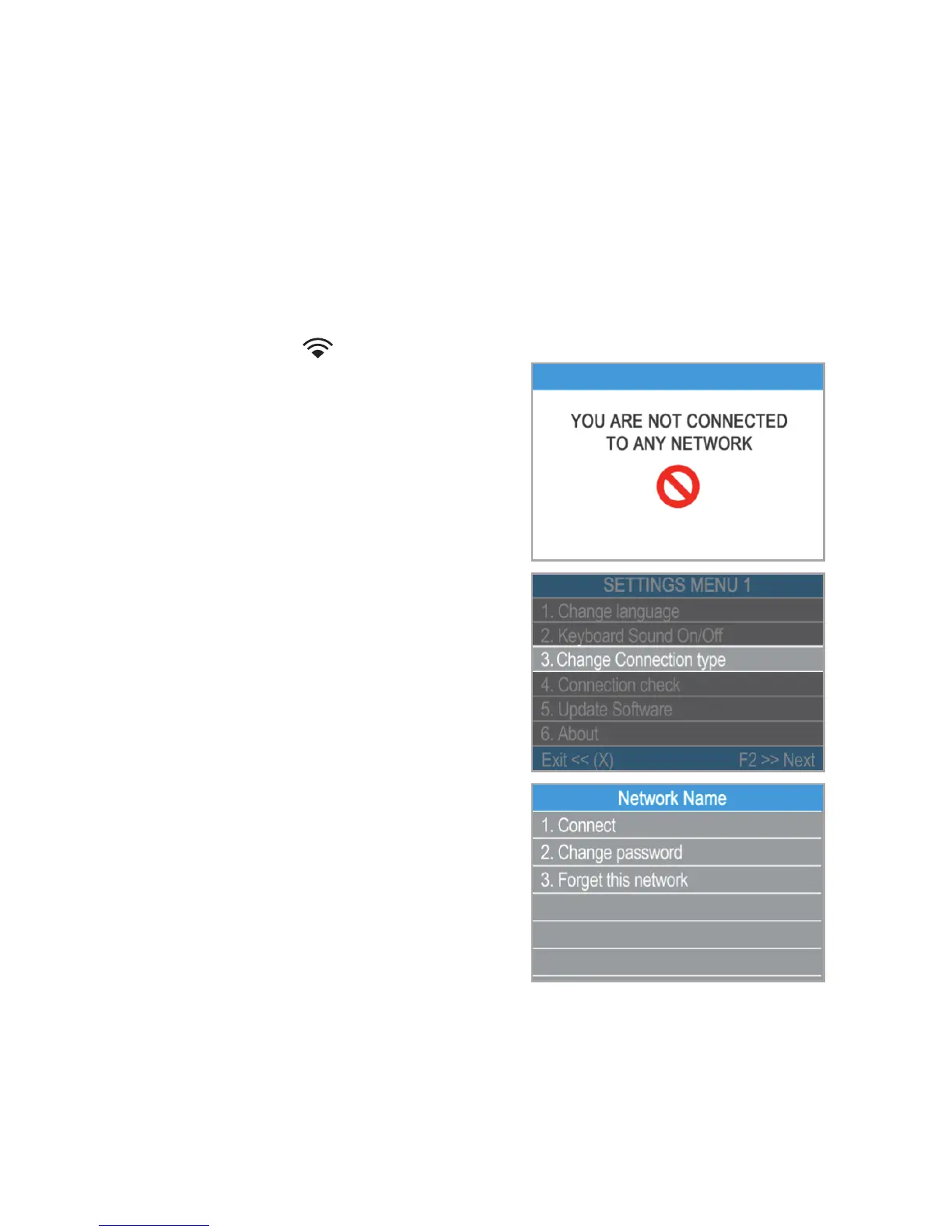
If you try to make a payment transaction,
the terminal will display an error message
– “You are not connected to any network” -
and will search for available networks. If a
previously used network is found, the
D210 device will connec t to it
automatically and will process the
transaction.
In order to change the saved password,
choose the “Change connection type”
option from the SETTINGS MENU 1 and
enter the new password when prompted.
If you are within a previously used
network range and do not want your D210
device to connect to it automatically, you
can delete the saved data by choosing
option 3: “Forget this network”.
џ
џ
џ
џ
џ
EN 9|



 To Next Page