(Revised 2015-09-28) Page 13 of 157
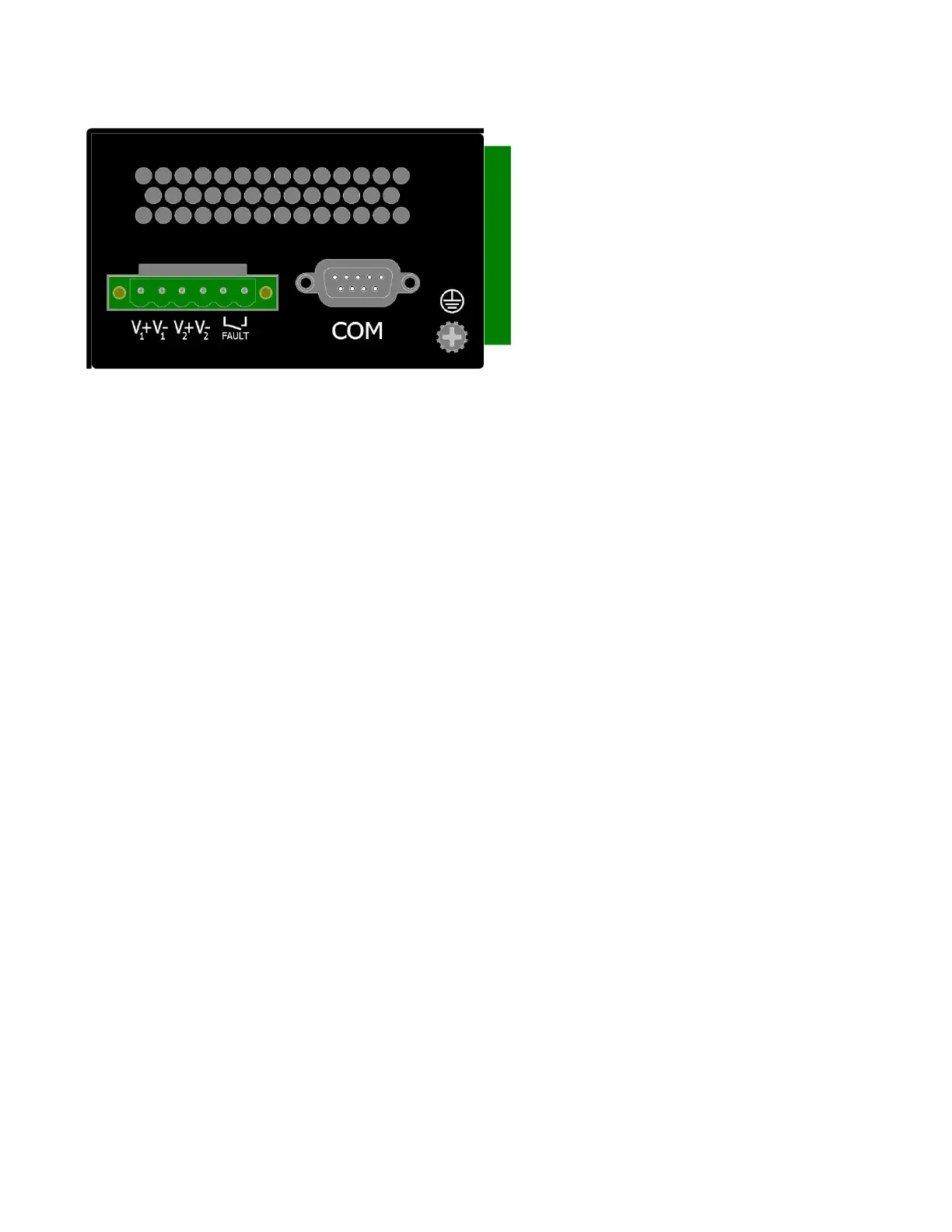
APPLYING POWER (Side View)
Unscrew & Remove the DC Voltage Input
Plug from the Power Input Header
Install the DC Power Cables into the Plug
(observing polarity).
Plug the Voltage Input Plug back into the
Power Input Header. This is the power
disconnect device that must be removed
before performing any kind of service or
maintenance on the device.
Tightening torque for the terminal block
power plug is 0.5 Nm/0.368 Pound Foot.
Verify the Power LED stays ON (GREEN).
Notes:
Only 1 power supply must be connected to power for minimal operation. For redundant power
operation, V
1
and V
2
inputs must be connected to separate DC Voltage sources. This device will
draw current from both sources simultaneously. Use 16-28AWG (0.08mm²-1.31mm²) wire when
connecting to the power supply.
The Fault pins on the power connector can be used for an alarm contact. The current carrying
capacity is 1A at 24VDC. It is normally open and the relay closes when a fault condition occurs.
These pins can be used to connect an external warning device such as a light in order to provide an
external alarm. The conditions for generating a fault condition (closing the relay) can be configured
through software.
Recommended 24V DC Power Supplies (Standard Voltage Models), similar to:
N-Tron’s P/N NTPS-24-1.3:
Input AC 115/230V
Output DC 24-28V
Output Current 1.3A @ 24V
1.0A @ 28V
Power 30W
35 mm DIN-Rail Mountable
Dimensions: 45X75X91 mm



 To Next Page