SPECIFICATIONS
AMPLIFIER SECTION
Power output Stereo Mode 2 x 170W
(8 ohms within rated distortion)
IHF dynamic power; 8 ohms 2 x 220W
IHF dynamic power; 4 ohms 2 x 340W
Total harmonic distortion at rated power 0.02%
IM distortion at rated power 0.003%
Damping factor 8 ohms >150
Input sensitivity and impedance 1.22 V / 20k ohms/470 pF
Frequency response 20 to 20,000 Hz ±0.3dB
Signal/noise ratio; ref rated power / 8 ohms (A-WTD) >120dB
Signal/noise ratio; ref 1W / 8 ohms (A-WTD) >100dB
Remote Control Yes, SR 5
Specifications are subject to change without notice.
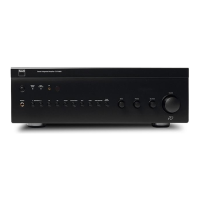
For the latest information about your C 372, updated documentation and features please log onto www.nadelectronics.com
10
ENGLISH FRANÇAIS
DEUTSCH
ESPAÑOL
ITALIANO
PORTUGUÊS
SVENSKA
TROUBLESHOOTING
NO SOUND • Power AC lead unplugged or power not
switched on
• Tape 1 Monitor selected
• Mute on
• Rear Pre-out/Main-in amp links not fitted
• No speakers selected
• Check if AC lead is plugged in and power
switched on
• De-select Tape 1 Monitor mode
• Switch off Mute
• Fit links
• Select the appropriate speakers (A / B)
Problem Cause Solution
NO SOUND ONE CHANNEL • Balance control not centred
• Speaker not properly connected
or damaged.
• Input lead disconnected or damaged
• Centre Balance control
• Check connections and speakers
• Check leads and connections
WEAK BASS /
DIFFUSE OR NO STEREO IMAGE
• Speakers wired out of phase
• Bridge Mode selected when speakers are
connected normally
• Check connections to all speakers in the system
• Disengage Bridge Mode
REMOTE CONTROL HANDSET NOT WORKING • Batteries flat, or incorrectly inserted
• IR transmitter or receiver windows obstructed
• IR receiver in direct sun or very bright ambient
light
• Check or replace batteries
• Remove obstruction
• Place unit away from direct sun, reduce amount
of ambient light
POWER/PROTECTION LED STAYS RED UPON
TURNING POWER ON
• Loudspeakers cabling has a short-circuit • Turn amplifier off and check loudspeaker cable
connections for both speakers at amplifier's back
panel and loudspeakers. Turn amplifier on.
POWER/PROTECTION INDICATOR TURNS RED
DURING OPERATION
• Amplifier has over-heated.
• Overall impedance of loudspeakers too low
• Turn amplifier off. Make sure ventilation slots on
top and bottom of amplifier aren't blocked.
After amplifier has cooled down, turn back on.
• Ensure the overall loudspeaker impedance isn't
below 4 ohms.
• Check loudspeaker cables for short circuits


 To Next Page