6 RANDOM: This button when pressed will engage or disengage random
playback mode. When engaged (a corresponding “RANDOM” icon is
illuminated in the VFD), random playback of tracks or les will begin by
pressing [PLAY/PAUSE/SKIP] from STOP mode or rotating [PLAY/PAUSE/
SKIP] during playback mode. Press [RANDOM] again to return to normal
playback (“RANDOM” icon in the VFD is extinguished). Random playback
mode can also be disengaged by pressing [STOP/OPEN] button.
The Random playback mode can be used in combination with the
Repeat Play All mode but not with Program playback mode.
7 DISPLAY: Toggle to display the following disc information during
playback
INFORMATION AUDIO CD CD TEXT MP3/WMA
Elapsed playback time of the
current track
✓ ✓
-
Remaining playback time of the
current track
✓ ✓
-
Running total playback time of
the disc
✓ ✓
-
Remaining playback time of
the disc
✓ ✓
-
Song title -
✓ ✓
Artist name -
✓ ✓
Album name -
✓ ✓
File name - -
✓
Elapsed time of the current le - -
✓
File number of the current le with
respect to the total number of les
under the current folder
- -
✓
NOTES
• Someinformationmaynotbedisplayedonsomediscs.Displayis
dependent on the disc’s information content.
• Ifthelehasnoavailableinformationaboutthesongtitle,artistor
album, the display will show “NO TITLE”, “NO ARTIST” or “NO ALBUM”.
8 SCAN [ ]: Press and hold [ ] for more than 2 seconds
to search up or down a track/le. The SCAN [ ] button causes the
optical pickup to scan backwards through the recording at high speed.
The SCAN [ ] button causes the optical pickup to scan rapidly
forward through the music.
9 USB INPUT: Connect a USB device into this input.
10 PLAY/PAUSE/SKIP: This control knob has three functions – PLAY,
PAUSE and SKIP [ ].
PLAY/PAUSE: Press this knob to toggle between Play and Pause of
a CD or other compatible media disc. Press to start play or resume
play after Pause. The icon “ ” is illuminated in the VFD indicating the
C 546BEE is in playback mode. If the disc tray is open, press this button
to automatically close the tray and start playback if a disc is loaded.
During playback, press this button to stop playback temporarily,
keeping the optical pickup at its current position on the disc. The icon
“ ” is illuminated in the VFD indicating the C 546BEE is in pause mode.
To resume playback at the exact point where it stopped, press
[PLAY/PAUSE/SKIP] again.
SKIP [ ]: Rotate this knob clockwise to SKIP forward a track/
le. Rotate it counterclockwise to SKIP backward to the beginning of the
current track/le or previous track/le.
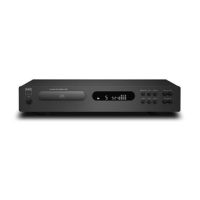
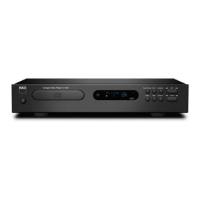
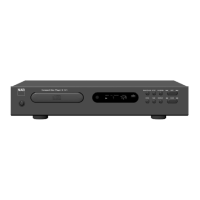
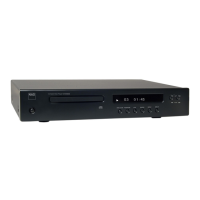
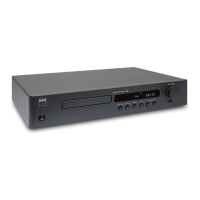
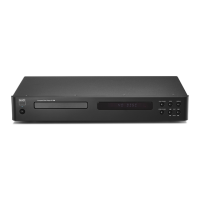
11 VFD: The Vacuum Fluorescent Display (VFD) provides playback
information, settings and other indicators.
12 REMOTE SENSOR: Point the CD 9 at the remote sensor and press the
buttons. Do not expose the remote sensor of the CD 9 to a strong light
source such as direct sunlight or illumination. If you do so, you may not
be able to operate the C 546BEE with the remote control.
Distance: About 23ft (7m) from the front of the remote sensor.
Angle: About 30° in each direction of the front of the remote sensor.
IDENTIFICATION OF CONTROLS
FRONT PANEL
8
ENGLISH FRANÇAIS ESPAÑOL ITALIANO DEUTSCH NEDERLANDS SVENSKA РУССКИЙ



 To Next Page