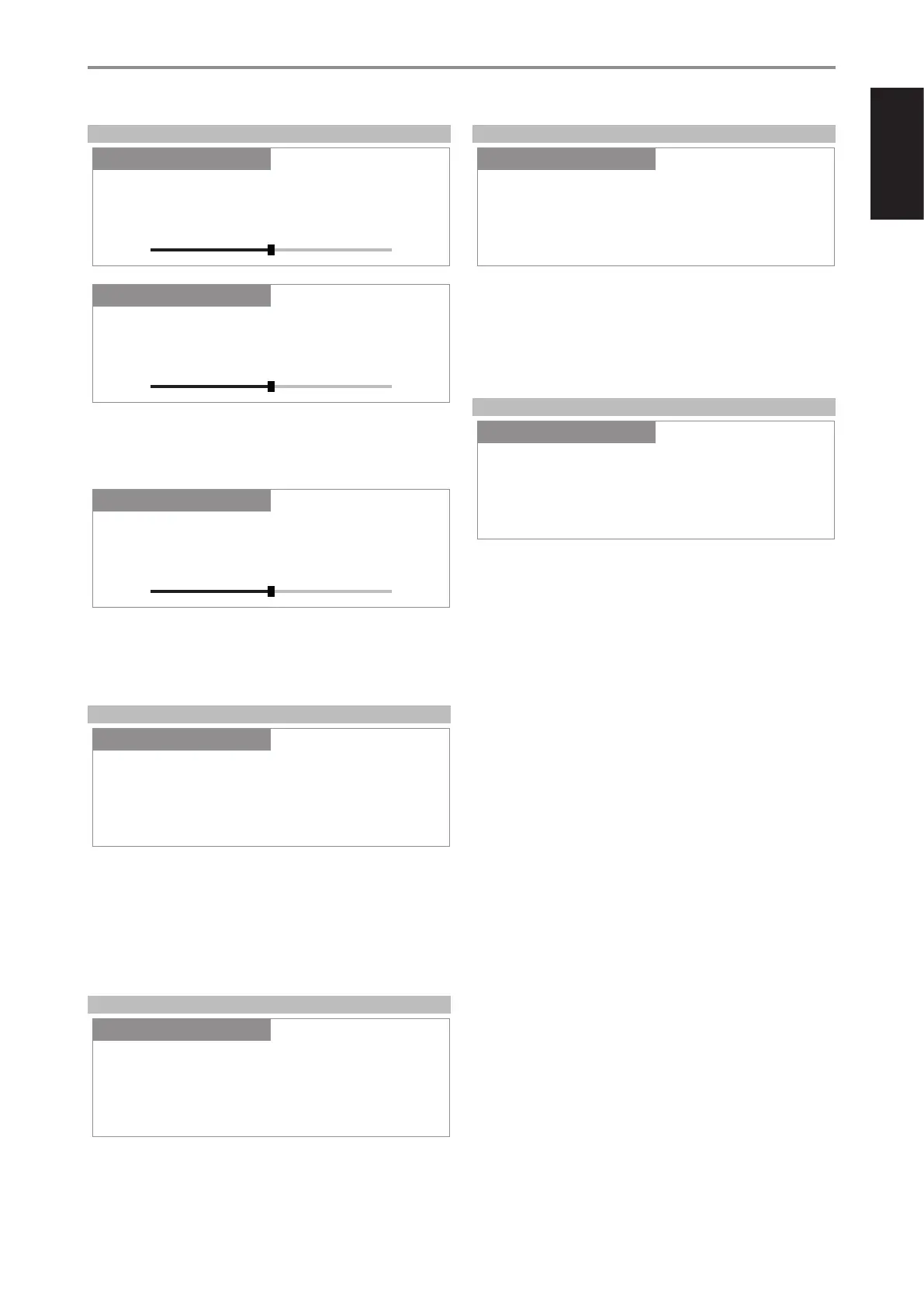
BASS, TREBLE, BALANCE
Bass and Treble controls only aect the low bass and high treble leaving
the critical midrange frequencies free of coloration.
• Use [a/s] to boost or cut Bass or Treble levels within ±7 dB range.
Balance control adjusts the relative levels of the left and right speakers.
• Press [s] to shift the balance to the right or [a] to shift the balance to
the left. Use [a/s] also to recover or even out the balance levels.
• “0 dB” level setting provides equal level to the left and right channels.
FILTERS
Filters provide easy bi-amplication or subwoofer integration by adding the
required lters to redirect bass frequencies to the subwoofer.
High Pass: Low pass signal from frequencies 40Hz to 200Hz can be
selected and sent to Subwoofer Out, with the high pass signal sent to
the C 388 amplier section.
Full Range: Refers to the whole frequency spectrum capability of your
C 388 and speaker system.
PRE OUT/SUBWOOFER
Pre Out/Subwoofer feature allows you to select the function of the PRE-
OUT or SUBWOOFER terminals.
Pre Out: Congured as Pre Out terminals.
Subwoofer: Congured as Subwoofer terminals.
SPEAKER CHANNEL
SPEAKER CHANNEL enables you to engage or disengage the speakers
connected respectively to the SPEAKERS A and SPEAKERS B terminals on
the rear panel.
Select “Speaker A” or “Speaker B” individually and then set to “On” or “O”.
On: Selected speaker is enabled.
O: Selected speaker is disabled.
DIMMER
DIMMER function makes it possible to adjust the brightness level of the
front panel display.
Bright: Increase the brightness level of the display above normal.
Normal: Normal brightness level of the display.
Dim: Display brightness is below normal level or dimmer than normal.
Temporary: Display is temporary turned o after 30 seconds of non-
user interface. Display is activated once user interface is initiated.
OPERATION
USING THE C 388
Balance
SettingsSource Setup
0 dB
+-
Settings
Filters
SettingsSource Setup
High Pass
Settings
Pre Out/Subwoofer
SettingsSource Setup
Pre Out
Settings
Speaker Channel
SettingsSource Setup
Speaker A
Settings
Bass
SettingsSource Setup
0 dB
+-
Settings
Treble
SettingsSource Setup
0 dB
+-
Settings
Dimmer
SettingsSource Setup
Bright
Settings
13
ENGLISHFRANÇAISESPAÑOLITALIANODEUTSCHNEDERLANDSSVENSKAРУССКИЙ



 To Next Page