EasyManua.ls Logo

NAD C720BEE - User Manual

NAD C720BEE
15 pages
Print Icon
To Next Page IconTo Next Page
Loading...
C720BEE
Stereo Receiver
ENGLISH
FRANÇAISDEUTSCH
NEDERLANDS
ESPAÑOL
ITALIANO
PORTUGUÊS
SVENSKA
Owner’s Manual
Manuel d’Installation
Bedienungsanleitung
Gebruikershandleiding
Manual del Usuario
Manuale delle Istruzioni
Manual do Proprietário
Bruksanvisning
®
C720BEE manual (GB).qxd 2/21/2005 12:57 PM Page 1

Other manuals for NAD C720BEE

Question and Answer IconNeed help?

Do you have a question about the NAD C720BEE and is the answer not in the manual?

Summary

Important Safety Instructions

Read and Retain Instructions

All safety and operating instructions should be read and retained for future reference.

Adherence to Warnings and Instructions

All warnings on the product and in the operating instructions should be adhered to and followed.

Cleaning and Maintenance

Unplug before cleaning; use a damp cloth; do not use liquid cleaners or aerosols.

Attachments and Accessories

Do not use unrecommended attachments or place product on unstable surfaces.

Placement and Ventilation

Do not use near water, ensure adequate ventilation, and avoid blocking openings.

Power Sources and Grounding

Operate from indicated source; consult dealer for home supply type; polarized plug safety feature.

Cord Protection and Antenna Grounding

Route cords safely; ground outdoor antenna systems for surge protection.

Lightning and Power Line Safety

Unplug during lightning storms; avoid placement near overhead power lines.

Overloading and Object;Liquid Entry

Do not overload outlets; never push objects or spill liquids into the unit.

Damage Requiring Service

Refer servicing to qualified personnel for damaged cords, spilled liquid, exposure to water, or abnormal operation.

Replacement Parts and Safety Checks

Use manufacturer-specified parts; perform safety checks after service.

Mounting and Warnings

Mount only as recommended; do not expose to rain/moisture; be aware of dangerous voltage.

Placement and UK Customer Information

Ensure ventilation space; specific safety advice for UK users regarding plugs and fuses.

About the NAD C720 BEE Receiver

Rear Panel Controls Overview

Overview of rear panel connections and controls with numbered labels.

Remote Controls

Description and operation of the remote control handset.

Battery Installation

Step-by-step guide for installing batteries in the remote control.

Installation Notes

General guidance on placement, ventilation, and initial connections.

Quick Start Guide

Basic steps to get the unit operational quickly.

Rear Panel Connections

Detailed explanation of all rear panel input/output connectors.

Soft Clipping Feature

Explanation of the soft clipping feature for amplifier protection.

Subwoofer Output

Description of the subwoofer output connection.

Main In and Pre-Out Connections

Connections for external pre-amplifiers/processors and power amplifiers.

Record Out, Zone 2, and Tape In

Outputs for recording or secondary zone audio and tape input.

Auxiliary and Video Inputs

Inputs for auxiliary line-level audio sources and audio from video sources.

CD and Disc Inputs

Inputs for CD players and other line-level sources like Mini Disc.

IR Input;Output and Trigger Out

Connection for infrared repeaters and output for controlling external equipment.

Front Panel Controls

Detailed description of front panel controls like Power, Display, Volume, Tone, etc.

Input Selectors

Buttons to select the active input to the C720BEE for speakers, tape output, and PRE OUT.

Headphone Socket

1/4" stereo jack socket for headphone listening with volume, tone, balance controls.

Remote Control Handset Functions

Description of remote control functions including power, inputs, volume, and tuner controls.

CD Player and Cassette Deck Controls

Controls for operating NAD CD Players and Cassette Decks via remote.

Tape;Tuner-CD and Dev 1;Dev 2 Switches

Switches to control tape/tuner or CD operations and device selection.

Listening to Radio

Information on using the internal AM/FM tuner for radio broadcasts.

Antennas

Guidance on connecting and positioning FM and AM antennas for optimal reception.

Selecting Radio Presets

Instructions on how to select and store favorite radio stations.

Choosing FM Mute; Mode

How to use the FM Mute/Mode button to adjust stereo reception and noise.

Choosing the Blend Mode

Using the Blend feature to reduce noise and hiss while retaining stereo separation.

About RDS

Explanation of Radio Data System features like station-name and radio-text.

View RDS Text

How to display station-name (PS) and radio-text (RT) information.

About User Names

How to assign an eight-character 'User Name' to each radio preset.

Specifications

Pre-Amp Section

Technical specifications for the pre-amplifier section, including input impedance and sensitivity.

Line Level Outputs

Specifications for output impedance and maximum output level for Pre-out and Tape.

Tone Controls

Specifications for Treble and Bass tone control ranges.

IR; Trigger Out

Specifications for IR input resistance and trigger out voltage/current.

Power Amp Section

Technical specifications for the power amplifier section, including output power and distortion.

Tuner Section

Technical specifications for the AM/FM tuner, including input sensitivity and distortion.

Physical Specifications

Dimensions, net weight, and shipping weight of the NAD C720BEE.

Troubleshooting Guide

No Sound Issues

Troubleshooting for no sound, no sound on one channel, and weak bass/stereo image.

Remote Control Not Working

Solutions for issues with the remote control handset not functioning.

Tuner Noise and Distortion

Troubleshooting for no sound with tuner, noise/hiss on AM/FM, and FM distortion.

FM;AM Interference Issues

Solutions for whistles, buzzes on FM & AM, and no RDS name (PS).

Summary

Important Safety Instructions

Read and Retain Instructions

All safety and operating instructions should be read and retained for future reference.

Adherence to Warnings and Instructions

All warnings on the product and in the operating instructions should be adhered to and followed.

Cleaning and Maintenance

Unplug before cleaning; use a damp cloth; do not use liquid cleaners or aerosols.

Attachments and Accessories

Do not use unrecommended attachments or place product on unstable surfaces.

Placement and Ventilation

Do not use near water, ensure adequate ventilation, and avoid blocking openings.

Power Sources and Grounding

Operate from indicated source; consult dealer for home supply type; polarized plug safety feature.

Cord Protection and Antenna Grounding

Route cords safely; ground outdoor antenna systems for surge protection.

Lightning and Power Line Safety

Unplug during lightning storms; avoid placement near overhead power lines.

Overloading and Object;Liquid Entry

Do not overload outlets; never push objects or spill liquids into the unit.

Damage Requiring Service

Refer servicing to qualified personnel for damaged cords, spilled liquid, exposure to water, or abnormal operation.

Replacement Parts and Safety Checks

Use manufacturer-specified parts; perform safety checks after service.

Mounting and Warnings

Mount only as recommended; do not expose to rain/moisture; be aware of dangerous voltage.

Placement and UK Customer Information

Ensure ventilation space; specific safety advice for UK users regarding plugs and fuses.

About the NAD C720 BEE Receiver

Rear Panel Controls Overview

Overview of rear panel connections and controls with numbered labels.

Remote Controls

Description and operation of the remote control handset.

Battery Installation

Step-by-step guide for installing batteries in the remote control.

Installation Notes

General guidance on placement, ventilation, and initial connections.

Quick Start Guide

Basic steps to get the unit operational quickly.

Rear Panel Connections

Detailed explanation of all rear panel input/output connectors.

Soft Clipping Feature

Explanation of the soft clipping feature for amplifier protection.

Subwoofer Output

Description of the subwoofer output connection.

Main In and Pre-Out Connections

Connections for external pre-amplifiers/processors and power amplifiers.

Record Out, Zone 2, and Tape In

Outputs for recording or secondary zone audio and tape input.

Auxiliary and Video Inputs

Inputs for auxiliary line-level audio sources and audio from video sources.

CD and Disc Inputs

Inputs for CD players and other line-level sources like Mini Disc.

IR Input;Output and Trigger Out

Connection for infrared repeaters and output for controlling external equipment.

Front Panel Controls

Detailed description of front panel controls like Power, Display, Volume, Tone, etc.

Input Selectors

Buttons to select the active input to the C720BEE for speakers, tape output, and PRE OUT.

Headphone Socket

1/4" stereo jack socket for headphone listening with volume, tone, balance controls.

Remote Control Handset Functions

Description of remote control functions including power, inputs, volume, and tuner controls.

CD Player and Cassette Deck Controls

Controls for operating NAD CD Players and Cassette Decks via remote.

Tape;Tuner-CD and Dev 1;Dev 2 Switches

Switches to control tape/tuner or CD operations and device selection.

Listening to Radio

Information on using the internal AM/FM tuner for radio broadcasts.

Antennas

Guidance on connecting and positioning FM and AM antennas for optimal reception.

Selecting Radio Presets

Instructions on how to select and store favorite radio stations.

Choosing FM Mute; Mode

How to use the FM Mute/Mode button to adjust stereo reception and noise.

Choosing the Blend Mode

Using the Blend feature to reduce noise and hiss while retaining stereo separation.

About RDS

Explanation of Radio Data System features like station-name and radio-text.

View RDS Text

How to display station-name (PS) and radio-text (RT) information.

About User Names

How to assign an eight-character 'User Name' to each radio preset.

Specifications

Pre-Amp Section

Technical specifications for the pre-amplifier section, including input impedance and sensitivity.

Line Level Outputs

Specifications for output impedance and maximum output level for Pre-out and Tape.

Tone Controls

Specifications for Treble and Bass tone control ranges.

IR; Trigger Out

Specifications for IR input resistance and trigger out voltage/current.

Power Amp Section

Technical specifications for the power amplifier section, including output power and distortion.

Tuner Section

Technical specifications for the AM/FM tuner, including input sensitivity and distortion.

Physical Specifications

Dimensions, net weight, and shipping weight of the NAD C720BEE.

Troubleshooting Guide

No Sound Issues

Troubleshooting for no sound, no sound on one channel, and weak bass/stereo image.

Remote Control Not Working

Solutions for issues with the remote control handset not functioning.

Tuner Noise and Distortion

Troubleshooting for no sound with tuner, noise/hiss on AM/FM, and FM distortion.

FM;AM Interference Issues

Solutions for whistles, buzzes on FM & AM, and no RDS name (PS).

Overview

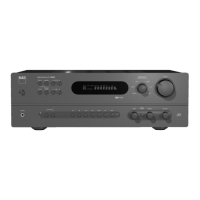
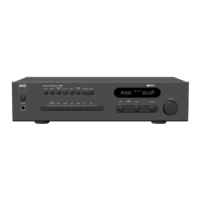
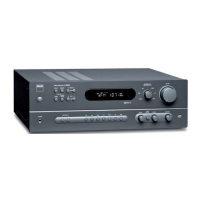
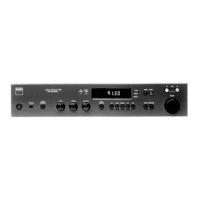
The NAD C720BEE is a stereo receiver designed to provide high-quality audio reproduction and versatile connectivity for various audio components. It integrates an AM/FM tuner, a pre-amplifier, and a power amplifier into a single unit, offering a comprehensive solution for a stereo audio system.

Function Description

The C720BEE serves as the central hub for an audio system, allowing users to connect and manage multiple audio sources, including CD players, tape decks, auxiliary devices, and a turntable (via a step-up amplifier like the NAD PP2). Its primary function is to receive audio signals from these sources, amplify them, and output them to loudspeakers or headphones.

The integrated AM/FM tuner provides access to radio broadcasts, with features like preset storage for favorite stations and RDS (Radio Data System) support for displaying station information such as station name and radio text. The tuner offers both manual and automatic search functions to find stations across the AM and FM bands.

The pre-amplifier section handles signal routing and basic audio adjustments, including volume, bass, treble, and balance controls. A "Tone Defeat" switch allows users to bypass the tone control section for a purer audio signal if desired. The "Soft Clipping™" feature is designed to minimize audible distortion when the amplifier is driven beyond its specified power output, gently limiting the output to prevent harsh "hard clipping."

The power amplifier section is responsible for amplifying the audio signals to drive loudspeakers. It features NAD's patented PowerDrive™ amplifier circuit, which is designed to provide high current drive and dynamic power, ensuring stable performance with various speaker impedances and delivering clean sound even during demanding musical passages. The receiver supports two sets of speakers (A and B), which can be engaged or disengaged independently or simultaneously.

Usage Features

Front Panel Controls:

The front panel of the C720BEE offers intuitive controls for everyday operation.

  • Power Button: Switches the unit between Stand-by and operating mode. An LED indicator changes color (amber for Stand-by, red during protection, green for operating) to show the unit's status.
  • Display Panel: Shows active input, tuner information (station name, frequency, Radio Text, Blend, FM Mute, Stereo, Centre Tune), and other operating modes. It includes an eight-character alphanumeric section for detailed information.
  • Input Selectors: Dedicated buttons for DISC, CD, VIDEO, AUX, FM, AM, and TAPE allow users to select the desired audio source.
  • Tuner Controls (TUNE, PRESET, MEMORY, FM MUTE/MODE, BLEND): These buttons manage the integrated AM/FM tuner.
    • TUNE: Steps up or down through frequencies manually or searches automatically for strong signals.
    • PRESET: Steps through stored radio station presets.
    • MEMORY: Stores tuned stations into one of 40 preset-memory locations (30 FM, 10 AM).
    • FM MUTE/MODE: Toggles between stereo mute and unmuted stereo reception, and allows reception of distant/noisy stations.
    • BLEND: Engages or disengages the Blend feature, which reduces noise and hiss while retaining some stereo separation for weak FM signals.
  • Volume Control: A motorized knob adjusts the overall loudness.
  • Tone Controls (BASS, TREBLE, TONE DEFEAT): Adjusts the tonal balance of the system. The Tone Defeat switch bypasses these controls.
  • Balance Control: Adjusts the relative levels of the left and right speakers.
  • Record Out/Zone 2 Selector: Selects the source for recording or for a second zone output.
  • Phones Socket: A 1/4" stereo jack for headphone listening, with volume, tone, and balance controls remaining active.

Remote Control Handset (SR 5):

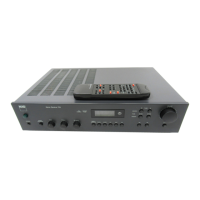
The supplied SR 5 remote control provides comprehensive control over the C720BEE and can also operate other NAD CD and cassette machines.

  • Power On & Off: Separate buttons for switching the unit on and off, allowing for system-wide power management with other compatible NAD components.
  • Input Selectors: Duplicates the front panel input selection buttons.
  • Numeric Keys: Direct input for CD tracks or tuner channels/presets.
  • Master Volume: Increases or decreases loudness.
  • Mute: Temporarily switches off sound to speakers and headphones.
  • Tuner Control (TUNE, PRESET): Controls tuner functions similar to the front panel, including direct frequency entry.
  • CD Player Control: Buttons for Play, Pause, Stop, Track Skip, Scan, and Open/Close (for compatible NAD CD players).
  • Cassette Deck Control: Buttons for Forward Play, Record-Pause, Stop, Rewind, and Fast Forward (for compatible NAD cassette decks).
  • TAPE/TUNER-CD Switch: Toggles transport key control between tape and CD functions.
  • DEV 1/DEV 2 Switch: Configures transport key operation, especially when a tape deck is not present.

Rear Panel Connections:

  • FM & AM ANTENNA: Connects the supplied dipole FM antenna (with balun adapter) and AM loop antenna for radio reception. External antennas can be used for improved reception.
  • SPEAKERS A & B: High-current binding post terminals for connecting two pairs of loudspeakers (4 ohms or more impedance).
  • SWITCHED AC OUTLET: An accessory outlet for powering another component (max 100 Watts), switched on/off by the rear panel VACATION SWITCH.
  • AC Line Cord: Connects the unit to a live AC wall socket.
  • VACATION SWITCH ON/OFF: The master on/off control for the amplifier, engaging standby mode when in the ON position and fully powering off when in the OFF position.
  • SOFT CLIPPING™ Switch: Engages or disengages the Soft Clipping feature.
  • SUBW OUT: Output for connecting a powered subwoofer.
  • MAIN IN: Inputs for connecting an external pre-amplifier or processor, bypassing the C720BEE's pre-amplifier section.
  • PRE-OUT: Outputs for connecting an external power amplifier or processor, allowing the C720BEE to function as a pre-amplifier.
  • RECORD OUT/ZONE 2: Line-level outputs for connecting a tape machine for recording or for a second audio zone.
  • TAPE IN: Inputs for connecting an analogue tape recorder for playback.
  • AUX Input: Line-level inputs for additional audio sources like another CD player.
  • VIDEO Input: Audio-only inputs for stereo VCRs, TVs, or other line-level audio sources.
  • CD Input: Line-level inputs for a CD player or other analogue audio source.
  • DISC Input: Line-level inputs for additional audio sources, including a turntable with a step-up amplifier.
  • IR Input / Output: For connecting an IR repeater or other components for remote control integration.
  • +12V TRIGGER OUT: Outputs a 12V signal when the unit is on, for controlling external equipment with 12V trigger inputs.

Maintenance Features

General Care:

  • Cleaning: Use a dry, soft cloth to clean the unit. If necessary, lightly dampen the cloth with soapy water. Avoid using solutions containing benzol or other volatile agents.
  • Ventilation: Ensure adequate space around the unit (10 cm on left/right/rear, 50 cm on top) to prevent overheating. Do not block ventilation slots.
  • Power Disconnection: If the unit will not be used for several months, unplug the AC power cord from the outlet. The mains plug is the primary method of isolation from the mains supply and should remain accessible.
  • Water/Moisture: Do not expose the unit to water or moisture. If water enters the unit, disconnect power immediately and have it inspected by a qualified service technician.
  • No User-Serviceable Parts: Do not remove the cover; there are no user-serviceable parts inside. Refer all servicing to qualified service personnel.

Safety Precautions:

  • Placement: Place the unit on a firm, level surface, away from direct sunlight, heat sources, and dampness.
  • Attachments/Accessories: Use only manufacturer-recommended attachments and accessories.
  • Power Sources: Operate only from the specified power source.
  • Grounding/Polarization: Ensure proper grounding and polarization of the power plug.
  • Power-Cord Protection: Route power cords to prevent them from being walked on or pinched.
  • Outdoor Antenna Grounding: If an outdoor antenna or cable system is connected, ensure it is properly grounded to protect against voltage surges and static charges.
  • Lightning: For added protection during lightning storms or extended periods of disuse, unplug the unit from the wall outlet and disconnect the antenna/cable system.
  • Power Lines: Avoid locating outdoor antenna systems near overhead power lines.
  • Overloading: Do not overload wall outlets or extension cords.
  • Object and Liquid Entry: Never push objects into openings or spill liquids on the product.

Troubleshooting:

The manual provides a troubleshooting guide to address common issues such as no sound, sound on only one channel, weak bass, remote control not working, tuner issues (no sound, noise, distortion, whistles/buzzes), and no RDS name display. Solutions typically involve checking connections, power, input selections, antenna, or replacing batteries in the remote.

NAD C720BEE Specifications

General IconGeneral
Total Harmonic Distortion< 0.03%
Signal-to-Noise Ratio> 100 dB
Dimensions435 x 100 x 290mm (W x H x D)
Weight6.5 kg
Damping Factor> 100
Power Output50W per channel into 8Ω
OutputsSpeaker outputs, tape out
Input Impedance47 kΩ (Line)
Speaker Impedance4 - 8 ohms
Frequency Response20Hz - 20kHz (+/-0.3dB)
Inputs1 phono input (MM)

Related product manuals