13
RADIO RECEPTION
MANUAL MEMORY PRESETTING
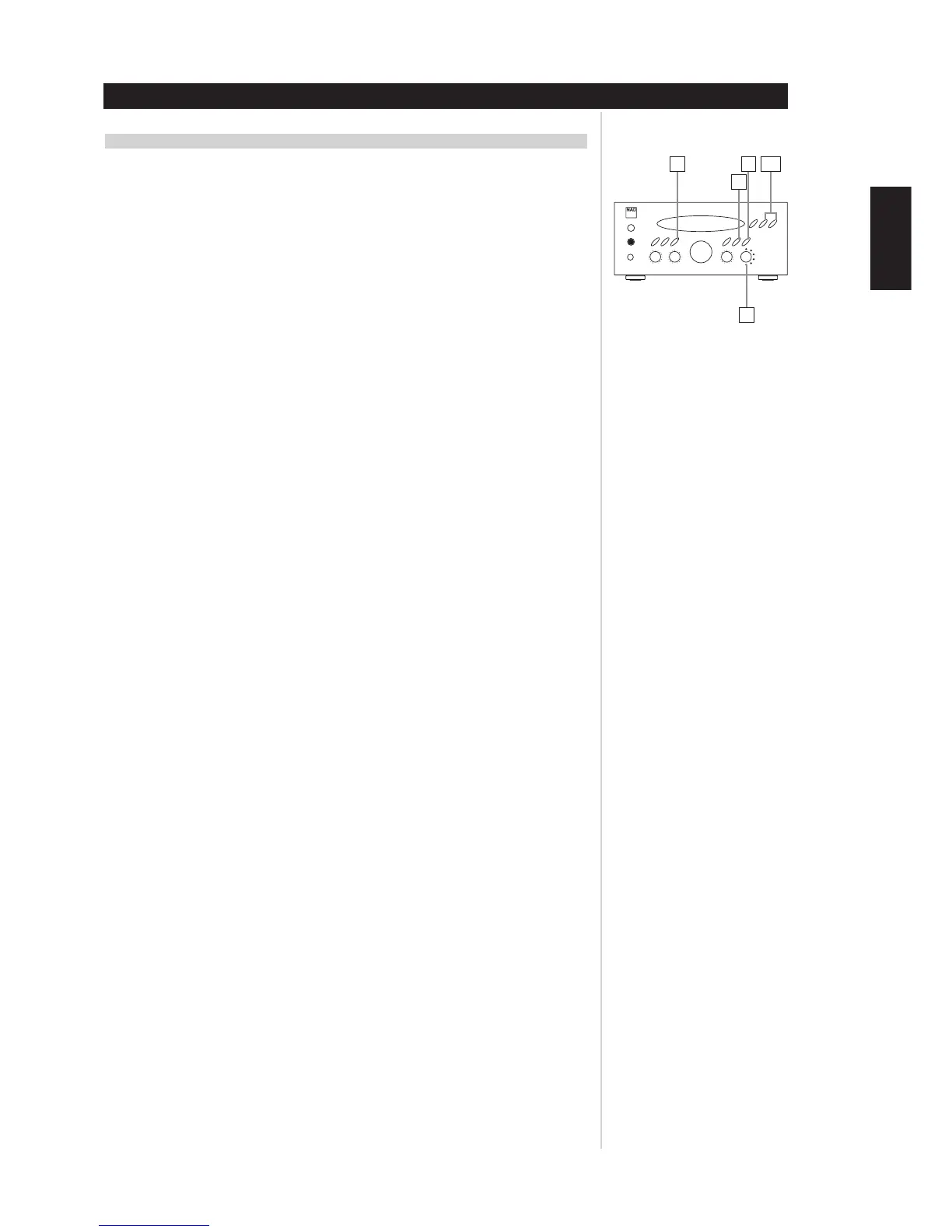
1 Select the Tuner by turning the Source selector.
2 Select the AM or FM by pressing the AM/FM selector button.
3 Press the Tune/Preset MODE button to change to TUNING mode. (The PRESET CH. indicator disappears
from the display).
4 Select the frequency you want to preset by pressing TUNING/PRESET UP or DOWN button.
5 Press the MEMORY button briefly, MEMORY display will blink at an interval of 1 second.
6 While the MEMORY indicator is lit
a) Press the TUNING/PRESET button to be desired selection then press the MEMORY button again, or
b) Press the numeric keys (on the remote control unit) to input the preset number in which the data
for the broadcast is to be stored.
DELETING A STORED PRESET
You can empty a preset by deleting the stored information
1 Select the preset to be emptied.
2 Press and hold Tune/Preset mode button for more than 4 seconds. The preset will then be deleted and
“_ _” appears on the preset number and “DELETED” scrolls on the display.
NOTE
Empty presets will be skipped during preset tuning.
RECALLING FREQUENCIES
Press the numeric key(s) corresponding to the channel number to tune directly to a broadcast.
“BACK-UP” MEMORY FUNCTION
This function conserves the already preset station memories, and “Most-recent” memory function, even
in the event of a cut-off of power supply, as when the plug is pulled out of the wall outlet.
ENGLISH
FRANÇAISDEUTSCHNEDERLANDSESPAÑOL
ITALIANO
PORTUGUÊS
SVENSKA
1
4,63
5
2


 To Next Page