ENGLISH
10
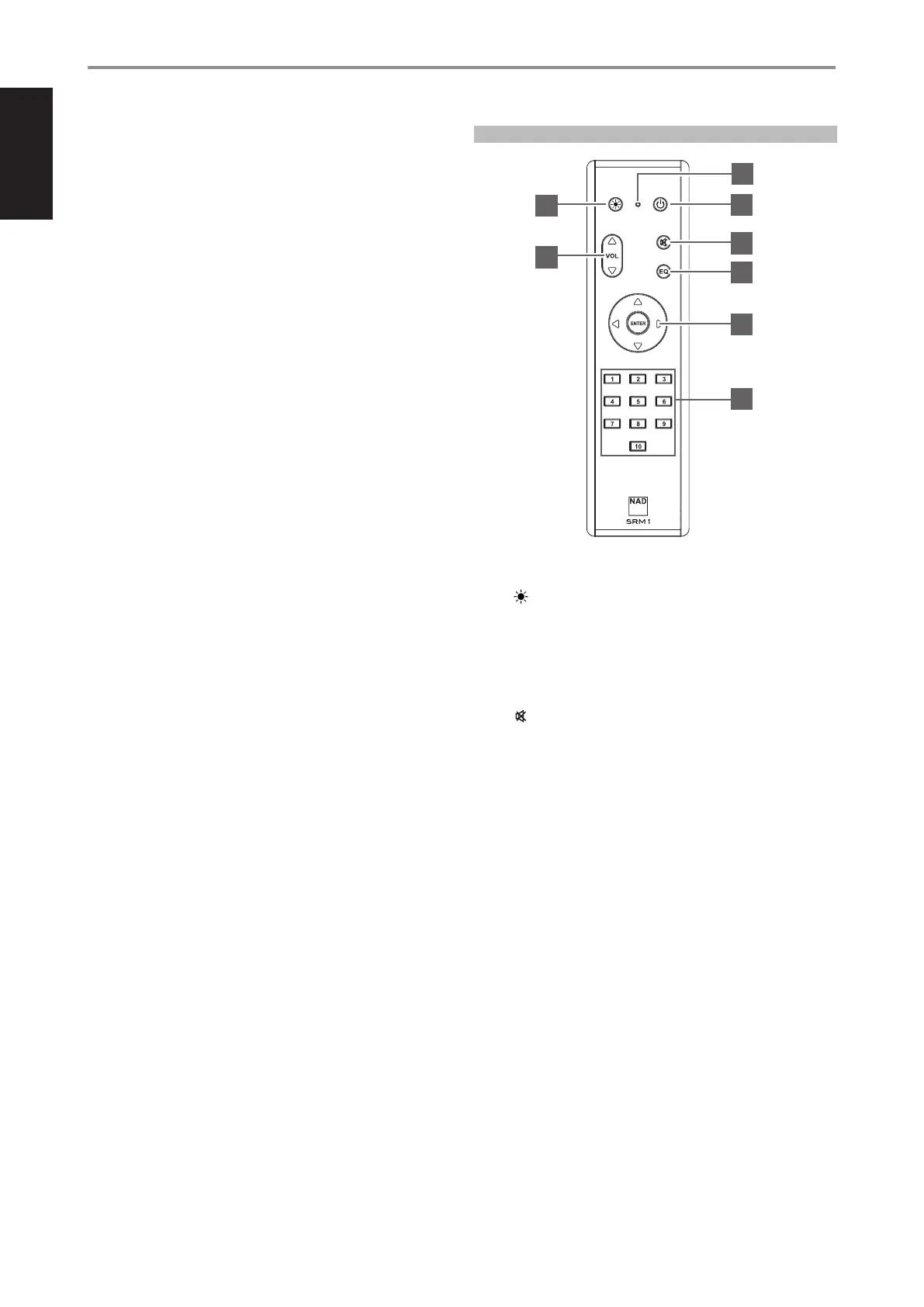
USING SRM 1 REMOTE CONTROL
1 LED indicator: Blinks whenever a command is sent.
2 : Set indicator brightness level of Status Indicator (NAD logo)
3 o: Switch from low power standby mode (no display, NAD logo lit)
to operating mode and vice-versa.
4 5VOL6: Increase or decrease volume level
5 Temporarily switch off or restore audio. Press again or adjust
Volume level to restore audio.
6 EQ: Not applicable for M66
7 p/+, -/q: User defined. Function can be assigned via IR Learning.
4 Go to the next song/file
3 Go to the beginning or previous song/file
ENTER : Start or pause playback
8 1 to 10 numbered buttons: Select Preset number
23 GROUND
• If a separate earth ground is necessary, use this terminal to ground
your M66. The M66 can be connected to ground by connecting a
ground lead wire or similar to this terminal. After insertion, tighten
the terminal to secure the lead.
24 AC MAINS INPUT
• The M66 comes supplied with two separate mains power cords.
Select the mains power cord appropriate for your region.
• Before connecting the power cord’s plug to the mains power outlet,
ensure that the other end of the power cord is firmly connected to
M66’s AC Mains input socket.
• Always unplug the power cord from the mains power outlet before
disconnecting the other end of the power cord from M66s AC
Mains input socket.
IDENTIFICATION OF CONTROLS
SRM 1 REMOTE CONTROL
1
2
4
3
5
6
7
8


 To Next Page