Chapter IV 92 March 2014
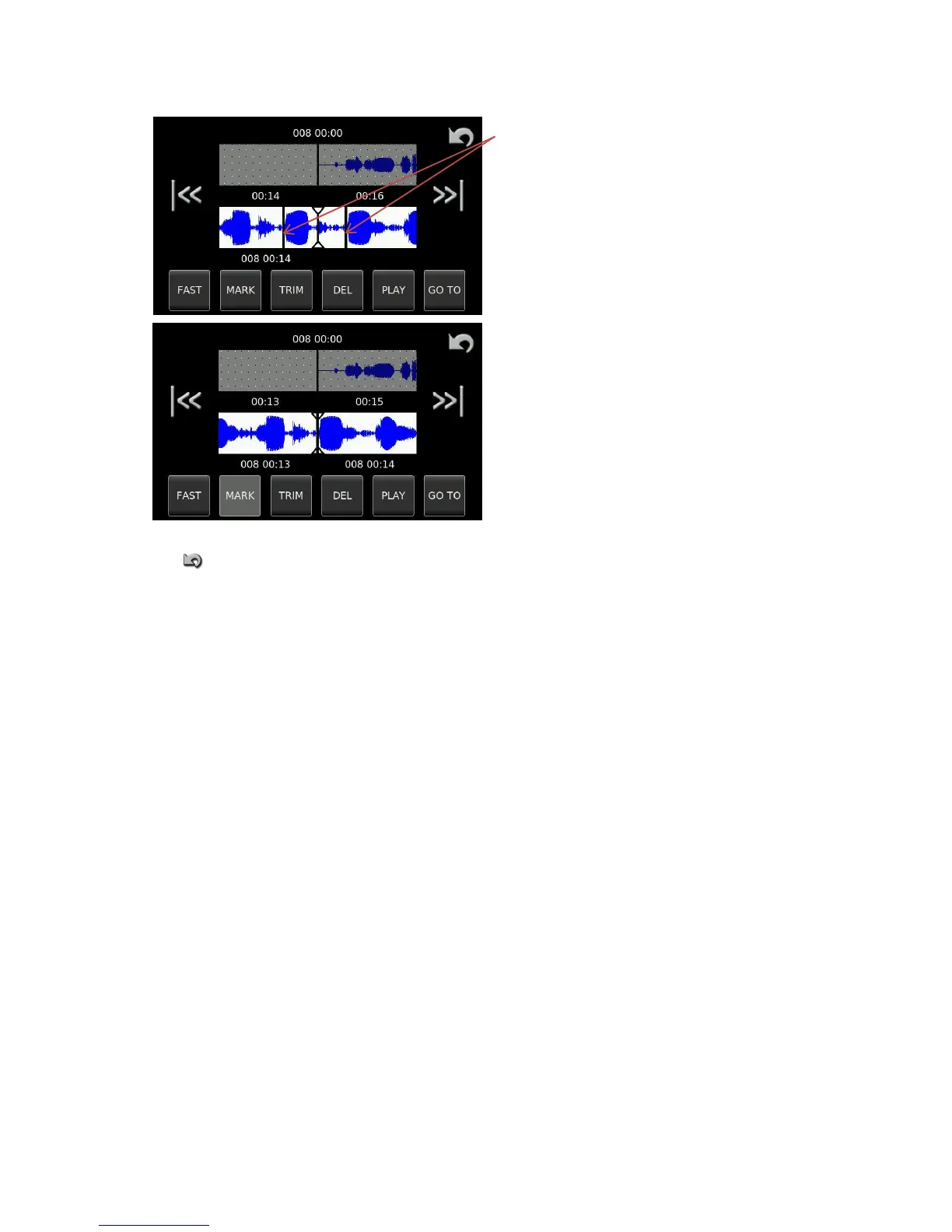
Both edit points are shown and the portion
between them can be deleted. Trimming of the edit
points is possible to accurately locate the exact cut
point. To move to either point press the
appropriate skip key.
Pressing the DEL button will now remove the
portion of audio located between the left and right
edit points.
Repeat this operation until all the audio portions that are to be removed have been eliminated. Once complete
press and the machine will ask whether to save the edit or not. If saved, it will automatically have the next
available index number on the currently selected media.


 To Next Page