10
Uniti Series products can be operated from either their supplied remote control handset, via the Naim iOS and Android
apps, or in the case of UnitiLite, NaimUniti 2 and SuperUniti their front panel buttons. Setting up and operating Uniti Series
products using the remote handset or front panel controls involves navigation through a menu-based user interface. The
general principles of the interface are the same for all Uniti Series components and this section of the manual begins by
illustrating those general principles using front panel controls.
Note: The UnitiQute 2 and SuperUniti front panel logos are touch sensitive and provide mute and volume control, and mute
control respectively. See Section 5.2.
3. Operation and Control
UnitiLite
3.1 UnitiLite Front Panel Buttons
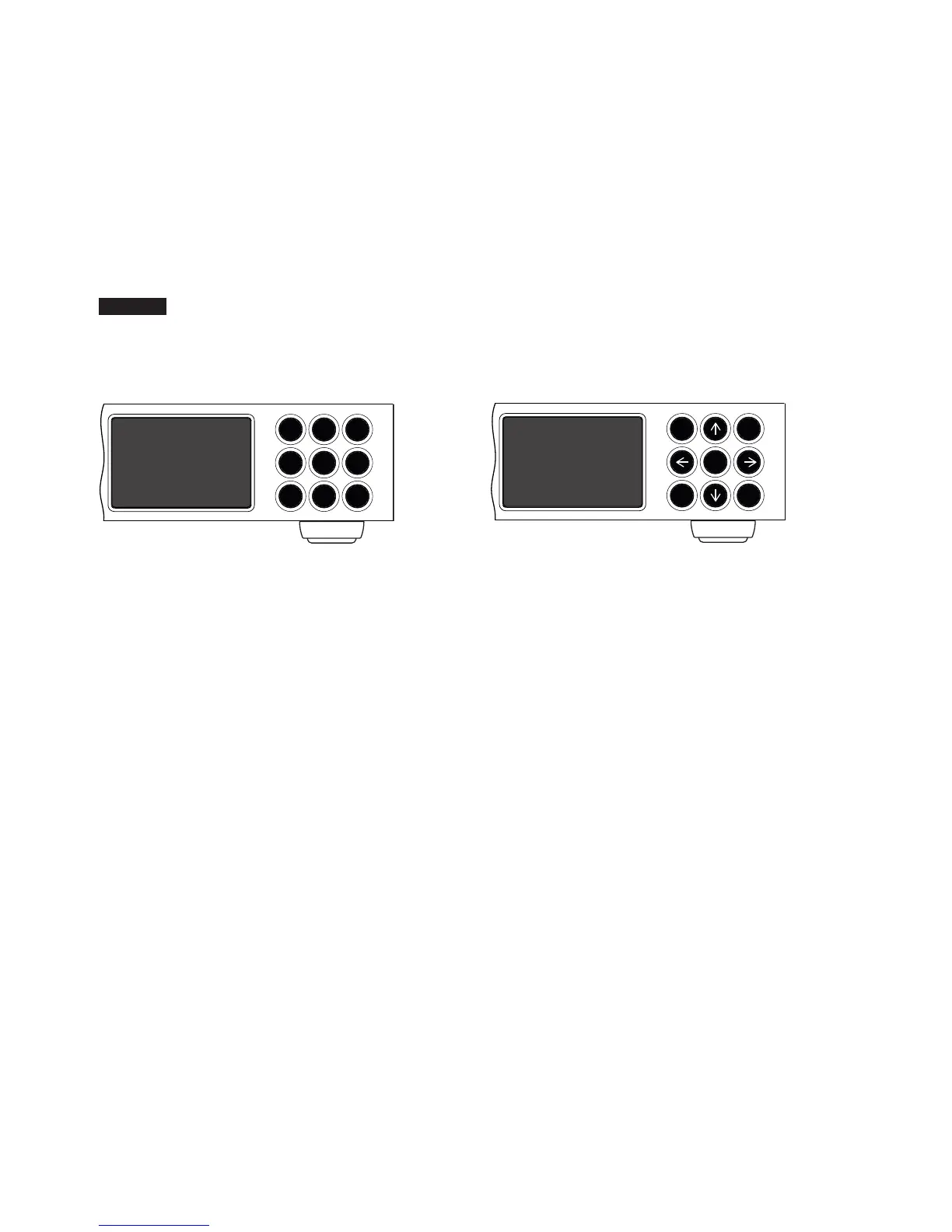
(normal play mode)
3.2 UnitiLite Front Panel Buttons
(list and setup modes)
In list and setup modes the front panel buttons (except
mute) recongure. The recongured buttons are illustrated
in the diagram above and their operation is described
below:
-vol navigate up menu or list
input go to previous menu or list (or previous
character)
play go to next menu or list (or next character)
prev navigate down menu or list
stop OK (conrm selection)
list exit list mode
mute mutes audio output
next
- volvol +
stop play
listprev
input
mute
In normal play mode the front panel buttons
perform the operations described below:
mute mutes audio output
-vol decreases volume
vol+ increases volume
input sequentially selects inputs
list switches unit to list mode
stop stops play
opens/closes CD drawer when CD input
selected
play starts play
closes CD drawer when CD input selected
prev selects previous track or audio le
next selects next track or audio le
next
- volvol +
stop play
list prev
input
mute
OK




 To Next Page