11
3. Operation and Control
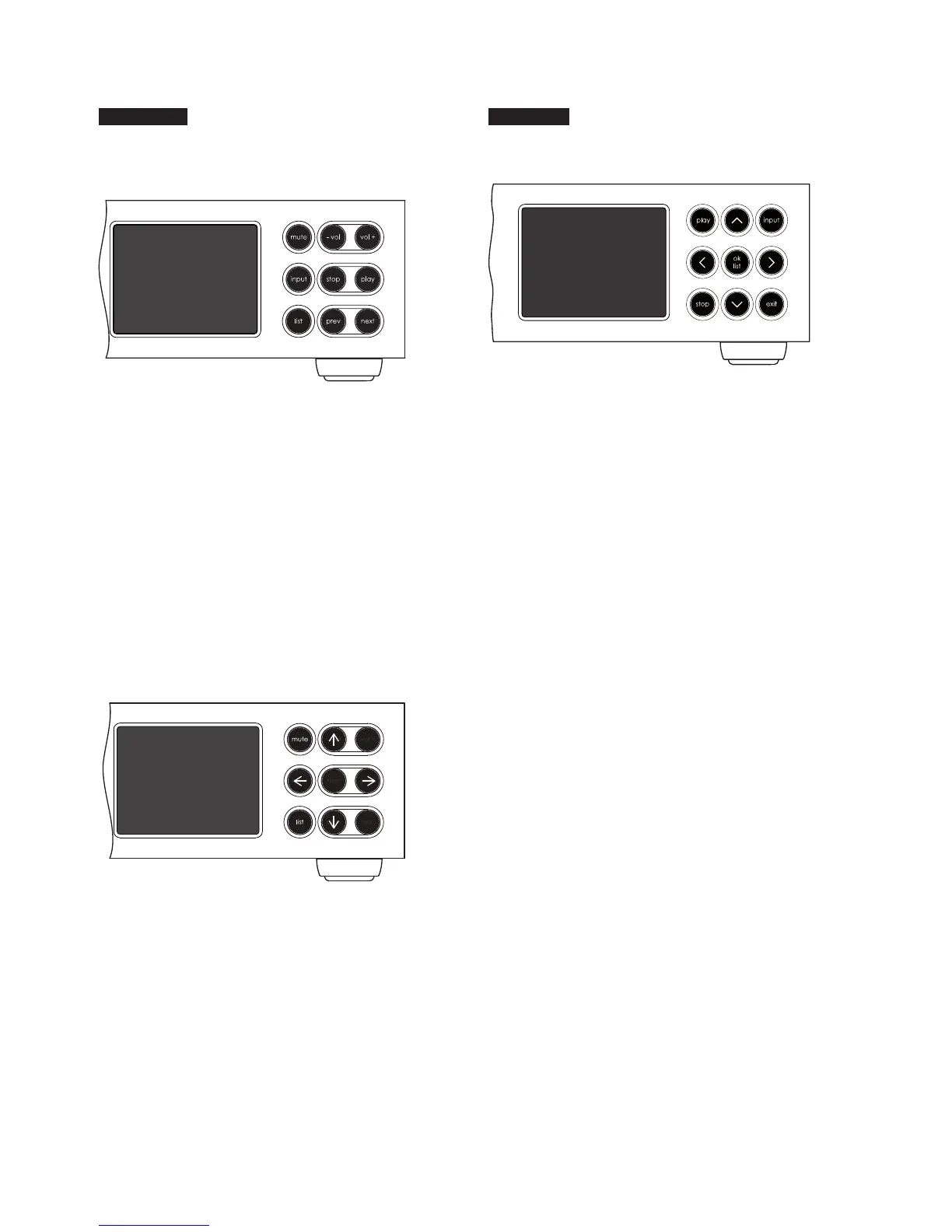
NaimUniti 2
3.3 NaimUniti 2 Front Panel Buttons
(normal play mode)
SuperUniti
3.5 SuperUniti Front Panel Buttons
3.4 NaimUniti 2 Front Panel Buttons
(list and setup modes)
OK
In normal play mode the front panel buttons
perform the operations described below:
mute mutes audio output
-vol decreases volume
vol+ increases volume
input sequentially selects inputs
list switches unit to list mode
stop stops play
play starts play
prev selects previous track or audio le
next selects next track or audio le
In list and setup modes the front panel buttons (except
mute) recongure. The recongured buttons are illustrated
in the diagram above and their operation is described
below:
-vol navigate up menu or list
input go to previous menu or list (or previous
character)
play go to next menu or list (or next character)
prev navigate down menu or list
stop OK (conrm selection)
list exit list mode
mute mutes audio output
The front panel buttons function as described below:
play plays a selected track or radio station
^ navigates up a menu or list
input sequentially selects SuperUniti inputs
< returns to the previous display menu
ok/list enters list display mode
conrms menu item selection
> advances to the next display menu
stop stops playing a track or radio station
V navigates down a menu or list
exit exits list display mode
Note: Front panel volume control on the SuperUniti is via
its rotary volume knob.
Note: The front panel logo is touch sensitive and operates
as a mute/un-mute control.




 To Next Page