15
3. Operation and Control
3.8.2 Setup using the Naim app
The Naim app provides comprehensive access to all
streamer setup parameters. The setup parameters and
functions are listed in the following paragraphs. The
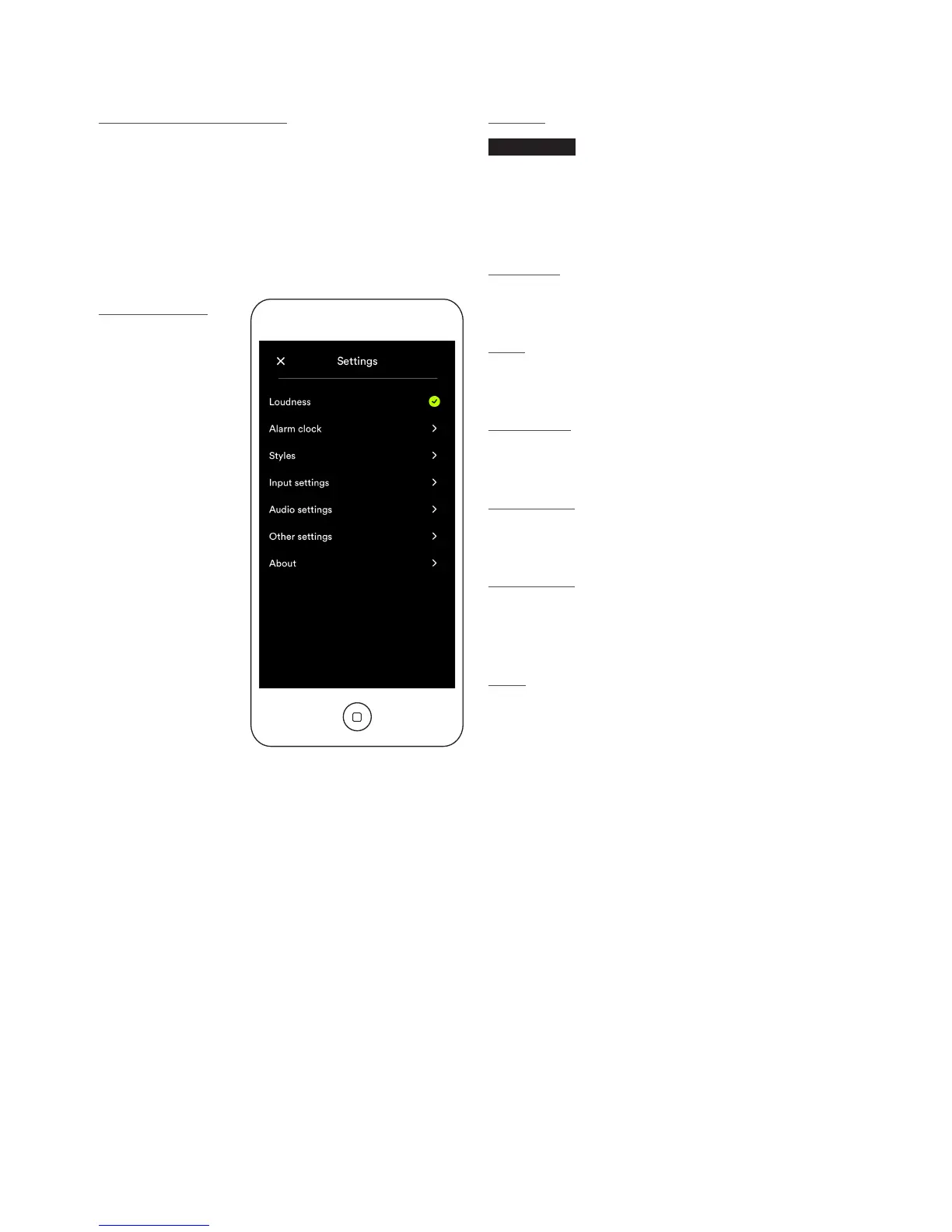
diagram below illustrates the Naim app Settings page.
The Settings menu provides the following items: Loudness
(UnitiQute 2 only), Alarm Clock, Styles, Input settings,
Audio Settings, Other settings and About.
Naim app settings
Loudness
UnitiQute 2
Loudness applies a bass boost that decreases as volume
is increased. By compensating for the ear’s reduced bass
sensitivity at low volume levels, loudness compensation can
make low volume listening more satisfying.
Alarm clock
The Alarm Clock menu enables the alarm time to be set and
the alarm source to be selected.
Styles
The Styles menu enables various Naim app background
options to be selected.
Input settings
The Input settings menu provides a variety of options
specic to each type of input.
Audio settings
The Audio settings menu provides a variety of audio control
and congutration options.
Other settings
The Other settings menu provides the following items:
Amazon Store, Stay Connected, Language Settings, Clear
Image Cache and Reset App.
About
The About menu provides third party licence information
and information on Uniti Series product rmware and
connection status.





 To Next Page