MENU
PRESS”SELEST”TO RETURN
CH:512
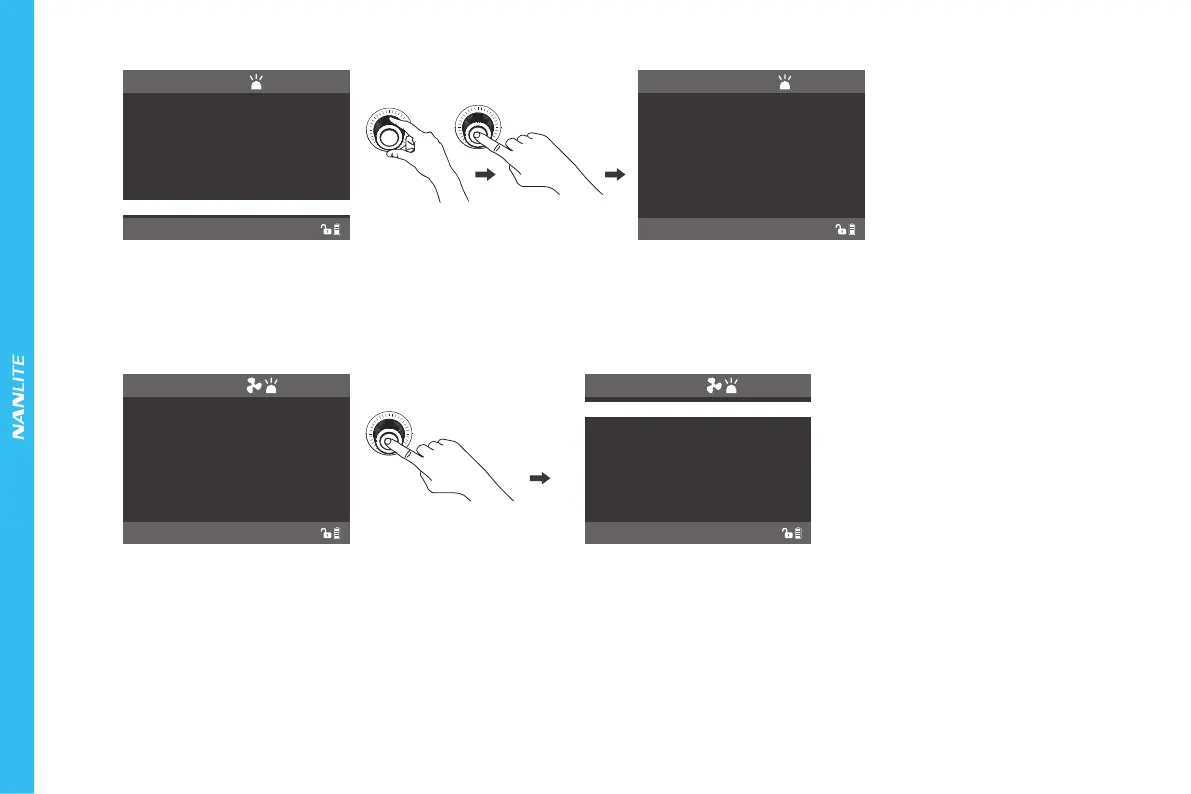
PLEASE CHECK THE FAN.
FAN IS NOT WORKING,
LIGHT HAS SWITCHED TO
SILENT MODE.
SILENT
MENU
PRESS”MENU”TO RETURN
CH:512
ROTATE SCREEN
SCREEN BRIGHTNESS
BUTTON BACKLIGHT
LANGUAGE
DMX/CHANNEL
LIGHTING MODE
⑨LOCK Key: Long press "LOCK" for 2 seconds to lock the functions. At this moment, the operation button or knob cannot change the current status. Press the "LOCK "
again for 2 seconds to release the locking status.
2. When stoping using the fixture, turn off the switch.
MENU
PRESS”MENU”TO RETURN
CH:512
NORMAL
DMX/CHANNEL
BUTTON BACKLIGHT
VERSION
Rotate "SELECT Knob" to VERSION, press
"SELECT Knob" to check the version of the fixture.
SCREEN BRIGHTNESS
VERSION
PRESS”MENU”TO RETURN
CH:512
NORMAL
LANGUAGE
RESET ALL SETTINGS
To upgrade, please switch off
the light, plug in USB drive that
has the new firmware,
and restart the light.
www.nanlite.com
VERSION:1.08.00
The users can check the version of the firmware for the fixture via the VERSION interface. Check whether the VERSION: 1.08.00 is the latest firmware
compared with the official website, and you can download the latest firmware on the official website and upgrade firmware via USB port.
(8)VERSION SETTING
(9)When the fan stops working, press "SELECT Knob" to return to the previous operation interface, the lighting mode will switch to SILENT.
26
SILENT



 To Next Page