
EasyManua.ls Logo

NanoEnTek ADAMII-CD34 - User Manual

NanoEnTek ADAMII-CD34
62 pages
Print Icon
To Next Page IconTo Next Page
Loading...
User manual
For ADAMII
TM
-CD34
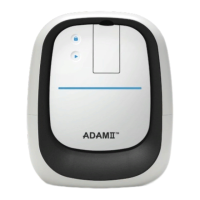
Bench-top Fluorescence Cell Counter

Questions and Answers

NanoEnTek ADAMII-CD34 Specifications

General IconGeneral
BrandNanoEnTek
ModelADAMII-CD34
CategoryMeasuring Instruments
LanguageEnglish

Summary

Introduction

Product Components

Product Description

Front View

Details the buttons, LEDs, and slots on the front panel of the device.

Side View

Illustrates the physical layout and access points on the side of the instrument.

Rear View

Shows the location and function of ports on the back of the ADAMII™ device.

Installation

Unpacking the Instrument

Step-by-step guide for safely removing the instrument from its packaging.

Install the Instrument

Instructions for connecting the power cord and USB cables to the instrument.

Install SW Program

Guide for installing the necessary computer software to operate the device.

Home Menu

Log In

Process for authenticating user credentials to access the main interface.

User Management

Procedures for creating, modifying, or deleting user accounts and permissions.

Audit Trail

Functionality to review historical logs of user actions and system events.

Calibration Procedure

Detailed instructions on how to calibrate the instrument for accurate measurements.

Sample Loading

Operation

Insert Assay Slide

Step-by-step guide for inserting the prepared assay slide into the instrument.

Measure Menu - Initial Mode

Description of the primary measurement screen and its components.

Measure Menu - Focusing Mode

Guidance on adjusting focus for clear cell imaging in fluorescence and bright fields.

Data Menu

Overview of how to access, review, save, and export collected measurement data.

Setting Menu

Date & Time

Instructions for configuring the instrument's internal clock.

Counting Settings

Options for adjusting sensitivity and circularity parameters for cell counting.

Calibration

Access to view past calibration results and initiate new calibration.

Sample Volume

Configuration of total and sample volumes for assay types.

Entry Required

Setup for mandatory data fields like Sample ID and Patient ID.

Update

Process for updating the instrument's software and firmware.

Device Info

Displays hardware details like serial number and COM port.

Disk Info

Shows the available storage space on the instrument's internal drive.

Cleaning and Maintenance

Troubleshooting

Installation and Camera Issues

Solutions for problems encountered during instrument setup or camera connection.

Operation and Accuracy Issues

Guidance for resolving common operational errors and inaccurate counting results.

Image Quality Issues

Steps to address problems related to poor or unclear cell images.

Error Code

Warranty

Safety Precautions

Safety Symbols

Product Specifications

Ordering Information

Technical Support