5
12. {
{{
{
Sort
}
}}
} key
Sort/Rotate Sort: automatically sorts
copies.
13. {
{{
{
Combine/Series Copy
}
}}
} key
Press to select “Combine” or “Series
Copy”.
14. {
{{
{
Original Type
}
}}
} key
Press to select the type of your originals.
15. {
{{
{
Lighter
}
}}
} and {
{{
{
Darker
}
}}
} keys and
{
{{
{
Auto Image Density
}
}}
} key
Adjusts the copy image density.
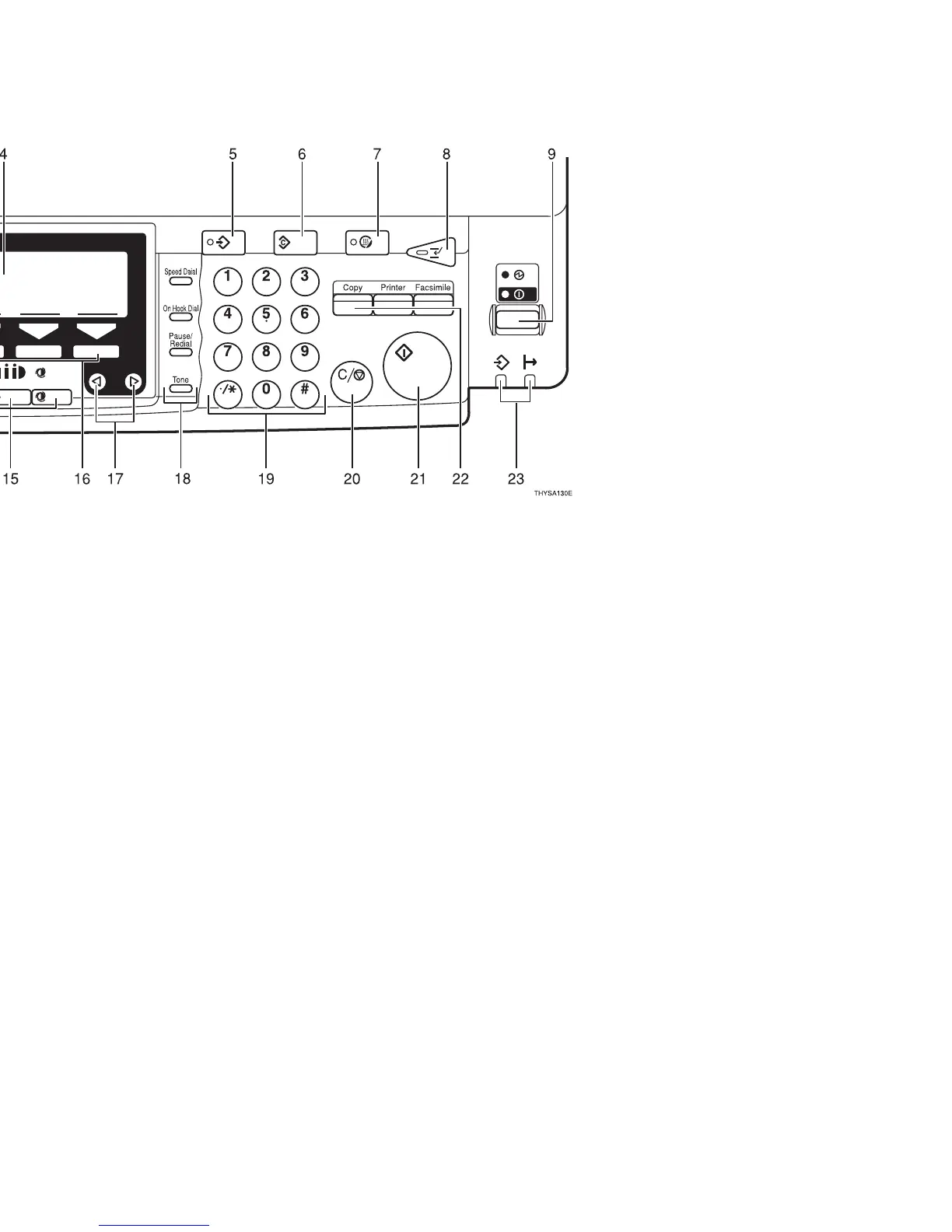
16. Selection keys
Press the key under the item you wish to
select.
17. 0
00
01
11
1 keys (Cursor keys)
Press to select an item on the panel dis-
play.
18. Operation panel for facsimile
mode (for machines with optional
fax function)
See the “Facsimile Reference”.
19. {
{{
{
Number
}
}}
} keys
Use to enter the desired number of copies
and data for selected modes.
Use the
{
#
}
key to enter data in selected
modes.
20. {
{{
{
Clear/Stop
}
}}
} key
While entering numbers, press to cancel a
number to have entered. While copying,
press to stop copying.
21. {
{{
{
Start
}
}}
} key
Press to start copying. Use to set the Auto
Start. See ⇒ P.50 “Auto Start—Entering
Copy Job Settings During the Warm-up Peri-
od”.
22. Function keys
Press to change modes. To use copy func-
tions, press the
{
Copy
}
key.
23. Indicators (with the printer op-
tion)
These indicators show the status of the
printer.
See the “Printer Reference”.



 To Next Page